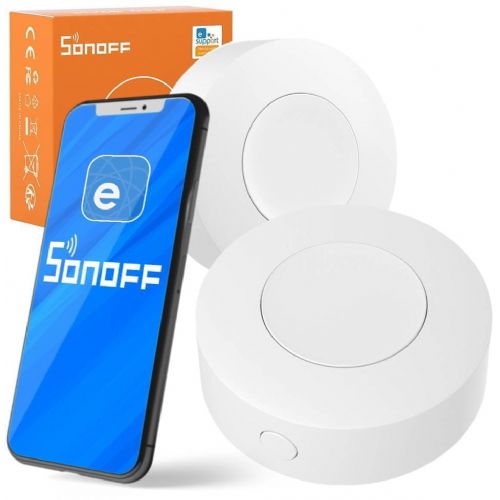
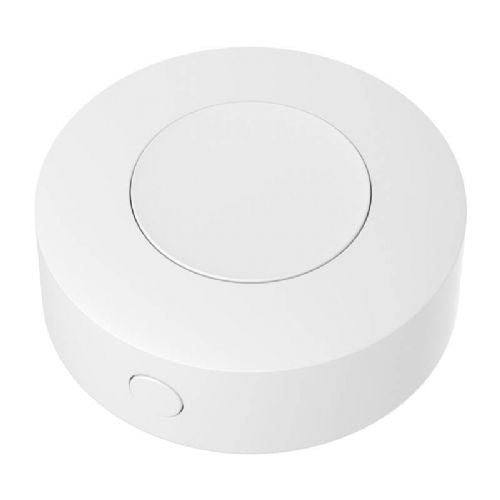
Sonoff Wireless Smart Switch Button eWeLink – Zigbee Quick Control
Suitable for fast local management Good for Zigbee ecosystems Easy to use without a phone
The smart round switch button allows you to easily control your smart home devices via physical pressure, without a phone or complicated installation.
- Quick connection to Zigbee systems
- Physical button for instant action
- Compact design for any installation
- Support for multiple different scenarios
- Suitable for users of all ages
Wireless Smart 3V Round Switch Button ZigBee Remote eWeLink (SNZB-01P)
Are you looking for a simple yet highly effective solution to manage your smart home without constantly reaching for your smartphone? The Wireless Smart 3V Round Switch Button ZigBee Remote eWeLink (SONOFF SNZB-01P) is a revolutionary smart switch that will transform your home into the home of the future. This compact, aesthetically pleasing round device allows you to take full control of your lights, smart sockets, shades, alarm systems and other devices in the eWeLink ecosystem with the simple push of a button.
Thanks to the advanced Zigbee 3.0 protocol and the extremely long life of the CR2477 battery, this smart button offers a stable connection, fast response and complete freedom of installation without any cables or complicated electrical work.
Why choose the ZigBee SNZB-01P smart switch button?
The SONOFF SNZB-01P smart button is not just a simple switch - it is a multi-function controller that adapts to your daily habits. Whether you want to turn off all the lights before bed, trigger a scene for watching a movie, or ensure the safety of elderly family members, this device offers everything in one.
Three functions in a single button
Forget about the type of switches on your wall. The SNZB-01P supports three different push methods, meaning you can control three separate devices or create three different smart scenarios with a single button:
Single click: Ideal for quickly turning the main light on or off.
Double click: Perfect for closing the blinds or activating day mode.
Long press: Use it to turn off all smart devices in the house when you leave home.
Complete flexibility and easy installation
Thanks to the external pairing button and the included mounting kit (3M double-sided adhesive tape and metal plate with screw), you can install the switch anywhere. Place it on your bedside table, stick it on the wall by your front door, or use it as a portable remote control that you always have at hand.
Safety first: SOS button for emergencies
In case of emergency, the SNZB-01P can act as a reliable SOS alarm button. With a single press, elderly family members or children can immediately send an alert notification to your smartphone, providing an invaluable sense of security for the entire family.
Key features and benefits
Zigbee 3.0 protocol: Ensures seamless integration, extremely fast response time, and compatibility with a wide range of Zigbee 3.0 gateways (hubs).
Three control modes: Supports single click, double click and long press to control various smart devices or scenes.
Alexa Integration: Allows you to easily trigger voice routines with a physical push of a button.
Operation history: You can check the operation history for the past three months in the eWeLink app, which helps you analyze your home usage patterns.
Reliable power supply: Powered by a powerful 3V CR2477 battery (included), ensuring long-lasting operation without frequent replacement.
Compact and durable design: Made of high-quality fireproof PC material with a minimalist round design in white.
Security Standards: Supports advanced AES-128 encryption for secure communication within your smart network.
Technical specifications
Shape
Round
Color
White
Input voltage
3.0V
Battery model
CR2477
MCU (Microcontroller)
EFR32MG22
Certificates
CE / FCC / ISED / RoHS
Dimensions
45 x 45 x 17.7 mm
Weight
27.7g
Housing material
PC (polycarbonate)
Pairing time
180 seconds
Antenna
PCB antenna
Security encryption
AES-128
Usage
Indoor use
Operating temperature
-10°C ~ 60°C
Working height
Up to 5000 m
Package contents:
1x ZigBee Wireless Smart Round Switch Button (SNZB-01P)
1x CR2477 Battery (already inserted)
1x 3M adhesive tape
1x Metal bracket and screw for wall mounting
Button function labels
Frequently Asked Questions (FAQ)
1. Do I need a smart gateway (Hub) for this switch to work?
Yes, because the switch uses the Zigbee 3.0 protocol, you need a compatible Zigbee 3.0 gateway (e.g. SONOFF Zigbee Bridge Pro or any other compatible hub connected to the eWeLink app) for it to work.
2. How long does the battery in the SONOFF SNZB-01P button last?
The device uses a high-capacity CR2477 (3V) battery. Due to the extremely low power consumption of the Zigbee protocol, the battery provides long-lasting operation (depending on frequency of use) before it needs to be replaced.
3. Can I use the switch outdoors?
The SNZB-01P switch is designed for indoor use only (operating temperature -10°C to 60°C). It is not waterproof, so do not expose it to direct rain or moisture.
Responsible persons:
sonoff - INNPRO Robert Błędowski Sp. z o. o., Rudzka 65c, 44-200 Rybnik, Poland, contact@innpro.eu (+48) 696 323 914
Distributor for Slovenia: Haloorodje.si, Online Sales, Rok Groznik sp, Podturn 42, 8350 Dolenjske Toplice, info@haloorodje.si, +38669731944, Slovenia
Product origin: China
Instructions for using the product:
• Insert the battery
• Open the cover on the back of the switch.
• Insert a 3V CR2477 battery and close the cover.
• Getting to know the smart hub
• Make sure you have a ZigBee hub that supports eWeLink (e.g. Sonoff ZigBee Bridge).
• Open the eWeLink app and select "Add Device" from the menu.
• Press and hold the button for 5 seconds until the indicator starts flashing.
• After successful connection, set the desired functions in the app.
• Installation
• You can place the button on metal or stick it to any smooth surface or hold it in your hand like a remote control.
• Set actions for different types of presses (single, double, long press).
Useful tips:
💡 Use the button as a remote control for your lights - one press to turn on/off.💡 Set up scenarios in the eWeLink app, e.g. a press to open the blinds or turn off all devices at once.💡 Use it as an SOS button that, when pressed, activates an alarm or sends a notification to your phone.💡 Place multiple buttons around the house to easily control your smart home without your phone.💡 Use the long-press function to adjust the brightness of your lights or change the colors of your smart LED strips.
Warnings:
⚠️ Only works with a ZigBee hub - make sure you have a compatible bridge to connect.⚠️ Do not expose to water or moisture, as the device is not waterproof.⚠️ Insert the battery correctly to prevent damage or short circuits.⚠️ If the device does not work properly, repeat the connection process or check the battery status.
Same summary
This wireless smart ZigBee switch is designed for users who want simple and physical control of smart devices in their home, independent of their phone or app. Using the ZigBee protocol, it allows you to turn on and off scenarios or devices and is suitable for complementing an existing smart system if you already have a ZigBee network or hub. It is recommended to check compatibility with your devices and the need for a possible hub in advance. For those who would like more advanced automation or use without a ZigBee system, the product may be less suitable.
Recommendation source: Enaa guides and team experiences.
User view
The wireless smart button is often chosen by users who want to quickly control lights, blinds or other smart devices locally, without having to constantly reach for their phone. It is often used in living rooms, bedrooms or as a practical addition for guests, as it allows intuitive use for all family members. Many also appreciate the possibility of connecting to various smart ecosystems and adapting scenarios according to the needs of everyday life.
Users also value the wider range of Sonoff products, which, with their reliability and mutual compatibility, make it easier to upgrade a smart home without complicated procedures.
Why buy at Enaa
When shopping at Enaa, you can count on clearly presented product compatibility and help in finding the right smart accessory for your home. The shopping experience is tailored to household needs and everyday use, so you can quickly find what you really need.
Answers to frequently asked questions
Does this ZigBee button work without a special hub?
To function, most ZigBee devices, including this switch, require a ZigBee hub or control center that connects all smart devices on the network.
How do I check compatibility with my smart home?
Check if your current smart ecosystem (e.g. existing ZigBee hub or other Sonoff products) supports third-party devices and uses the same protocol.
What devices can I control with this button?
You can program the button to control various smart devices, such as lights, blinds, or outlets, depending on the settings of your ZigBee system and supporting devices.
What should I do if the button doesn't respond?
Check the battery, the distance between the button and the ZigBee hub, and make sure that all devices are connected to the same network. Sometimes a re-connection process is required.
Can I use the same button in multiple locations in my home?
The button can be moved anywhere in the home as long as it is within range of the ZigBee signal, allowing for flexible use depending on the needs of the household.
Description updated: April 2026