Your shopping cart
😊 Product added to cart successfully
Product removed to cart successfully

Couldn't load pickup availability
Izdelek bomo predvidoma poslali čez: 1 dni
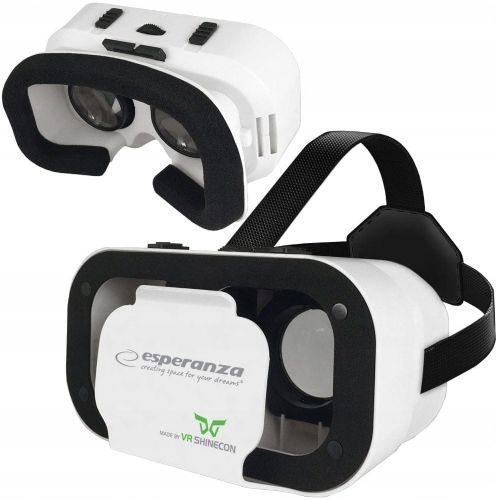
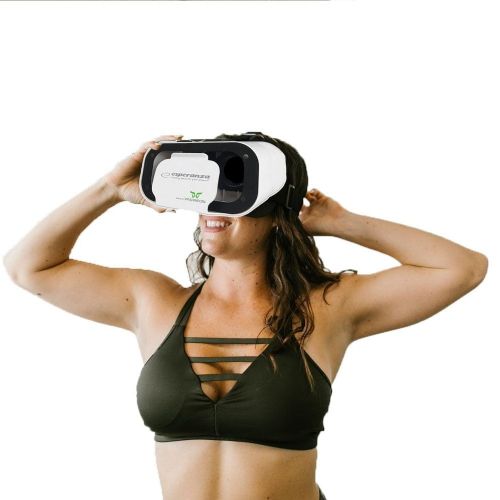
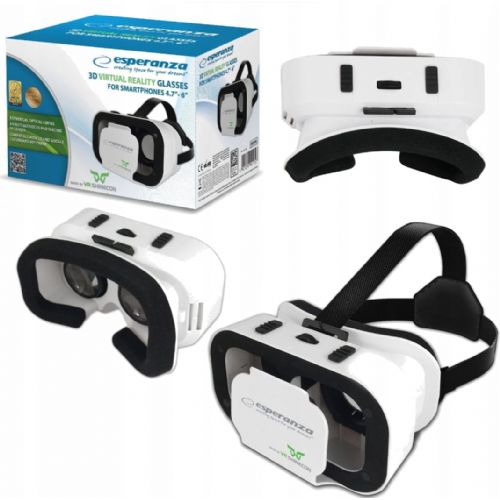


For users who want to occasionally watch VR content or try out compatible games on their smartphone. The phone provides the display, and the glasses bring it closer to their eyes.
The SHINECON EMV400 VR 3D universal virtual reality glasses for phones allow you to view compatible VR content on your smartphone. Place your phone in the glasses holder, then use the appropriate app to watch 3D movies and 360-degree videos or play compatible games.
The glasses are designed for phones with a screen size of 4.7 to 6 inches. Adjustable lenses allow for adjustment of distance and spacing, and straps ensure attachment to the head. A phone with a built-in gyroscope is recommended for head tracking in content that supports it.
⚖️ Compare features with other products of your choice
The glasses use your smartphone screen and a pair of lenses to display the content. Before using, launch VR-enabled content on your phone, such as an app, game, or video, and then place your phone in the glasses holder. For compatible content, the image is split to display through both lenses, creating a 3D effect.
The gyroscope in your phone detects your rotation and tilt. If your phone has one and the app supports it, your view in the virtual environment can respond appropriately to your head movements. Without a gyroscope, you can still watch compatible 3D content, but some interactive games or tracking features may not work properly.
The built-in aspherical lenses have a diameter of 42 mm. By adjusting their distance and spacing, you can adapt them to your vision and find a clearer and more comfortable image. The straps are adjustable, so you can attach the glasses to your head according to your needs.
The glasses are designed to be used with Android and iOS phones, but the device must also meet the dimensions listed. Before use, check that the phone can be securely mounted and properly aligned with the lenses. Adjusting the lenses does not guarantee that the glasses can be used without corrective glasses if they are required for clear vision.
| Model | SHINECON EMV400 |
|---|---|
| Lens type | Aspherical |
| Lens diameter | 42 mm |
| Lens distance adjustment | Up to 10 mm |
| Adjusting the lens spacing (IPD) | 55–72mm |
| Supported phone screen diagonal | 4.7–6 inches |
| Phone width | 70–80mm |
| Maximum phone height | 150mm |
| Supported operating systems | Android and iOS |
| Attachment | Adjustable straps |
You can use the glasses to watch compatible 360-degree videos, such as travel or underwater videos, and use VR games and simulations that support the selected viewing mode. Available features vary by phone and app.
Responsible person:
ESPERANZA - EDC Poterek Sp. J., ul. Poznanska 129/133, 05-850 Ozarów Mazowiecki, Poland
Email: safety@esperanza.com.pl
Phone: +48 22 721 35 71
Distributor for Slovenia:
Haloorodje.si, Online Sales, Rok Groznik sp, Podturn 42, 8350 Dolenjske Toplice, Slovenia
Email: info@haloorodje.si
Phone: +38669731944
Product origin: China
The key to choosing is whether your phone will fit in the holder and whether it supports the content you want to use. The glasses are a display accessory for your phone, so they don't provide the same experience in all applications.
Source of editorial recommendations: general verifiable guidelines for product selection.
🟢 Very convenient - the glasses are designed to display compatible content via a smartphone, so they can be used for occasional viewing of 360-degree videos.
🔴 Less suitable – they require a phone to display; they do not work as a standalone VR device.
🟡 Compatible with limitations - operation depends on the phone and the selected game's support for VR, and head tracking also depends on the phone's gyroscope.
Please check the diagonal of the screen and the width and height of your phone against the dimensions listed in the product specifications. The label "universal" does not mean that it fits every phone.
Not necessarily. This depends on the app and your phone's gyroscope support; you can watch some compatible 3D content without this tracking.
Description updated: November 2026


