Your shopping cart
😊 Product added to cart successfully
Product removed to cart successfully

Couldn't load pickup availability
Izdelek bomo predvidoma poslali čez: 0 dni
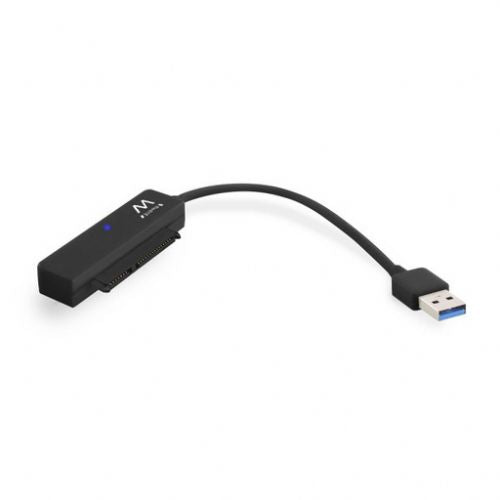
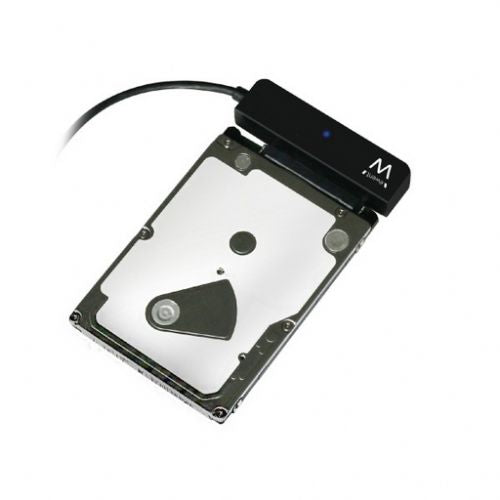
Features:
NOTE: The HDD in the picture is not part of the offer!
The USB 3.0 to SATA adapter for 2.5" SSD/HDD is intended for those users who want to quickly and easily connect a 2.5" SSD or HDD drive to a computer or laptop via a USB port. Due to its plug&play design, it is particularly useful for data transfer, data recovery or as a portable storage solution, requiring no additional settings or complicated installation. It is suitable for both business users who often need access to multiple drives, as well as gamers who want to expand their space for games or archiving content. It is worth noting that the adapter only supports 2.5" SATA drives and is not suitable for 3.5" models or older IDE connectors.
Recommendation source: Enaa guides and team experiences.
This adapter is most often used by those who need to quickly connect an additional drive - for example, when changing laptops, when recovering data after a computer failure, or for simply transferring large amounts of data between devices. In the home environment, users use it for old SSD or HDD drives that would not remain in use after upgrading the computer, while in business environments it is a popular tool for servicing, backup, or data migration.
Users often trust Ewent brand adapters, as their offering is known for its reliability and clear support for a wide range of computer accessories.
In addition to professional support in choosing computer accessories, Enaa offers a wide range of proven products from renowned brands such as Ewent. Shopping at Enaa also brings additional security, as all products in the accessories category are carefully selected according to the needs of Slovenian users.
The adapter supports most standard 2.5-inch SATA SSDs and HDDs; it is not suitable for 3.5-inch or older IDE drives.
No additional power supply or driver installation is required for use; the adapter usually works immediately after connecting the USB to the computer (plug & play).
Thanks to USB 3.0 support, it enables faster data transfer, which is convenient when backing up or moving larger files to an SSD/HDD.
Transferring data between different operating systems is possible, but you must consider the disk's file system (e.g. NTFS, exFAT, HFS+), which affects compatibility.
For safe use, we recommend that you always properly remove the drive from the system before physically disconnecting it, thereby reducing the possibility of data or drive damage.
Description updated: April 2026


