Your shopping cart
😊 Product added to cart successfully
Product removed to cart successfully

Couldn't load pickup availability
Izdelek bomo predvidoma poslali čez: 5 dni


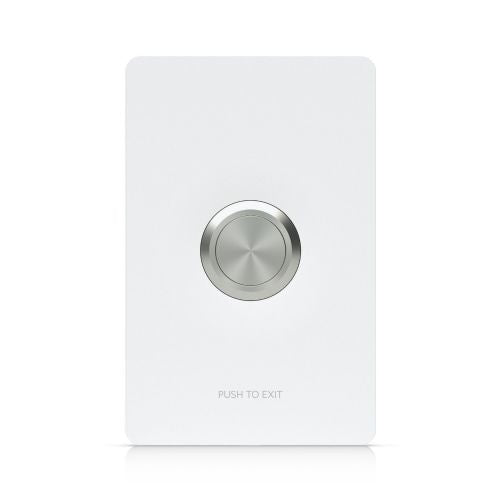


The Ubiquiti Access Button (Black) brings smart convenience to everyday life with an elegant and simple solution for controlling access and ventilation in your home. It is designed for anyone who wants a modern, secure and easy way to control doors and windows with physical touch - without unnecessary complications and complicated settings.
Evaluation of key product features
| Property | Value | Emoji rating |
|---|---|---|
| Type | Smart controllers | 🟢 9 |
| Protocol | ||
| Management type | Physical buttons | 🟢 8 |
| Requires a hub | ||
| Warranty | 1 year | 🟢 8 |
⚖️ Compare features with other products of your choice
This smart controller is designed for modern households where security and convenience are a priority. With a simple push, you can physically open or close doors and windows, which is especially useful for families and individuals who value quick control without a phone or remote. The physical button allows for responsive touch control, bringing a more natural interaction with your smart home.
The product stands out with its minimalist and discreet design, which makes it blend in beautifully with the interior of modern spaces. Since it is a physical button, its use is intuitive for all generations – from children to the elderly. Connection and configuration are usually quick and easy, as the Access Button is designed to integrate seamlessly with Ubiquiti smart systems.
The combination of advanced technology and simplicity allows users to centrally control access without having to worry about complex procedures or frequent connectivity disruptions. Built-in security features protect your home, and management remains simple and reliable, even when there is no internet in the house. With this smart assistant, users can create a safer, more convenient and connected home.
| Device functions | Device type | Security | |
| Device type | Control unit | ||
| material | Polycarbonate | ||
| Field of application | Inside | ||
| humidity | 5 - 9% | ||
| Electricity | Power over Ethernet (PoE) | Yes | |
| Temperature range | Operation | 40°C | |
| Dimensions | Width: 88 mm x Height: 137 mm x Depth/Length: 38.1 mm | ||
| Weight | 180 grams | ||
The Ubiquiti Access Button (black) is a practical addition for users who want to physically control access to their premises without relying entirely on apps or voice control. It is particularly suitable for households or small offices where clear control over opening and closing is important, as well as for those who want to strengthen their system with physical buttons. However, modern smart systems require that you check compatibility with your existing equipment before purchasing. For more advanced users looking for central solutions or complex automation with connections to various protocols, a physical button may be just one part of a wider system.
Recommendation source: Enaa guides and team experiences.
This controller is most often used by users who want simple and straightforward access management without unnecessary complexity. It is a good choice for families where not every member is skilled in using applications, and for spaces where quick response is essential - for example, in garages, outbuildings or business entrances.
Users trust the Ubiquiti brand because of the proven quality of the solution and the possibility of comprehensively upgrading the smart home in their ecosystem.
At EnaA, you can reliably find products of various price levels and proven brands for your smart home, with a choice of various payment options and always up to date with the availability of current models. In addition, we enable easy comparison of controllers and a quick overview of technical details and useful opinions from other consumers.
The controller is best suited for individual premises or private households; for use in a multi-apartment building, we recommend prior verification of compatibility with existing access control systems.
Installation is usually simple, but we recommend that you engage a smart systems expert in case of doubt or more complex connections, to ensure the device operates flawlessly.
The controller is based on physical buttons, so we recommend checking integration options with your current smart system and devices before purchasing.
Physical buttons allow everyone in the household to use it quickly and directly, without the need for additional app or profile setup.
In most cases, a controller can serve as part of a basic solution, but it is important to always check the compatibility of new devices with your existing ecosystem when expanding your smart system.
Description updated: June 2026


