Your shopping cart
😊 Product added to cart successfully
Product removed to cart successfully

Couldn't load pickup availability
Izdelek bomo predvidoma poslali čez: 0 dni
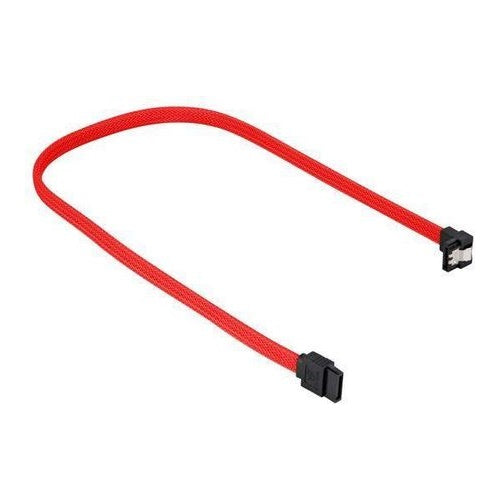
The Sharkoon SATA-III cable is suitable for connecting hard drives, optical drives or other SATA devices to the motherboard. The cable is 45 cm long and is covered with an opaque shield. In addition, one end of the cable is angled at a 90° angle.
Specifications
| Application example | For connecting SATA hard disks/drives to the motherboard | ||
| Area | Data transfer | ||
| Connection | from | 1x 7-pin SATA (male) | |
| on | 1x 7-pin SATA (male) | ||
| protocol | Serial ATA III (6.0 Gbit/s) | ||
The Sharkoon SATA III Cable 90°, 45 cm, red is designed for reliable connection of internal disks, SSDs or optical drives with SATA connector in computer systems. Its length of 45 cm allows for optimal placement of devices in most cases, without causing tension or excessive cable wrinkling. Due to the specific 90-degree connector, it is particularly useful where access to connectors is limited or better cable organization is required. The cable is less suitable for situations where a longer length or frequent device replacement is required.
Recommendation source: Enaa guides and team experiences.
Business users reach for this SATA cable when they want to install new drives in server or workstation systems and keep the interior of the case tidy. Gamers choose this cable when installing fast SSDs requires stable connectivity without compromising on data transfer speed. Home users who are upgrading or maintaining their computer also appreciate the ease of use and color separation that makes it easier to organize multiple drives or devices in the same system.
With such products, brand reliability is often important. Users often choose Sharkoon because of their confidence in the quality and wide range of computer equipment that can be found in the Sharkoon offer .
At Enaa, you can count on a proven selection of cables that meet the requirements of modern computer users, including products from proven brands. We also provide clear technical data and the ability to compare different models within a wide cable category, making it easier to decide on the most suitable solutions.
Yes, the cable is compatible with all devices that use a standard SATA connector, whether for hard drives, SSDs, or optical drives inside computers.
It is recommended to measure the distance between the motherboard and the device and choose a cable that is at least a few centimeters longer to prevent strain and make installation easier.
The angled design of the connector allows for better space organization in narrow computer cases and prevents excessive bending of the cable at the connector, which can improve the lifespan of the connector.
Color has no impact on data transfer performance; users choose it primarily for easier cable organization or visual consistency inside the computer.
Replace the cable if it shows signs of wear, damage, or if you experience problems with data transmission; however, with normal use and proper care, replacement is not necessary often.
Description updated: April 2026


