Your shopping cart
😊 Product added to cart successfully
Product removed to cart successfully

Couldn't load pickup availability
Izdelek bomo predvidoma poslali čez: 1 dni
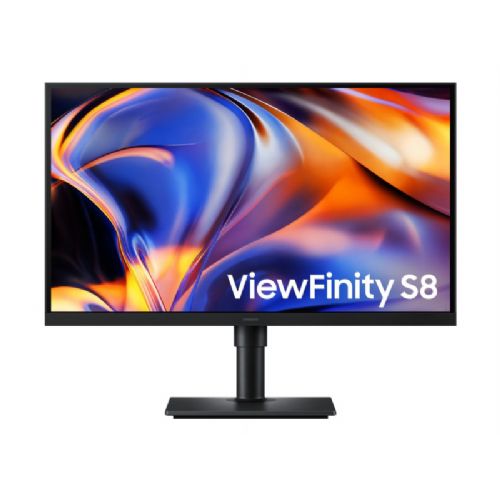


This monitor is designed for business users and anyone who needs an ultra-sharp image for working with documents, spreadsheets or creative content. It's ideal for modern, single-cable setups.
Professional 67.5 cm (27") monitor with IPS display, outstanding 5K 5120 × 2880 resolution and 218 PPI density. USB-C with up to 90 W power delivery, built-in LAN, KVM switch, Picture-in-Picture and Picture-by-Picture functions and an ergonomic stand provide a powerful and tidy working environment for demanding users.
The Samsung ViewFinity S8 S80HF is a 27-inch high-definition monitor designed for productivity, content creation, and demanding multitasking. The 5K 5120×2880 resolution offers 77% more pixels than 4K and a pixel density of 218 PPI, allowing for razor-sharp display of text, photos, video, and other details.
The IPS panel provides wide 178° viewing angles and consistent image display from different positions. The monitor supports up to 1.07 billion colors and 99% sRGB color space coverage, making it suitable for work where accurate and rich color display is important.
HDR10 support enables the display of over a billion colors with more pronounced dark and bright areas of the image. This means photos, videos, and graphics are displayed with more detail and a wider range of color tones.
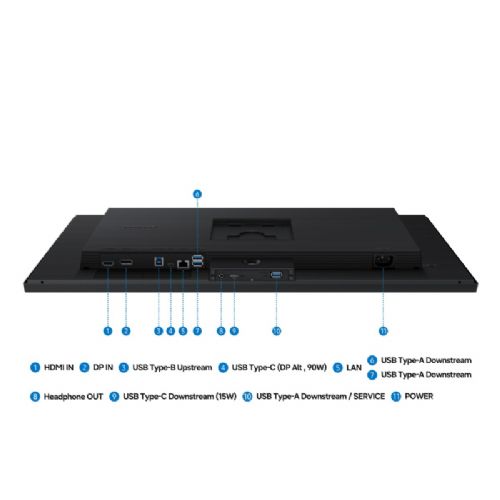
USB-C allows data transfer and simultaneous power delivery to a compatible laptop with up to 90W. A built-in LAN port enables wired network connectivity through the monitor, while additional USB ports help create a convenient connectivity hub for peripherals.
The built-in KVM switch allows you to control two connected sources with a single keyboard and mouse. The Picture-in-Picture and Picture-by-Picture functions allow you to display content from multiple sources on a single screen, making it easy to work with multiple computers or applications.
Easy Connection puts frequently used ports within easy reach, while Auto Source Switch+ makes switching between connected sources more convenient. Samsung Display Manager also lets you control screen division, brightness, KVM, PIP/PBP, and color settings directly from your computer.
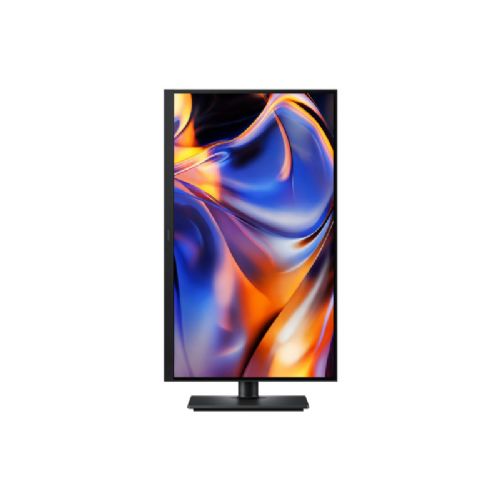
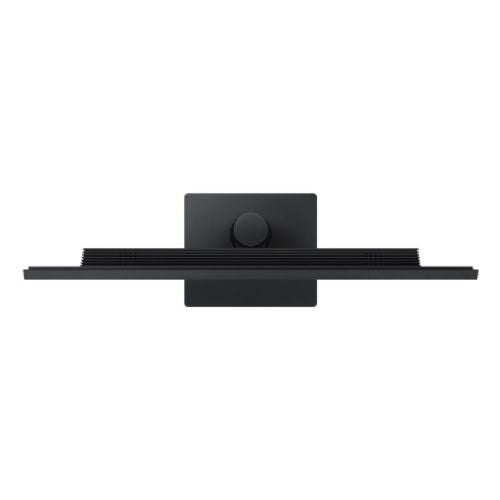
The ergonomic stand offers up to 120mm of height adjustment, tilt, swivel and 90-degree pivot. Eye Saver Mode reduces blue light, and Flicker Free technology reduces screen flicker for more comfortable work during long work sessions.
The 5120 × 2880 resolution and 218 PPI density provide an extremely sharp display and 77% more pixels than 4K.
USB-C allows data transfer and simultaneous power delivery to a compatible laptop with up to 90W.
HDR10 support and a display of up to 1.07 billion colors ensure a rich display of color tones and details.
The built-in KVM switch allows you to control two connected sources with a single keyboard and mouse.
Picture-in-Picture and Picture-by-Picture enable efficient work with multiple content or input sources on a single screen.
USB-C, a USB hub, and built-in Ethernet LAN allow for convenient connection of your laptop and peripherals.
| Model | LS27H802EFAXEN |
| Series | Samsung ViewFinity S8 S80HF |
| Screen size | 67.5cm (27") |
| Screen type | Level |
| Panel type | IPS |
| Aspect ratio | 16:9 |
| Resolution | 5K 5120 × 2880 |
| Pixel density | 218 PPI |
| Refresh rate | Up to 60Hz |
| Response time | 5ms (GtG) |
| Brightness | 350 cd/m² typical / 280 cd/m² minimum |
| Static contrast | 1,000:1 |
| HDR | HDR10 |
| Viewing angle | 178° / 178° |
| Number of colors | Up to 1.07 billion |
| sRGB coverage | 99% |
| Active screen area | 596.7 × 335.7 mm |
| Picture-in-Picture | Yes |
| Picture-by-Picture | Yes |
| KVM switch | Yes |
| Auto Source Switch | Auto Source Switch+ |
| Eye Saver Mode | Yes |
| Flicker Free | Yes |
| DisplayPort | 1× DisplayPort 1.4 |
| HDMI | 1× HDMI 2.1 |
| USB-C | 1× USB-C, power delivery up to 90 W |
| USB-B Upstream | 1× |
| USB-A Downstream | 3× USB 3.2 Gen 1 |
| USB-C Downstream | 1× |
| Ethernet LAN | 1× |
| Headphone output | Yes |
| Built-in speakers | No |
| Height adjustment | 120mm (±5mm) |
| Tilt | –3° (±2°) to 25° (±2°) |
| Horizontal rotation | –45° (±3°) to 45° (±3°) |
| Pivot | -92° (±2°) to 92° (±2°) |
| VESA | 100 × 100 mm |
| Dimensions with stand (W × H × D) | 616.3 × 560.2 × 218.0mm |
| Dimensions without stand (W × H × D) | 616.3 × 366.5 × 46.0mm |
| Packaging dimensions (W × H × D) | 565.0 × 119.0 × 490.0 mm |
| Weight with stand | 5.4 kg |
| Weight without stand | 4.0 kg |
| Gross weight | 7.0 kg |
| Power supply | AC 100–240 V, internal power supply |
| Maximum power consumption | 190W |
| Typical power consumption | 26W |
| Energy class | F |
| Color | Black |
| Included equipment | USB Type-C cable, power cable (1.5 m) |
When choosing this monitor, it is crucial to understand how the relationship between high resolution, screen size and connector type affects practical use in the work environment. The specifications reveal the capabilities, but it is important to evaluate the implications for multitasking, ergonomics and connectivity with computers and laptops to make a decision. It is also advisable to check before purchasing whether all features will be adequately supported by your current equipment.
Source of editorial recommendations: ENAA guides and team experience.
Thanks to its 5K resolution and 27-inch diagonal, the monitor allows you to work with multiple open applications and spreadsheets simultaneously without losing clarity.
Thanks to USB-C with 90W power delivery, the monitor is well suited for single-cable hybrid work, provided the laptop supports the corresponding standard.
As a second display or in a pair, it is suitable if the monitors are matched in resolution and pixel density; a mismatch can make the window-moving experience difficult.
Due to its 60 Hz refresh rate, the monitor is not primarily intended for playing fast-paced games, but it is satisfactory for the average user and strategies where a high frequency is not crucial.
With an IPS matrix and high resolution, the monitor is well suited for editing photos and video content, but additional calibration is recommended for professional color-sensitive work.
The monitor supports USB-C power delivery up to 90W, which is sufficient for most business and ultrabook laptops, but it is essential to check your laptop's support for video transfer and PD.
The monitor supports USB-C and other standard ports, but simultaneous use as a KVM or advanced features are not explicitly confirmed from the data.
The very high pixel density delivers sharp images and text, but many users will need to use zoom to make elements on the screen large enough.
The monitor, with its IPS matrix, allows for wide color angles and good basic color accuracy, but calibration is required for color-sensitive work.
When used with a monitor with a lower resolution or different pixel density, there may be a noticeable difference in image sharpness and user interface appearance.
Description updated: September 2026
If you are still deciding, the following content may also be helpful.
Best products
Products for various purposes
Monitors for working from home


