Skip to content

Search
Skip to product information
1 of 2

Samsung original PEN EJ-PS938BBE for Samsung Galaxy S25 Ultra - black

Regular price
€44,21
Sale price
€44,21
Regular price
Samsung original PEN EJ-PS938BBE for Samsung Galaxy S25 Ultra Designed for Samsung Galaxy S25 Ultra For precise writing and drawing Suitable for signing and taking...
Vendor: Samsung
Availability: In stock , 1 dni Out of stock

Čas dostave

Svg Vector Icons : http://www.onlinewebfonts.com/icon

Izdelek bomo predvidoma poslali čez: 1 dni
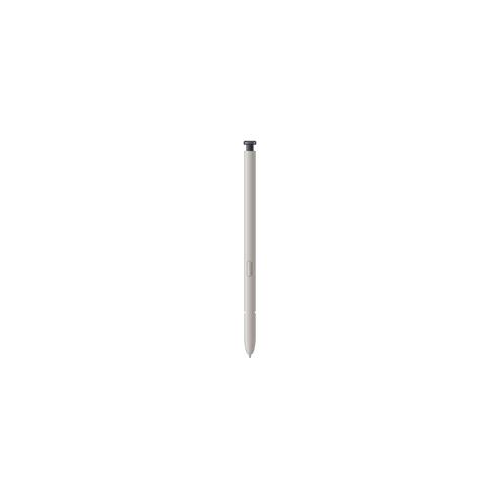
Samsung original PEN EJ-PS938BBE for Samsung Galaxy S25 Ultra - black

Samsung original PEN EJ-PS938BBE for Samsung Galaxy S25 Ultra

Designed for Samsung Galaxy S25 Ultra For precise writing and drawing Suitable for signing and taking notes Compatible with the Samsung ecosystem

The original Samsung Galaxy S25 Ultra stylus allows you to easily write, draw, and control the screen. Suitable for anyone who wants more precision than using their fingers.

  • Makes it easy to jot down ideas, notes, and signatures directly on your device.
  • Allows for more precise selection and editing of content on the screen.
  • Suitable for creatives who need a reliable tool for drawing or sketching.
  • Increases productivity when using compatible applications in the Samsung environment.


Samsung original PEN EJ-PS938BBE for Samsung Galaxy S25 Ultra - black

Stylus for Samsung Galaxy S25 Ultra - original. The stylus is black. The stylus is included with the black phone.

The product is a service part, so it has no packaging and is packed in the supplier's packaging.


It is important to know

When choosing the original Samsung EJ-PS938BBE stylus, it is crucial to pay attention to full compatibility with your Galaxy S25 Ultra - especially due to advanced features and the ultimate user experience. This stylus will most satisfy those who often write by hand, draw or intensively use dedicated applications on their phone. Pay special attention to ergonomics and how to use it, as choosing the right stylus significantly affects comfort during prolonged use.

  • The original stylus provides the best system integration only on the supported Galaxy S25 Ultra model; compatibility with other devices is generally not guaranteed.
  • Users who write or sketch frequently will appreciate the natural handwriting feel and high accuracy; for occasional use, a basic or universal stylus may be sufficient.
  • Advanced features (shortcuts, gestures) are only available in apps that support them - it doesn't make sense to expect them for every app.
  • The pen is thin and suitable for mobile use, but the thin grip may affect comfort during prolonged use.
  • When choosing a stylus, always check the system requirements and whether you need more advanced features, as additional options also bring more maintenance and possible settings.

Source of editorial recommendations: general guidelines for product selection.

In practice

📝 Write notes and sign documents

🟢 Enables highly accurate gestures and fast responsiveness, ideal for natural handwriting and digital signing on the Galaxy S25 Ultra.

🎨 Drawing and creative work

🟢 The right choice for digital sketching, creative idea recording, and occasional drawing with apps that support advanced S Pen features.

📱 Everyday navigation on your phone

🟢 Fast and precise screen control without fingerprints; useful for users who want a cleaner screen or more precise operation.

🏠 Home use

🟡 Great for organization, notes, and quick notes; with occasional use, the thin design may become less comfortable for those who write for long periods of time.

Answers to frequently asked questions

Is this stylus compatible with other Samsung phones or tablets?

No, this stylus is designed exclusively for the Galaxy S25 Ultra. Use with other devices is not recommended as it does not provide all functions.

What can I expect in terms of accuracy and feel when writing?

The pen offers a very natural writing feel and high precision, and is designed for users who write, draw, or edit content a lot.

Are special settings required for advanced features?

Advanced features such as gestures or shortcuts are in most cases available with appropriate settings in Samsung apps on the Galaxy S25 Ultra.

Is the pen suitable for long-term use and hours of drawing?

Its thin design makes it very portable, but it can become less comfortable with prolonged use compared to thicker styluses.

What do I do if the pen stops working?

First, check if the pen is properly connected to the device. If the problem persists, we recommend contacting Samsung Service or official support.

Description updated: July 2026

Why buy from ENAA?

  • The fastest in Slovenia. More than 95% of orders are delivered the next business day.
  • Top-rated customer support: fast complaint resolution, great content, guides.
  • Over 100 shopping guides for the best smart choice.
