Your shopping cart
😊 Product added to cart successfully
Product removed to cart successfully

Couldn't load pickup availability
Izdelek bomo predvidoma poslali čez: 5 dni
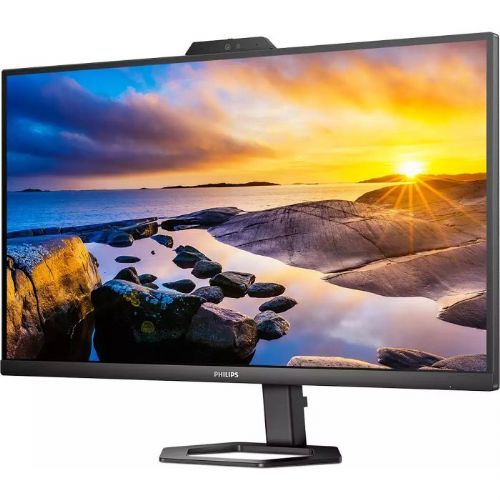
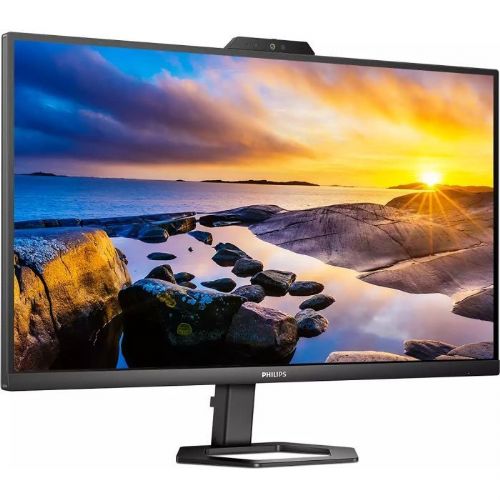
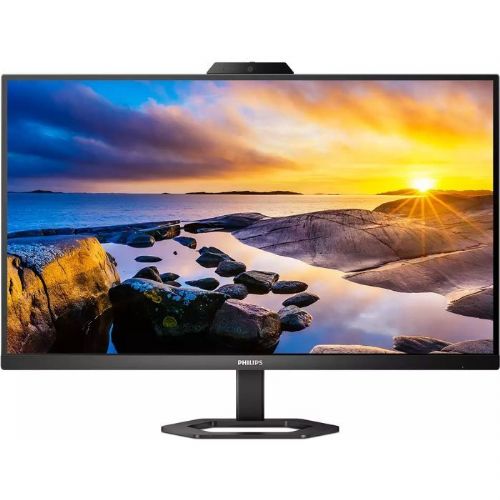
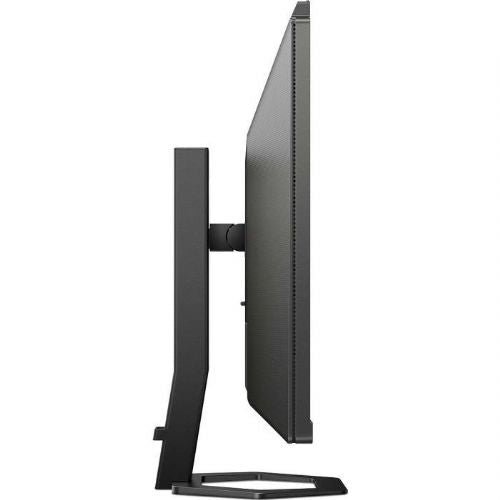
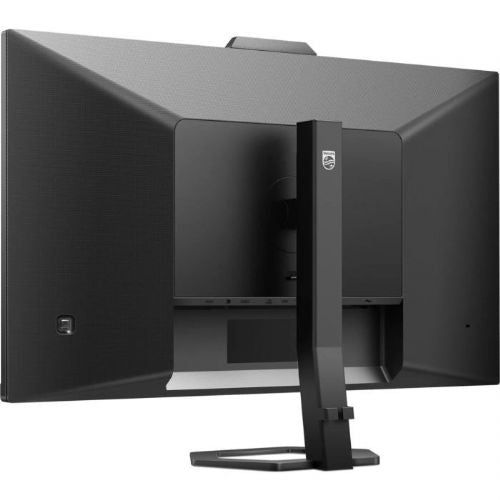
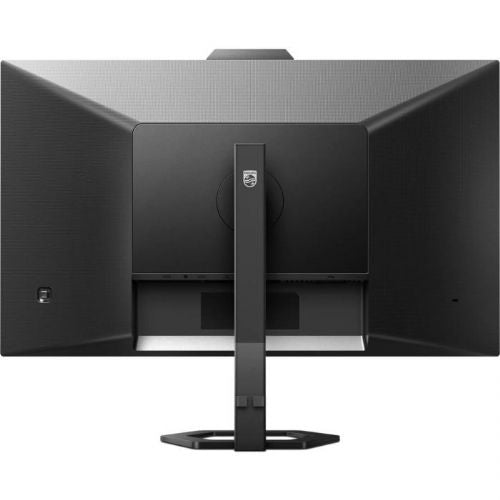
The Philips 27E1N5600HE 27" QHD IPS black monitor delivers an advanced visual experience and full functionality for business users, gamers and consumers who want more from their screen. It impresses with a high-quality image and an integrated webcam and microphone, making video calls and productive work from home or in the office much easier.
It is a 27-inch WQHD monitor with exceptional clarity and vivid colors, designed for users who appreciate details and versatile connectivity. It offers a solution for demanding work environments, multitasking, and modern needs such as conference calls, gaming, or digital creation. The advanced IPS panel provides wide viewing angles and consistent colors, while the built-in USB-C allows you to easily connect and power your devices with a single cable.
Evaluation of key product features
| Property | Value | Emoji rating |
|---|---|---|
| Field of application | Business monitor | 🟢 9.5 |
| Size | 68.58 cm (27") | 🟢 9.0 |
| Resolution | 2560 x 1440 (WQHD) | 🟢 9.3 |
| Panel type | IPS | 🟢 9.2 |
| HDMI connector | Yes | 🟢 9.0 |
| USB-C connector | Yes | 🟢 9.5 |
| Built-in docking station | - | |
| Aspect ratio | 16:9 | 🟢 9.0 |
| Touch screen | No | |
| Curved screen | No | |
| Response time (ms) | 4 | 🟢 8.2 |
| Brightness (cd/m²) | 300 | 🟢 8.7 |
⚖️ Compare features with other products of your choice
Modern USB-C connectivity greatly simplifies your workspace — the monitor allows you to simultaneously transmit video and audio, as well as power connected devices. This feature is especially useful for laptops and mobile devices, as it allows for much more flexibility and less cable clutter. The built-in webcam and microphone add an important advantage when working from home or in collaborative office environments, allowing you to be ready for meetings right away without additional equipment.
WQHD resolution (2560 x 1440) provides a large work surface and exceptional sharpness, making it easy to edit multiple documents, enjoy detailed graphics, or play games with vivid images. IPS technology provides wide viewing angles and color consistency from all directions, making the monitor also suitable for working in groups or sharing content.
The 4ms response time ensures a smooth experience even with dynamic content and fast transitions in games or videos, while 300 cd/m² brightness is optimal for most work and home environments. The 16:9 aspect ratio is standard for movies, work and games, and the HDMI port allows for easy connection to a variety of devices.
Overall, this monitor stands out for its balanced combination of performance, functionality and flexibility, satisfying both demanding business users and digital content enthusiasts. The user experience is built on comfort, clarity and seamless everyday productivity.
| Screen diagonal | 68.6 cm (27 inches) | ||
| Screen resolution | 2,560 x 1,440 pixels | ||
| type | LED monitor | ||
| Color | black | ||
| Suitable for | Business | ||
| Picture | Type of glare | Anti-reflective | |
| format | 16:9 | ||
| Technology | LED light | ||
| Panel technology | IPS | ||
| Backlight | White LED | ||
| functions | QHD/WQHD | ||
| brightness | 300 cd/m² | ||
| refresh rate | 75Hz | ||
| Viewing angle (10:1) | Horizontal | 178° | |
| Vertical | 178° | ||
| Pixel pitch | Horizontal | 0.233mm | |
| Vertical | 0.233mm | ||
| Colors | 16.7 million | ||
| reaction time | GtG | 4ms | |
| MPRT | 1ms | ||
| contrast | Static | 1,000 : 1 | |
| frequency | Vertical | 48–75 Hz | |
| Horizontal | 30–114 kHz | ||
| Links | 1x HDMI input (HDMI version: 1.4), 1x DisplayPort input (DisplayPort version: 1.2), 1x 3.5 mm audio output, 4x USB-A 3.2 Gen 1 (5 Gbit/s), 1x USB-C 3.2 Gen 1 (5 Gbit/s) | ||
| USB Note | The USB 3.2 Gen 1 designation corresponds to the previous USB 3.1 Gen 1 and USB 3.0 designations. | ||
| ergonomics | type | Swivel, tilt, height adjustable | |
| Tilting | 5° forward, 20° backward | ||
| Adjustable height | 130mm | ||
| power supply | Eco-off | 0.3 watts | |
| power supply | Integrated | ||
| Speakers | Number | 2 | |
| Total capacity | 10 watts | ||
| Standards | video | NTSC 102.02%, sRGB 114.18% | |
| wall bracket | VESA compatible (100 x 100 mm) | ||
| Features | Noise-cancelling microphone, 5MP pop-up webcam, physical camera switch, LowBlue mode, FlickerFree, Windows Hello compatible, EasySelect menu button, cable management, Mega Infinity DCR, SmartImage Game, FlickerFree, LowBlue mode, EasyRead, USB-C PD 65W, USB hub | ||
| Adaptive sync, Kensington lock, microphone, webcam | |||
| Accessories | Available | HDMI cable, USB-C to USB-A/CY cable, power cable, user documentation | |
| Dimensions | Width: 61.4 cm x Height: 52.4 cm x Depth/Length: 21.2 cm | ||
The Philips 27E1N5600HE monitor with a 27-inch IPS screen and QHD resolution is suitable primarily for users who want a larger work surface and good text readability in everyday work or study. The built-in webcam, microphone and USB-C connection further expand the usability, which is convenient for video conferencing and connecting to laptops. The product is most appealing to business users, those who work from home and users who often switch between multiple devices. For more advanced gaming needs and professional graphics work, where higher refresh rates or color accuracy are key, it may not be the optimal choice, as its technical characteristics are aimed primarily at versatile and comfortable use in business and home environments.
Recommendation source: Enaa guides and team experience.
Typical users of this monitor include professionals who frequently participate in video conferences, editors, analysts, content creators, and students who appreciate more workspace and display clarity. The USB-C port makes the monitor especially useful for those using modern laptops and wanting easy connectivity and additional functionality via the built-in USB hub.
Our dual monitor guide can also help you choose the right monitor for your needs in terms of size, resolution, and use in a dual-screen environment. Users often choose Philips products because the brand is known for its reliability and balance between functionality and user experience.
In addition to the wide range of comparison options with other monitors in our offer, you can count on the professional support of experienced consultants who know the specifics of using modern monitors in business and home environments. Enaa also provides access to numerous educational guides to help you make decisions about choosing the right monitor for your individual needs.
Yes, thanks to the USB-C connector, it allows easy connection to modern laptops, while also offering power and data and image transfer via a single cable.
QHD resolution on a 27-inch screen means more workspace and sharper details, which is especially useful when working with multiple windows or editing spreadsheets and documents. You can also learn more in our guide to choosing the right monitor size .
The built-in webcam and microphone are compatible with most popular video conferencing apps, such as Zoom, Teams, and Skype, and the connection is via a USB-C or USB-A cable depending on the connected devices.
The monitor provides a pleasant experience for occasional or less demanding games, while for serious competitive gaming, a model with a higher refresh rate is recommended.
When placing this monitor, consider eye height and an appropriate viewing distance based on the screen size. For more information on choosing and placing your monitor correctly, you can read our monitor buying guide .
Description updated: May 2026


