Monitor THOMSON M27FB5C14, 69cm (27"), Full HD, 100Hz, IPS, 5ms, 300nit, 110% sRGB, HDR10, HDMI, USB-C, AV-in, height, swivel, tilt, Adaptive Sync, Anti Glare / Flicker, Low Blue Light, VRR
- Regular price
- €143,23
- Sale price
- €143,23
- Regular price
-
- Unit price
- per
Couldn't load pickup availability
Čas dostave
Izdelek bomo predvidoma poslali čez: 2 dni


Thomson M27FB5C14 – a balanced 27" monitor for everyday use
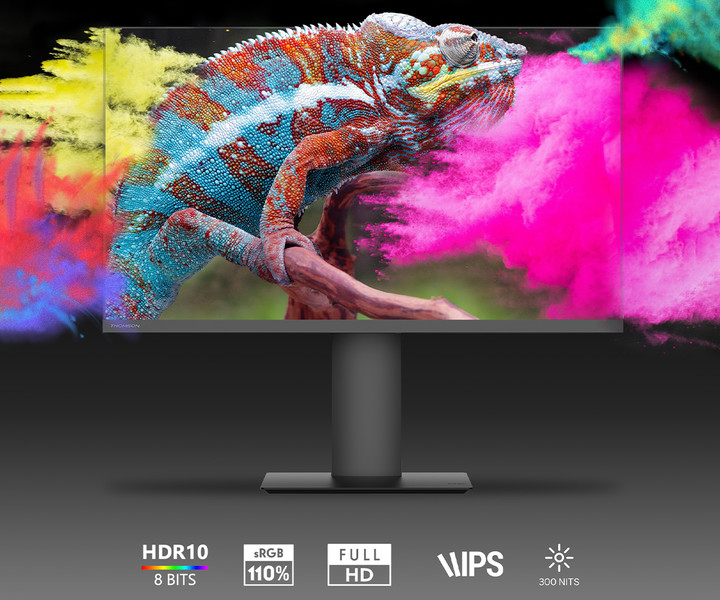
- Sharp and vibrant images with 110% sRGB color gamut
- 100 Hz for smooth browsing and playing less demanding games
- Ergonomic stands: adjustable height, swivel and tilt
- USB-C, HDMI and AV-in for extensive connectivity
- Anti-glare coating and Low Blue Light to protect your eyes

Thomson MONITOR 27“ Full HD
Experience a new level of productivity with the 27-inch Thomson monitor, which combines useful technology with user-friendly features!
- Equipped with a 27-inch (68.58cm) IPS panel, it offers vibrant colors and deep contrast, ideal for enhanced productivity and multimedia tasks.
- Full HD resolution (1920x1080p) to see every detail.
- 300 nits (300cd/m2) brightness for accurate visuals in all lighting conditions.
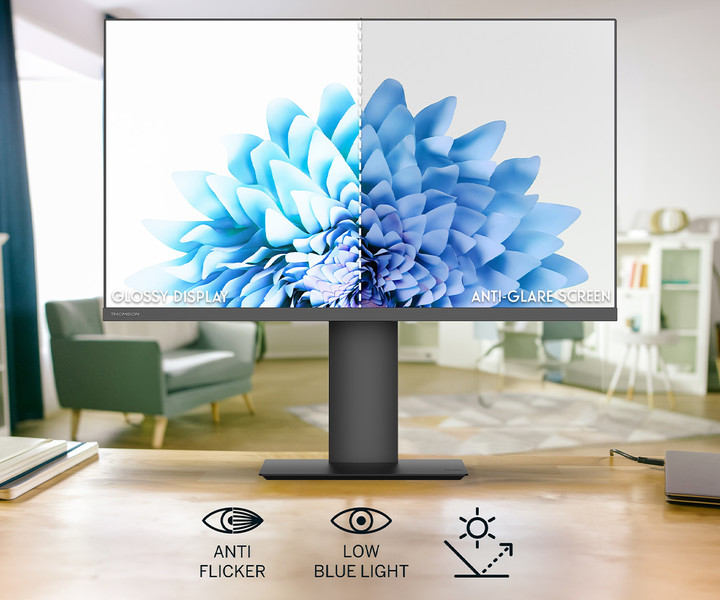
- Anti-flicker, anti-glare, and blue light reduction features ensure a comfortable viewing experience and reduce eye strain even after prolonged use.
- With a wide 178° viewing angle, 110% sRGB color gamut, and HDR10 with 8-bit color depth, this monitor delivers accurate and rich colors.
- 100Hz refresh rate and compatible Adaptive Sync technology for smooth motion.
- HDMI, USB Type-C and AV-in inputs offer versatile connectivity options for modern devices.

Functionality without comparison!
- Adaptive Sync compatibility – This feature synchronizes the monitor's refresh rate with the graphics card, preventing screen tearing and stuttering, especially during fast-paced games or graphically intensive work.
- Versatile connections – HDMI (1.4), USB Type-C and AV-in ports allow easy connection to a variety of devices, from computers to legacy multimedia devices, ensuring broad compatibility.
- Height, tilt, swivel and pivot adjustment – the monitor allows convenient height adjustment up to +110mm, screen angle tilt from -5° to +20°, rotation in both directions by 20° and rotation to a vertical position from 0° to 90°, ensuring adaptation to the user's individual needs.
- Integrated speakers – built-in 2x 2W STEREO speakers bring additional functionality of playing sound directly from the monitor.
- Energy saving – the monitor features low power consumption, making it environmentally friendly and more economical to use.

Why choose the THOMSON M27FB5C14 monitor?
The Thomson M27FB5C14 monitor is a great choice due to its exceptional image quality, full coverage of the sRGB color spectrum, and eye-protection technology (Low Blue Light, Anti-Flicker, Anti-Glare, VRR) that ensures comfort during long-term work.
A high refresh rate of 100Hz and Adaptive Sync ensure smooth images, while a wide 178° viewing angle allows for comfortable use from multiple perspectives. Plus, low power consumption and versatile HDMI, USB-C, and AV-in ports make it an economical and compatible choice for office and everyday use.
Package contents
- monitor THOMSON M27FB5C14
- power cable
- HDMI cable
- instructions for use
Technical specifications
- Image/Screen:
- Screen diagonal: 27" / 69 cm
- Aspect ratio: 16:9
- Resolution: Full HD (1920 x 1080 px)
- Panel type: IPS
- Refresh rate: 100 Hz
- Response time: 5 ms
- Brightness: 300 cd/m2
- Color gamut / sRGB: 110%
- HDR10: YES
- Color depth: 8 bit (16 million shades)
- Contrast: 1300:1
- Viewing angle: 178°
- Ergonomics:
- Monitor stand height: 0 mm to 110 mm
- Rotation: up to 20° in both directions
- Rotation: from 0° to 90°
- Tilt / slope: from -5° to +20°
- Connectivity:
- Inputs: 1x HDMI 1.4, 1x USB Type-C, 1x AV-in
- HDMI: YES (1.4)
- USB Type-C: YES (2.5W)
- AV-in: YES
- Features:
- Low Blue Light: YES
- Anti-flicker: YES
- Anti Glare Screen: YES
- Refresh rate synchronization / VRR Technology: YES
- Adaptive Refresh / Adaptive Sync: YES
- Multimedia:
- Speaker: 2x 2W
- General information:
- Stand/feet: central stand
- Flat screen: YES
- Energy class (SDR): E
- Energy consumption (SDR): 21 kWh/1000h
- Energy class (HDR): F
- Energy consumption (HDR): 26 kWh/1000h
- Power consumption during operation (max.):
- Standby power consumption:
- Input voltage: 100-240V; 50/60Hz
- VESA standard: 75 x 75
- Color: black
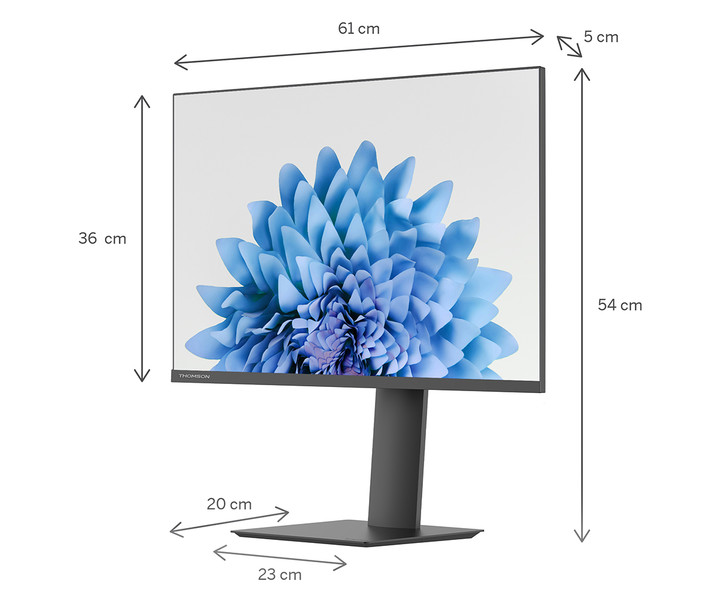
- Dimensions without stand (WxDxH): 613 x 53 x 364 mm
- Dimensions with stand (WxDxH): 613 x 200 x 544 mm
- Packaging dimensions (WxDxH): 692 x 645 x 153 mm
- Weight (without stand): 4.9 kg
- Weight (with stand): 6.13 kg
- Weight (with packaging): 6.8 kg
- EAN: 9120106662641
- Warranty: 36 months
Technical documentation
- Official website:
https://tv.mythomson.com/Thomson-Studio-Business-Monitor-27-FHD/M27FB5C14 - Instructions for use and software:
https://tv.mythomson.com/en/Support/Manuals-and-Software - Product information sheet:
https://eprel.ec.europa.eu/fiches/electronicdisplays/Fiche_1853710_SL.pdf - Product energy label:
https://eprel.ec.europa.eu/labels/electronicdisplays/Label_1853710.pdf
Same summary
The THOMSON M27FB5C14 monitor with a 27-inch diagonal and Full HD resolution offers enough space for multiple tasks at once, making it suitable for typical office work, home use or as an additional screen next to a laptop. Thanks to the IPS matrix, matte screen and eye protection technologies, it allows comfortable use for long periods of time, which is important when working with texts and spending several hours in front of the monitor.
When working with fine text for hours, the sharpness of the image at 27 inches and Full HD can be slightly less than that of higher resolution monitors, which is an important trade-off if you are looking for the most comfortable long-term use or professional graphics work. The ergonomic adjustment options and diverse connectivity (including USB-C) stand out as advantages, which facilitate diverse use even in more flexible work environments or at home.
Recommendation source: Enaa guides and team experiences.
User view
This monitor is most often chosen by users who need more work space on their desk – whether for a combination of document editing, video calling or multi-displaying work and leisure content. It will serve as a suitable central monitor on a work or study desk, and with advanced tilt, swivel and height adjustment options, it is also welcome for anyone who wants a more ergonomic setup. If you are still deciding between several options, check out our guide on choosing a monitor size , where the advantages of different diagonals are compared.
For those using multiple monitors at once, connectivity via HDMI or USB-C allows for easy integration with other devices or connection to a laptop without compromising on space flexibility. Users often trust the Thomson brand for its renowned reliability and diverse range of monitors.
Why buy at Enaa
At Enaa, we make it easy to compare monitors of different sizes and features, so you can quickly find the model that best suits your needs. In addition, our expertly prepared guides are helpful in choosing the right solutions, even if you are choosing a monitor for home or business use for the first time.
Answers to frequently asked questions
Is this monitor suitable for long-term office work?
Yes, thanks to technologies such as Flicker-Free and Low Blue Light, as well as the ability to adjust the height and tilt, the monitor is suitable for working for many hours without significant eye fatigue.
What connection options are available?
The monitor allows connection via HDMI and USB-C, making it easy to use with various modern devices.
Is Full HD resolution enough for a 27-inch screen?
For basic office or home use and most everyday tasks, Full HD on 27 inches is a satisfactory choice, but for exclusively working with fine text or more demanding graphics tasks, it may be better to consider higher-resolution monitors. We explain this topic in more detail in our guide to choosing an affordable monitor .
Is it also suitable for connecting to a laptop via USB-C?
Yes, the monitor supports USB-C connectivity, which is especially useful for laptops that support this type of image transfer. We recommend checking your laptop's compatibility page.
What do I gain with the adjustable stand on this monitor?
The adjustable stand allows you to adjust the height, tilt, and swivel of the monitor, which has a positive effect on ergonomics and can reduce neck and eye strain during prolonged use.
Description updated: April 2026