Your shopping cart
😊 Product added to cart successfully
Product removed to cart successfully

Couldn't load pickup availability
Izdelek bomo predvidoma poslali čez: 5 dni
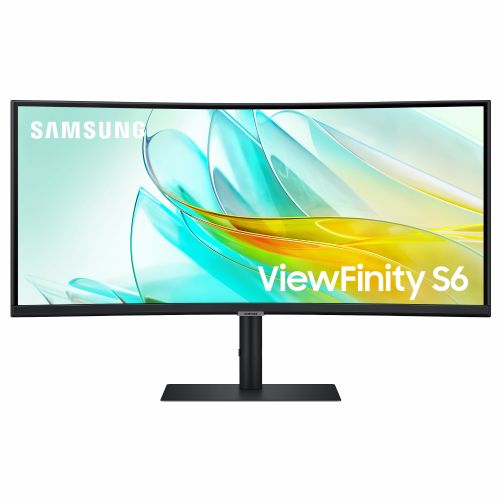
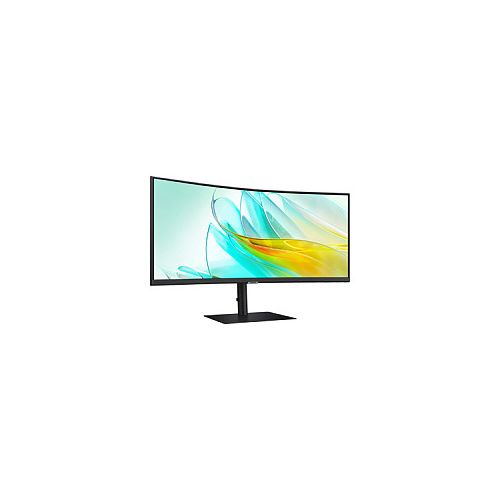
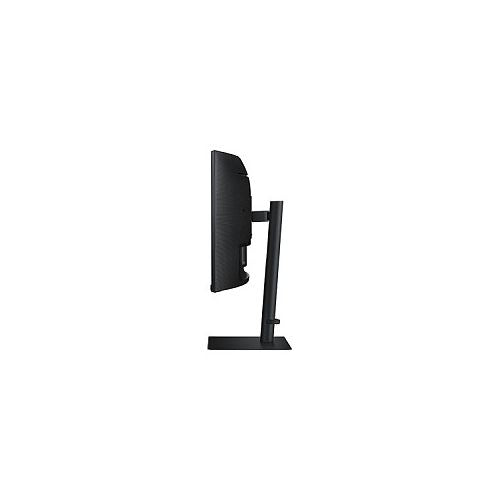
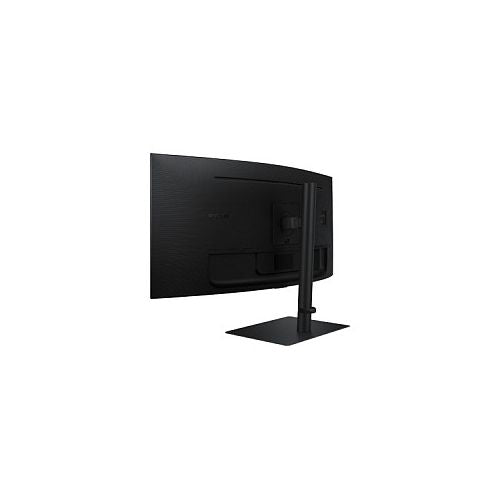
The Samsung ViewFinity S65UC S34C652UAU 34" curved, UWQHD, VA, 100Hz, USB-C monitor is an advanced ultrawide display designed for demanding business users, enthusiastic gamers, and anyone who needs high precision and spaciousness in everyday use. The product is an excellent choice for multitasking, immersive work, and entertainment, where screen width and image quality are crucial.
The monitor is designed for users looking for the optimal solution for editing documents, spreadsheets, complex graphic presentations or for an immersive gaming experience. With a modern curved design, it reduces eye strain, enables better productivity and ensures comfort even during prolonged use.
Evaluation of key product features
| Property | Value | Emoji rating |
|---|---|---|
| Field of application | Standard use | 🟢 9.0 |
| Size | 86.36 cm (34.0") | 🟢 9.5 |
| Resolution | 3440 x 1440 (UWQHD) | 🟢 9.2 |
| Panel type | VA | 🟡 7.5 |
| HDMI connector | Yes | 🟢 9.0 |
| USB-C connector | Yes | 🟢 9.5 |
| Built-in docking station | Yes, 90W | 🟢 9.0 |
| Aspect ratio | 21:9 | 🟢 9.2 |
| Touch screen | No | |
| Curved screen | Yes | 🟢 9.0 |
| Response time (ms) | 5 | 🟡 7.0 |
| Brightness (cd/m2) | 350 | 🟢 8.8 |
Thanks to its ultra-wide 34-inch curved display with UWQHD (3440 x 1440) resolution, this monitor delivers an immersive experience where you can multitask or play without unnecessary borders between virtual windows. The curvature of the display makes viewing more natural and reduces eye fatigue, especially during long viewing intervals.
VA panel technology delivers deeper contrast and richer colors, suitable for office work, video watching, and gaming. With a refresh rate of 100Hz and a response time of 5ms, the display is fast enough for smooth image movement, which gamers and graphics enthusiasts will also appreciate.
The integrated USB-C port allows for easy connection with a single cable for video, audio and power delivery of up to 90W, enabling fast laptop charging and reducing desk clutter. The built-in docking station further supports productivity across multiple devices. Modern HDMI connectivity and an ergonomic design contribute to a great user experience and make it easier to adapt to your work setup.
It stands out for its combination of curved comfort, advanced connectivity and ultra-wide viewing angles, enabling superior work organization and increased efficiency. Demanding users will appreciate its multi-functionality in both professional and private environments.
| Screen diagonal | 86 cm (34 inches) | ||
| Screen resolution | 3440 x 1440 pixels | ||
| type | LED monitor | ||
| Color | black | ||
| EAN | 8806094974751 | ||
| Manufacturer's no. | LS34C652UAUXEN | ||
| Suitable for | multimedia | ||
| Picture | format | 21:9 | |
| Curved | Yes (radius: 1,000R) | ||
| Technology | LED light | ||
| Panel technology | VA | ||
| functions | HDR Ready, HDR10 | ||
| brightness | 350 cd/m² | ||
| refresh rate | 100Hz | ||
| Viewing angle (10:1) | Horizontal | 178° | |
| Vertical | 178° | ||
| Pixel defect class | type | 2 | |
| Colors | 1.070 million | ||
| reaction time | GtG | 5ms | |
| contrast | Static | 3,000 : 1 | |
| Links | 1x HDMI input, 1x DisplayPort input (DisplayPort version: 1.2), 1x headphone output, 3x USB-A 3.2 Gen 1 (5 Gbit/s), 1x USB-B 3.2 (5 Gbit/s), 1x USB-C, 1x RJ45 | ||
| USB Note | The USB 3.2 Gen 1 designation corresponds to the previous USB 3.1 Gen 1 and USB 3.0 designations. | ||
| ergonomics | type | Rotatable, tiltable, height adjustable | |
| Rotating | 30° left, 30° right | ||
| Tilting | 2° forward, 20° backward | ||
| Adjustable height | 120mm | ||
| power supply | Eco-off | 0.3 watts | |
| Speakers | Number | 2 | |
| Total capacity | 5 watts | ||
| wall mount | VESA compatible (100 x 100 mm) | ||
| Features | KVM switch, USB hub, 90W USB-C power supply, adaptive picture, picture by picture, eye-saving mode, flicker-free | ||
| AMD FreeSync, Picture in Picture | |||
| Accessories | Available | Power cable (1.5m), HDMI cable, DP cable, USB-C cable, USB cable | |
| sustainability | Environmentally friendly production (TCO) | ||
The Samsung S34A650 monitor, with its ultra-wide 34-inch diagonal and 3440 x 1440 resolution, offers a clear work environment that is especially suitable for multitasking, analytics, programming or working with several applications at the same time. The combination of an IPS panel and a 100 Hz refresh rate makes it comfortable for both business users and consumers who want more space for work or entertainment. Users looking for a monitor exclusively for professional photo editing or immersive gaming at the highest level may miss the even higher refresh rate or perfect color accuracy of high-end models. Nevertheless, it represents a great balance between multitasking, size and connectivity, including a USB-C port, which allows for quick and easy connection to newer laptops.
Recommendation source: Enaa guides and team experiences.
A monitor is often the choice of users who want more space on a single screen – from business analysts to home office users who need to arrange multiple windows, to those who want to gain greater visibility with a laptop without additional external displays. Thanks to the wide format and IPS technology, the image remains clear even when viewed from different angles, which is useful for group work or presentations. If you are wondering whether such an ultrawide monitor is suitable for your needs, a useful guide to choosing a monitor size , which presents the advantages of different formats and recommendations for appropriate viewing distances.
For most users, a quality ecosystem and reliability are also important; many trust Samsung products due to their wealth of experience in the field of monitors and wide support for various connectors.
When buying a monitor at Enaa, you can benefit from clearly structured descriptions and expert support, as our selection is often based on the team's many years of experience with comparable models. In addition, we provide an easy comparison with similar monitors in the category, making it easier to make a decision based on your needs and preferences.
Users who often need to have multiple windows open at once – for example, when working with multiple spreadsheets, programming or analytics, as well as when editing videos and multitasking more easily – benefit most from such an ultrawide monitor.
The monitor offers good color accuracy and wide viewing angles, but those with the highest calibration or color space requirements are recommended to also consider models with certified professional standards.
The USB-C connection allows you to easily connect your laptop with a single cable that can transmit video, audio and power (if the device supports it), which is especially convenient when working from home or in modern offices. For more information on which connection options to choose, see our monitor selection guide .
The monitor allows you to use the split-screen function, which makes it easier to work with multiple windows, but some users will miss the functions for displaying two sources at the same time (PBP or PIP), so if this is necessary, it is recommended to check the options in the manufacturer's instructions beforehand.
A monitor with a 100 Hz refresh rate and a fast panel is suitable for casual gaming, especially in games where the width of the field of view is important, but for the most demanding competitive games, serious gamers will choose a model with a higher refresh rate.
Description updated: April 2026


