Your shopping cart
😊 Product added to cart successfully
Product removed to cart successfully

Couldn't load pickup availability
Izdelek bomo predvidoma poslali čez: 5 dni
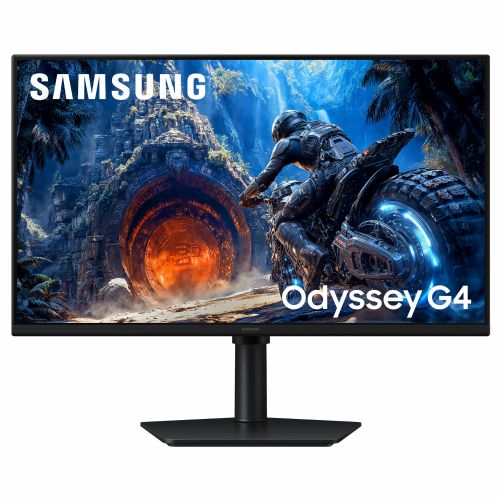
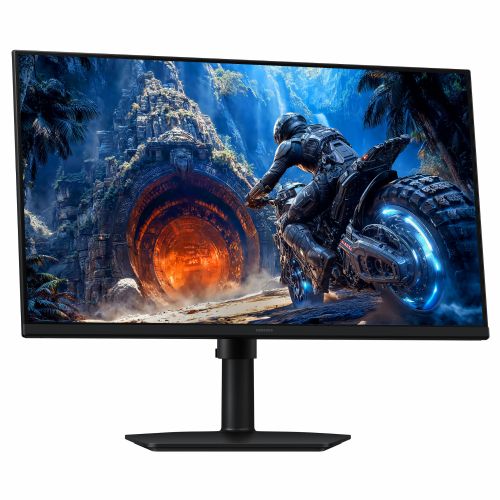


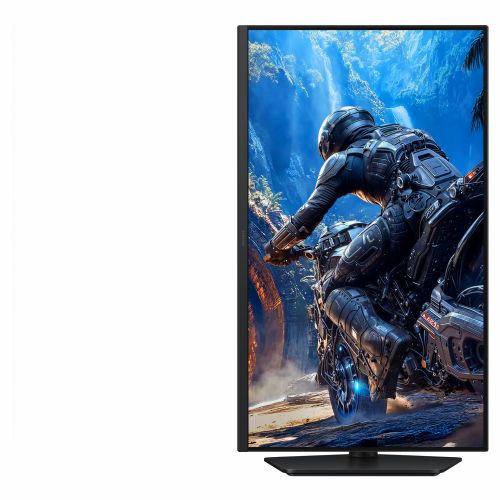
Screen
Screen diagonal: 68.6 cm (27")
Screen resolution: 1920 x 1080 pixels
HD type: Full HD
Native aspect ratio: 16:9
Display technology: LCD
Panel type: IPS
Brightness (typical): 300 cd/m²
Screen brightness (min.): 240 cd/m²
Response time: 1 ms
Reaction time measurement method: GTG (gray to gray)
Screen shape: Flat
Contrast ratio: 1000:1
Maximum refresh rate: 300 Hz
Horizontal viewing angle: 178°
Vertical viewing angle: 178°
Number of colors on the screen: 16.7 million colors
Visible size (horizontal): 59.8 cm
Visible size (vertical): 33.6 cm
Screen diagonal (cm): 67 cm
Feature: High Dynamic Range (HDR) video support
High Dynamic Range (HDR) technology: High Dynamic Range 10 (HDR10)
sRGB coverage (classic): 99%
Services
Feature: NVIDIA G-SYNC
Feature: AMD FreeSync
AMD FreeSync Type: FreeSync Premium
Feature: Flicker-free technology
design
Market Positioning: Games
Product color: Black
Connections and interfaces
Feature: HDMI
Number of HDMI inputs: 1
HDMI version: 2.0
Number of DisplayPort connectors: 1
DisplayPort output version: 1.2
Feature: Headphone output
Function: HDCP
HDCP version: 2.2
ergonomics
Feature: VESA mount
Panel mounting interface: 100 x 100 mm
Feature: Height adjustment
Adjustable height (max.): 10.5 cm
Function: Pivot
Rotation angle: -92 - 92°
Feature: Rotatable
Rotation range: -45° - 45°
Feature: Tilt adjustment
Tilt angle range: -3 - 25°
Function: Black eQualizer function
energy
Energy efficiency class (EER): E
Energy efficiency class (HDR): G
Energy consumption (SDR) per 1000 hours: 18 kWh
Energy consumption (HDR) per 1000 hours: 36 kWh
Power consumption (standard operation): 18.4 W
Power consumption (standby): 0.5 W
Power consumption (max): 48 W
AC input voltage: 100-240V
Power supply type: External
Energy efficiency scale: from A to G
Working conditions
Operating temperature: 10–40°C
Operating relative humidity: 10-80%
Weight and dimensions
Device width (including stand): 614 mm
Device depth (including stand): 250.2 mm
Device height (including stand): 517.8 mm
Weight (including stand): 4 kg
Width (without stand): 614 mm
Depth (without stand): 45.2 mm
Height (without stand): 361.8 mm
Weight (without stand): 2.7 kg
Packaging information
Stand type: Standing HAT
Packaging width: 655 mm
Packaging depth: 488 mm
Packaging height: 114 mm
Package weight: 5.8 kg
Scope of delivery
Feature: Stand included
Included cables: DisplayPort, HDMI, power
Power cable length: 1.5 m
Other functions
Feature: Samsung Eye Saver Mode
Function: Image size
Function: Off Timer Plus
Function: Virtual AIM point
Function: Automatic source switching+
Vibrant colors across the entire screen
Fast IPS
Experience your games in lifelike color on the Odyssey G40H monitor thanks to a fast IPS panel. A wide 178° viewing angle ensures colors remain clear and vivid from any perspective. Meanwhile, a fast response time reduces motion blur and ghosting, allowing you to fully immerse yourself in the game.
High brightness and sharp details
HDR10
Immerse yourself in images that seem almost lifelike. Thanks to HDR10, the Odyssey G40H displays strong contrast, accurate colors, brilliant highlights, and subtle shadows. This creates a great sense of depth, making every scene intense and vibrant.
Stay one step ahead of your opponents.
300 Hz refresh rate and 1 ms response time
React quickly and stay one step ahead of your opponents with the Odyssey G40H monitor. With a 300Hz refresh rate and 1ms GtG response time, the display delivers fast reactions, capturing every movement in real time, and delivering precise gameplay with minimal lag.
Smooth, continuous operation
AMD FreeSync Premium
Keep your fast-paced games running smoothly with Variable Refresh Rate (VRR) and AMD FreeSync Premium technology on the Odyssey G40H monitor. The flawlessly coordinated graphics card and display reduce stuttering, lag, and tearing, so you stay in control even during intense gaming sessions.
No opponent goes unnoticed.
Black equalizer
The black equalizer lets you selectively brighten dark areas in games, so you can instantly spot enemies even in the deepest shadows.
Accurate in every situation
Virtual destination point
Increase your accuracy with a virtual aiming point. The Odyssey G40H's on-screen crosshairs help you hit targets with precision, even in moments of chaos.
Relaxed to victory
Ergonomic stand
Experience victory in maximum comfort with the Samsung Ergonomic Stand. Swivel, tilt, and adjust your Odyssey G4 to keep your opponents in sight.
The text is machine translated.
The Samsung S27HG402EU monitor with a 27-inch IPS screen and a high refresh rate of 300 Hz is well-matched for demanding gamers and users who value smooth images and responsiveness. Due to its Full HD resolution, it is suitable for gaming and everyday home use, but less so for detailed text work or for users who expect extreme sharpness during long hours of office work. The high speed and FreeSync Premium are an advantage in fast, dynamic scenarios where a smooth image without stutter is key.
Recommendation source: Enaa guides and team experiences.
The monitor is most often used by gamers looking for a fluid gaming experience and exceptional responsiveness in fast-paced games. It is also suitable for home users who want a spacious work surface and multitasking, although full use of the diagonal size makes more sense for more dynamic tasks than for editing long texts. When choosing, it is recommended to consider the organization of your work desk and the optimal distance to the screen; you can read more about this in our guide to choosing a monitor size .
Users often choose a Samsung product because of their confidence in image quality and the broad ecosystem of monitors that enables coordinated operation with other devices from the same manufacturer.
At Enaa, it is possible to choose monitors from a proven range with an emphasis on models based on the experience of experts and practical selection guides, making it easier for users to make a decision based on their own needs and method of use.
A 27-inch diagonal monitor with Full HD resolution is suitable for users who want a large image for gaming and multimedia, but are not particularly focused on detailed office work or graphic design, where a higher resolution is more important.
The biggest advantage of 300 Hz is noticed by gamers in fast-paced action games where rapid movements are crucial, but otherwise the high frequency can provide smoother scrolling even in normal use, but this is not necessarily a deciding factor for everyone.
As a primary display for a home office, the monitor is particularly suitable in environments where very high text sharpness is not a priority, such as video conferencing and basic office tasks. For more practical advice, check out our guide to choosing a monitor for working from home .
For a 27-inch monitor, the optimal placement is achieved when the distance to the eyes is approximately 60-80 cm, as this maintains comfortable visibility and reduces eye strain.
The monitor can be used in a dual setup, as it has the appropriate connectors and standard VESA support, allowing you to combine it with another monitor of similar dimensions.
Description updated: June 2026


