Your shopping cart
😊 Product added to cart successfully
Product removed to cart successfully

Couldn't load pickup availability
Izdelek bomo predvidoma poslali čez: 5 dni
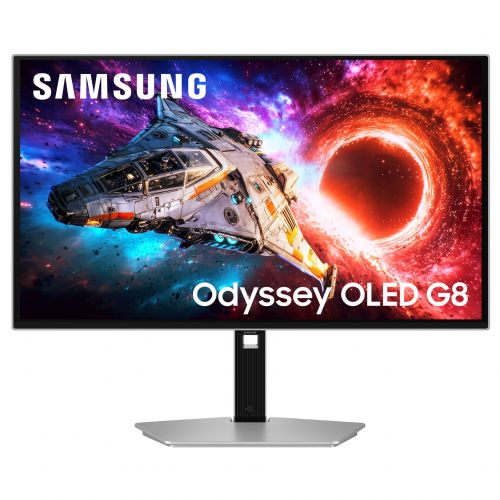
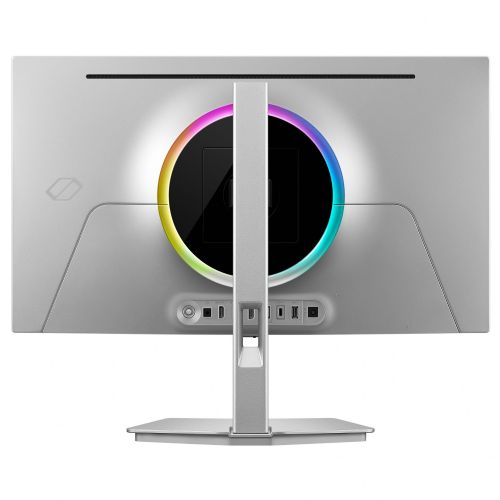

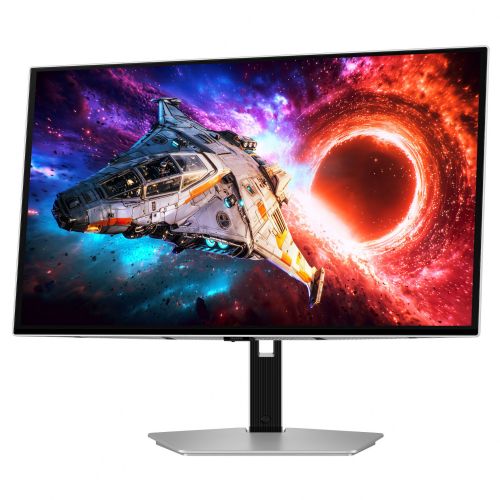
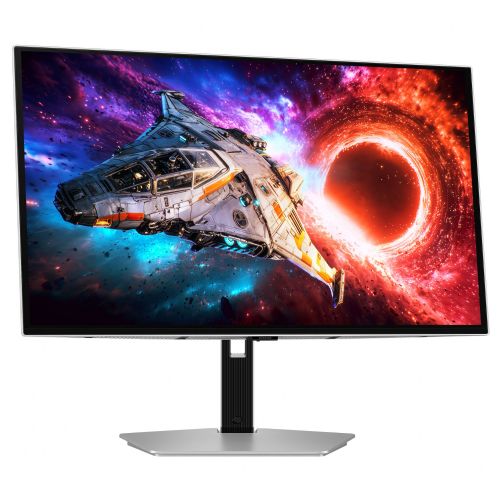
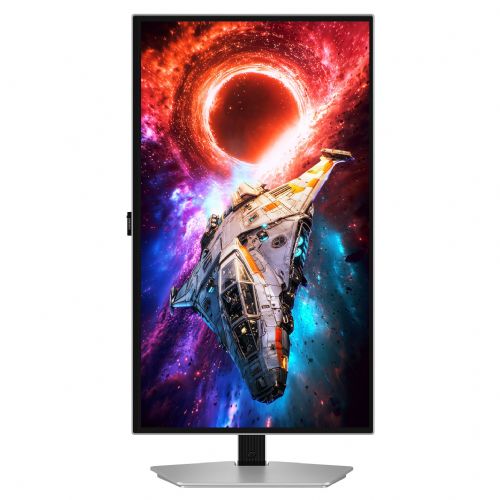
The 27-inch 4K OLED monitor is designed for advanced users looking for a combination of precise images and fast display for work, creation and gaming.
The Samsung Odyssey OLED G8 27" monitor is an advanced 4K UHD computer monitor designed for users who require high image quality and fast refresh rates, such as demanding gamers, content creators, and business users with an emphasis on detail. It falls into the gaming monitor category, where it stands out for its QD-OLED technology and extremely fast response time, which allows for smooth motion display without image blurring.
The combination of a 27-inch (68.58 cm) diagonal screen size and 3840 x 2160 (4K UHD) resolution provides a sharp display and a spacious workspace that is suitable for both gaming and multitasking when working or creating. The QD-OLED panel enables extremely deep blacks, high contrast and accurate color reproduction, which means a more realistic and vibrant image in games, when editing photos or watching videos.
The high refresh rate of 240 Hz combined with a response time of only 0.03 ms is a significant advantage in fast-paced scenarios where quick detection of changes is desired, such as competitive gaming or dynamic visual content. This combination reduces the lag between input and display, contributing to better control and a better gaming experience.
USB-C and HDMI connectivity allows for easy connection to modern laptops, computers and other devices. The USB-C connection is particularly practical for users who want to use a single cable to handle both image transfer and possible power or data transfer (depending on device compatibility). The 250 cd/m² brightness is suitable for indoor use and offers enough light for most work and gaming environments without annoying glare.
Key product features
| Property | Value | Rating |
|---|---|---|
| Field of application | Gaming monitor | |
| Size | 68.58 cm (27") | 🟢 9.0 |
| Resolution | 3840 x 2160 (4K UHD) | 🟢 9.5 |
| Panel type | OLED | 🟢 10 |
| HDMI connector | Yes | |
| USB-C connector | Yes | |
| Aspect ratio | 16:9 | |
| Touch screen | No | |
| Curved screen | No | |
| Response time (ms) | 0.03 | 🟢 10 |
| Brightness (cd/m2) | 250 | 🟡 6.5 |
⚖️ Compare features with other products of your choice
The combination of 4K resolution and QD-OLED technology makes the monitor suitable for users looking for superior image reproduction with high color accuracy. For those involved in graphic design or video editing, the OLED panel contributes to better contrast control and tonal separation, which is useful for demanding visual tasks.
For office tasks, the spacious surface and high image clarity make it easy to work with multiple windows or spreadsheets. Users who spend a lot of time in front of the screen will notice the benefits of the refresh rate and responsiveness when moving the mouse or scrolling through content. The flat and compact design also makes the monitor suitable for environments with limited desk space, where seamless transitions between different usage modes are appreciated: work, entertainment and creation.
| Screen diagonal | 67.7 cm (27 inches) | ||
| Screen resolution | 3840 x 2160 pixels | ||
| type | Gaming monitor | ||
| Color | silver | ||
| Manufacturer's no. | LS27HG800SUXEN | ||
| Suitable for | Games | ||
| Picture | Type of glare | Anti-reflective | |
| format | 16:9 | ||
| Technology | QD-OLED | ||
| Panel technology | OLED | ||
| functions | Ultra HD/4K, HDR Ready, HDR10 | ||
| brightness | 250 cd/m² | ||
| refresh rate | 240Hz | ||
| Viewing angle (10:1) | Horizontal | 178° | |
| Vertical | 178° | ||
| Colors | 1,000 million | ||
| reaction time | GtG | 0.03ms | |
| contrast | Static | 1,500,000 : 1 | |
| lighting | Yes, RGB | ||
| Links | 2x HDMI input, 1x DisplayPort input (DisplayPort version: 2.1), 1x headphone output, 2x USB-A 3.2 Gen 1 (5 Gbit/s), 1x USB-C | ||
| USB-C | USB-C Power Delivery: 98 watts | ||
| ergonomics | type | Swivel, swivel, tilt, height adjustable | |
| Rotating | 30° left, 30° right | ||
| Tilting | 2° forward, 25° backward | ||
| Adjustable height | 120mm | ||
| power supply | Eco-off | 0.3 watts | |
| wall bracket | VESA compatible (100 x 100 mm) | ||
| Features | Core Sync, Eye Saver Mode, Flicker Free, Picture Size, Sleep Timer Plus, Auto Source Switching+, Quantum Dot Color, Black Equalizer, AIM Virtual Dot, Super Arena Gaming User Experience, Pantone Validated, Samsung OLED Safeguard+ | ||
| AMD FreeSync | |||
| VESA DisplayHDR standard | DisplayHDR True Black 400 | ||
| Accessories | Available | Power cable, DP cable, USB-C cable | |
When choosing this monitor, it's important to consider how high 4K resolution and OLED technology will impact your daily work or entertainment. Special attention should be paid to connectivity and compatibility with other devices, as advanced features such as USB-C and high refresh rates can significantly affect the overall experience. Also consider the ergonomics of the setup in terms of desk size and viewing distance before purchasing.
Source of editorial recommendations: ENAA guides and team experience.
Due to its easy connection (USB-C) and sharp display, the monitor works very well as part of a dual-screen system in an office or home environment.
OLED technology and 4K resolution enable accurate display of colors and details, meeting the demands of professional creators.
The 240Hz refresh rate and responsive QD-OLED panel provide an incredibly smooth experience for fast-paced games and eSports.
A very sharp image is an advantage, but the OLED panel requires a little more attention when displaying static images for long periods of time, especially when it comes to image retention.
The monitor provides a convenient single-cable solution, but only if your laptop supports USB-C image transfer. Please check compatibility before purchasing.
The 27" diagonal and 4K resolution are optimal for a standard desk depth, but on a smaller surface, viewing at close distances may become less comfortable.
Check if your laptop supports “DisplayPort Alt Mode” or Thunderbolt via USB-C interface – this ensures image transfer to the monitor.
4K resolution on 27" delivers exceptional sharpness, but for comfortable use, it is recommended to set appropriate scaling in the operating system.
The higher frequency allows for extremely smooth image display, which is most noticeable in demanding games, while the impact is less in normal office use.
When displaying the same elements for a long time, we recommend periodic image changes, as OLED panels are not optimal for displaying the same content all the time.
Description updated: August 2026
If you are still deciding, the following content may also be helpful.
Best products
Products for various purposes
Monitors for working from home


