Your shopping cart
😊 Product added to cart successfully
Product removed to cart successfully

Couldn't load pickup availability
Izdelek bomo predvidoma poslali čez: 5 dni
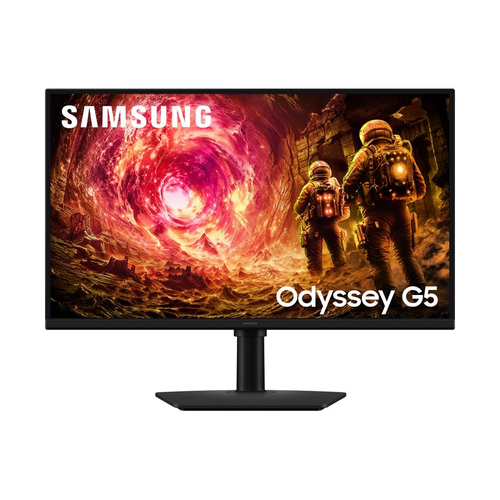


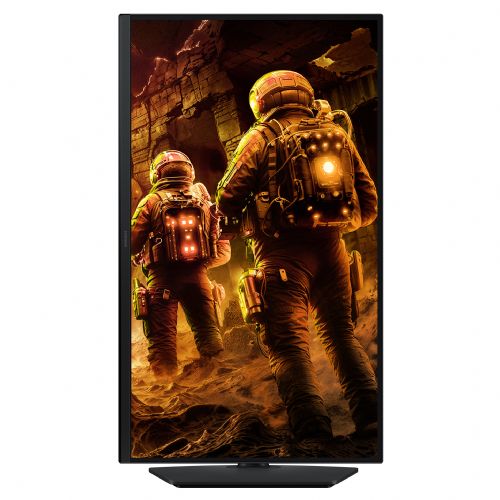


The Samsung Odyssey S27FG502EU 27" QHD IPS 180Hz 1ms FreeSync/G-Sync monitor, black is a premium gaming monitor designed for demanding users who appreciate sharp display, extremely smooth image movement, and technological sophistication. It is intended for gamers, business users, and anyone who expects a superior viewing experience and reliable high-resolution image display in everyday use.
This monitor delivers ultra-fast response times and smooth refresh rates, which are essential for gamers who want to stay ahead of the competition, as well as professionals who work with graphics, video, or simply need a spacious desktop for multiple applications at once. It is especially suitable for users who appreciate advanced technologies such as FreeSync and G-Sync and are looking for a high level of color accuracy and image sharpness.
Evaluation of key product features
| Property | Value | Rating |
|---|---|---|
| Field of application | Gaming monitor | 🟢 9.5 |
| Size | 68.58 cm (27") | 🟢 9.0 |
| Resolution | 2560 x 1440 (WQHD) | 🟢 9.2 |
| Panel type | IPS | 🟢 8.5 |
| HDMI connector | Yes | |
| USB-C connector | No | |
| Built-in docking station | No | |
| Aspect ratio | 16:9 | 🟢 9.0 |
| Touch screen | No | |
| Curved screen | No | |
| Response time (ms) | 1 | 🟢 10.0 |
| Brightness (cd/m2) | 300 | 🟡 7.0 |
The monitor is based on an advanced IPS panel that provides wide viewing angles and displays vivid colors with high accuracy - ideal for visually demanding tasks, gaming entertainment or efficient work in multiple windows. With a resolution of 2560 x 1440 pixels (WQHD), the screen is spacious and offers more details, which contributes to greater productivity and a more immersive gaming experience. With a 27-inch diagonal, it offers an optimal ratio between size and usability.
Although the display is not curved and does not support touch, it stands out mainly for its maximum refresh rate of 180 Hz and an extremely fast 1-ms response time, which significantly reduces motion blur or "ghosting" in fast scenes. The integration of FreeSync and G-Sync technology ensures image synchronization with your computer's graphics card, eliminating image tearing and reducing input lag.
The brightness of 300 cd/m² provides a clear image even in brighter rooms, and HDMI interfaces make it easy to connect to various signal sources. The monitor is therefore suitable for a wide range of uses - from competitive gaming to graphic design and everyday work. High display quality, advanced responsiveness and modern display technology allow it to stand out in the field of monitors for demanding users who expect more quality and reliability.
| Screen diagonal | 68.6 cm (27 inches) | ||
| Screen resolution | 2,560 x 1,440 pixels | ||
| type | Gaming monitor | ||
| Color | black | ||
| EAN | 8806097817796 | ||
| Manufacturer's no. | LS27FG502EUXEN | ||
| Suitable for | Games | ||
| Picture | format | 16:9 | |
| Technology | LED light | ||
| Panel technology | IPS | ||
| functions | QHD/WQHD, HDR Ready, HDR10 | ||
| brightness | 300 cd/m² | ||
| refresh rate | 180Hz | ||
| Viewing angle (10:1) | Horizontal | 178° | |
| Vertical | 178° | ||
| Colors | 16.7 million | ||
| reaction time | GtG | 1ms | |
| contrast | Static | 1,000 : 1 | |
| Links | 1x HDMI input (HDMI version: 2.0), 1x DisplayPort input (DisplayPort version: 1.2), 1x headphone output | ||
| ergonomics | type | Swivel, swivel, tilt, height adjustable | |
| Rotating | 45° left, 45° right | ||
| Tilting | 3° forward, 25° backward | ||
| Adjustable height | 105mm | ||
| power supply | Eco-off | 0.3 watts | |
| electricity consumption | Maximum 48 watts | ||
| Standards | video | sRGB 99% | |
| wall bracket | VESA compatible (100 x 100 mm) | ||
| Features | Energy Saving Solution, Eye Saver Mode, Flicker Free, Sleep Timer Plus, Black Equalizer, Virtual AIM Point, Super Arena Gaming User Experience, Auto Source Switching+ | ||
| Compatible with AMD FreeSync and NVIDIA G-Sync | |||
The Samsung Odyssey G5 G50F monitor with a 27-inch IPS display and WQHD (2560 × 1440) resolution offers a balanced ratio of workspace space, image sharpness and 180 Hz smooth refresh technologies, making it suitable for users who frequently switch between productive work, multitasking and casual or more serious gaming. The very high refresh rate and 1 ms response time mean that the display will be fast and blur-free, which is an advantage for fast-paced games and applications with more visual dynamics. The combination of size, QHD resolution and IPS panel allows for comfortable viewing of multiple windowed applications or detailed viewing of text and graphics, but it is worth noting that the stand settings only offer basic ergonomics - more demanding users may miss height adjustment or more flexibility. The monitor is less suitable for advanced graphics processing, where professional color accuracy is required, but it will serve most business users, gamers, and home users who want more space and smoother displays.
Recommendation source: Enaa guides and team experiences.
Typical users of this monitor include business users with multitasking requirements, gaming enthusiasts who want fast refresh rates and responsiveness, as well as home users who need a powerful image for everyday tasks and entertainment. With a 27-inch diagonal and QHD resolution, the monitor is particularly suitable for working with two or more windows at the same time, monitoring data, and enjoying graphic-rich content. FreeSync and G-Sync technologies bring additional smoothness to gaming, which will be especially noticeable to fans of fast-paced games.
If you're not sure which size or type of screen is right for your work environment, our guide to choosing a monitor size can provide additional guidance. Users often choose Samsung devices because of their confidence in image quality, reliability, and broad ecosystem of accessories and support.
At Enaa, you can be sure that you will find expertly selected models within the monitor category, including those for advanced gaming and productive work; detailed comparisons, guides, and filtering by key features make the decision easier for both demanding and casual users.
Yes, the combination of a 27-inch screen, QHD resolution, and IPS panel provides a comfortable working environment, even when working with multiple open windows or more demanding tasks such as data analysis and comparison.
For most users, the differences are minimal, but gamers and those who appreciate extremely smooth movement in games or applications will notice a slightly more responsive and fluid image at higher refresh rates.
The monitor supports both HDMI and DisplayPort connections, making it suitable for most laptops, including MacBooks; however, it is recommended to check which connector your laptop supports for optimal resolution and refresh rate.
The stand allows basic monitor tilt, but no height adjustments are available. If you need more adjustment options, you can combine the monitor with a VESA mount.
It's important to find a balance between resolution, size, and refresh rate. You can find more practical advice in our monitor selection guide .
Description updated: May 2026


