Your shopping cart
😊 Product added to cart successfully
Product removed to cart successfully

Couldn't load pickup availability
Izdelek bomo predvidoma poslali čez: 5 dni
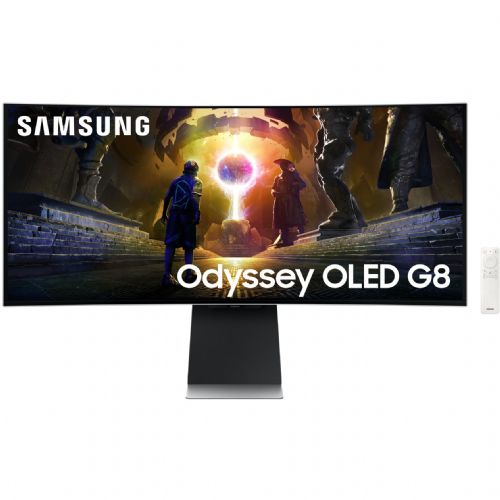
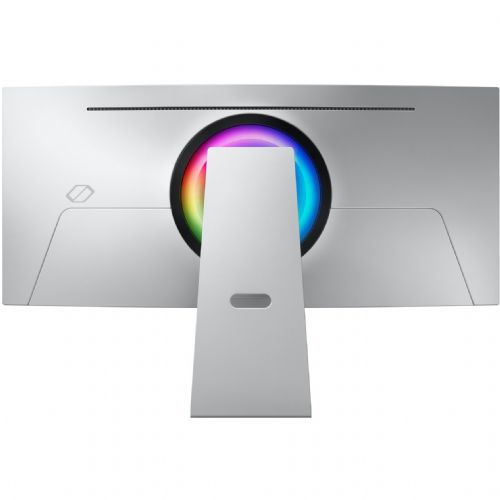

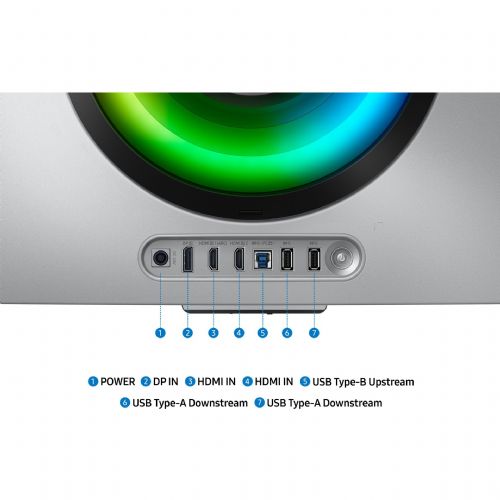
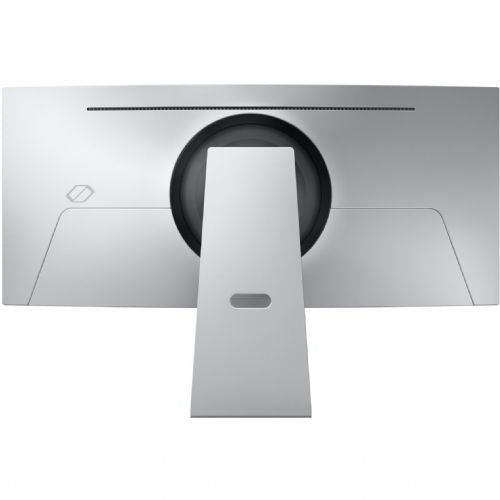
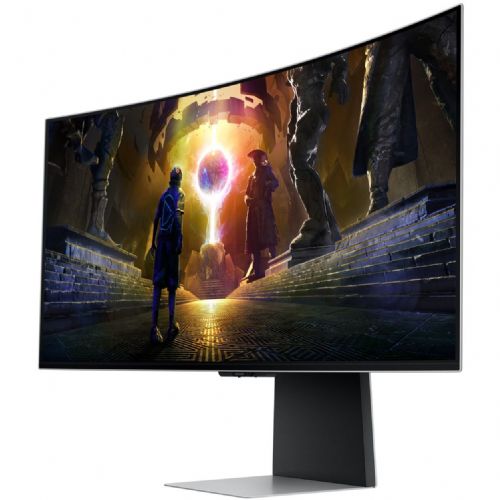
The Samsung G85SD 86.4 cm (34") monitor, 3440 x 1440 (WQHD), OLED, 250 cd/m 2 , 0.03ms, 175Hz, HDMI, DP, black is a top choice for demanding business users, passionate gamers and those consumers who value exceptional image quality and flexibility in everyday use. Thanks to advanced OLED technology, an ultra-wide curved screen and a lightning-fast response time, it offers an uncompromising visual experience in any environment.
Evaluation of key product features| Property | Value | Rating |
|---|---|---|
| Field of application | Gaming monitor | 🟢 9.5 |
| Size | 86.36 cm (34.0") | 🟢 9.0 |
| Resolution | 3440 x 1440 (UWQHD) | 🟢 9.3 |
| Panel type | OLED | 🟢 9.8 |
| HDMI connector | Yes | |
| USB-C connector | No | |
| Built-in docking station | No | |
| Aspect ratio | 21:9 | 🟢 9.2 |
| Touch screen | No | |
| Curved screen | Yes | 🟢 8.8 |
| Response time (ms) | 0.03 | 🟢 10 |
| Brightness (cd/ m2 ) | 250 | 🟡 6.5 |
This monitor is designed for users who seek smooth, realistic images for everyday work or intense gaming where detail and speed are key. With an ultra-wide aspect ratio (21:9) and curved screen, it immerses the viewer in the action and offers more space for editing documents, multitasking, or an expanded view when playing modern games.
At the heart of the device is a state-of-the-art OLED panel, which delivers superior contrast ratio, natural color reproduction and exceptionally deep blacks. An ultra-low response time of 0.03 ms and a fast refresh rate of 175 Hz enable extremely smooth transitions and significantly reduce image blurring during fast movements - a difference that is felt especially by demanding gamers and professionals when editing video or animation.
The monitor includes all the key ports for modern use, such as HDMI and DisplayPort, allowing easy connection to various devices and quick switching between work and leisure. Features such as UWQHD resolution, OLED technology and ergonomic curvature of the screen place it among the most advanced devices in its class and ensure long-term satisfaction of even the most demanding users.
The Samsung G85SD monitor with a 34-inch ultrawide format, high UWQHD resolution and OLED screen is best suited for users who want a large work surface or an extremely immersive experience in games and multimedia. Due to advanced display technology, very fast refresh and low response time, the monitor is especially suitable for advanced gamers and demanding creators who are looking for better color accuracy and extremely fluid image. For classic office work or basic home use, such a diagonal and aspect ratio may be less practical, especially if there is limited desk space or if the priority is the comfort of reading text for a long time - in these cases it requires more adaptation of space and habits. The ability to use the monitor as an alternative to two screens highlights its versatility, especially for multitasking and larger, more demanding work environments.
Taken from: Enaa guides and team experiences.
This class of monitor is most often used by ambitious gamers, digital content creators, developers, and power users who need to see more information at once. The ultra-wide format and curvature stand out for tasks such as video editing, advanced multitasking, or fast responsiveness in the latest games. Many users also choose it as a single monitor instead of two classic displays due to its higher resolution, which significantly simplifies the work environment. To learn more about the balance between size and resolution, we recommend our guide to choosing the right monitor size .
Users often appreciate the established quality and reliability of the Samsung brand, which provides a wide range of advanced solutions for professional and home use.
Customers often choose Enaa because of the excellent ability to filter monitors by features, an overview of the rich range of different display technologies, and the professional experience of our team, which helps find a suitable monitor even for very specific needs.
This type of monitor is best suited for users who want an advanced graphics experience, multitasking, or fast responsiveness – especially gamers, content creators, and demanding business users. For basic office work or completely simple home use, it may be less optimal due to its size and layout.
Yes, an ultrawide monitor with a resolution of 3440 x 1440 can effectively replace the use of two classic monitors in many cases, especially for managing multiple windows and transparency in timelines. You can find more on this topic in our guide to using two monitors .
The large surface area and curvature increase eye comfort when working for long hours, but also require a suitably deep desk. It is recommended to adjust the viewing distance according to the space, as described in our guide to choosing the right monitor size and placement.
OLED offers richer colors, better contrast, and deeper blacks. This is especially noticeable when playing games, watching movies, or doing professional graphics work.
The monitor supports HDMI or DisplayPort connections. Before purchasing, we recommend checking which ports your laptop supports to make the most of the screen.
Description updated: March 2026


