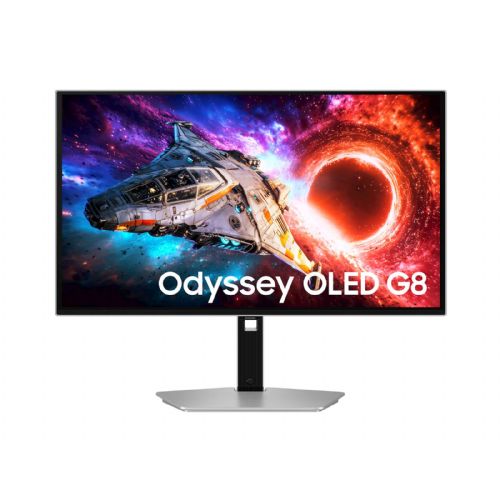
Samsung 27 OLED G80SH Odyssey G8
For high-refresh rate gaming Suitable for 4K multitasking USB-C connectivity for laptops
The 27-inch 4K OLED monitor is designed for gamers and demanding users who need exceptional visuals, fast responsiveness, and versatile connectivity for work and entertainment.
- High resolution allows for sharp and clear display of multiple windows or detailed content.
- 240 Hz refresh rate reduces blur and improves the experience in dynamic games.
- OLED technology increases contrast, offering deeper blacks and more vibrant colors.
- The USB-C port facilitates a single-cable connection to modern laptops or tablets.
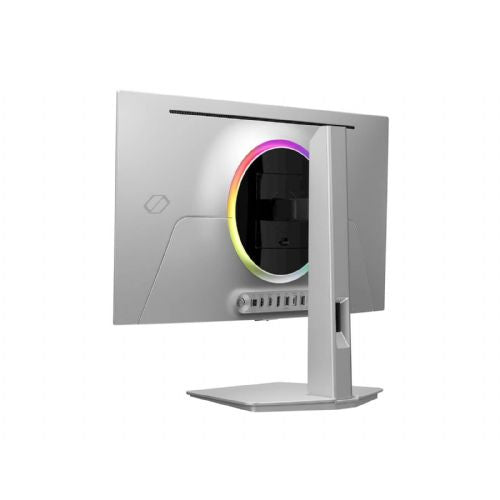
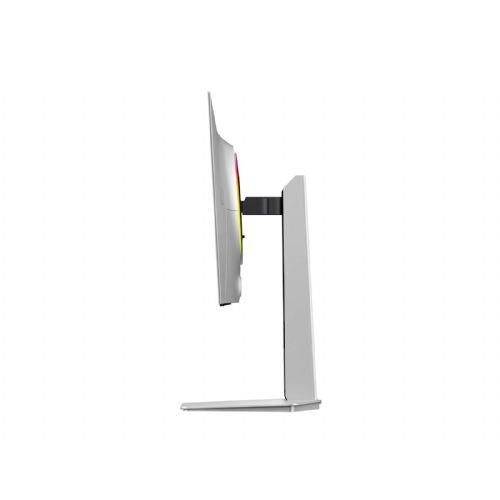
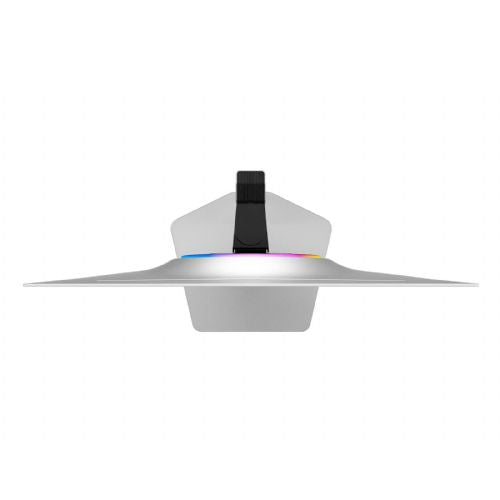
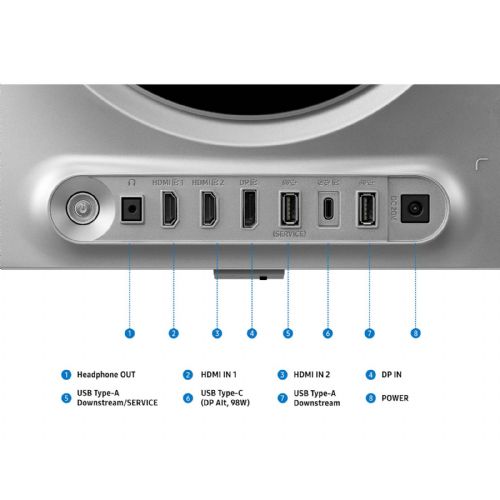
The Samsung Odyssey OLED G8 S27HG800 (LS27HG800SUXEN) is a premium 27-inch (68.6 cm) gaming monitor created for those who want absolutely uncompromising visual performance and lightning-fast responsiveness. Advanced QD-OLED technology combined with an exceptional 4K UHD resolution (3840 x 2160) delivers stunning images with deep blacks, infinite contrast ratio, and extremely vivid and accurate colors. A special Glare Free coating effectively prevents distracting light reflections, allowing you to fully focus on your game or work regardless of the lighting in the room. The monitor is built for the fastest competitive games, as it boasts an incredible 240 Hz refresh rate and a near-instantaneous response time of only 0.03 ms (GtG), completely eliminating motion blur and lag. With VESA DisplayHDR True Black 400 certification and support for AMD FreeSync Premium Pro, every scene is rendered smoothly and with stunning dynamic range, bringing out even the most hidden details in dark areas of the image. For ultimate connectivity and the future of gaming, the latest connectors are provided, including DisplayPort 2.1, HDMI 2.1 and a multi-function USB-C port that allows data transfer and fast charging up to 98W. All this is complemented by an advanced cooling system to protect the panel and a flexible ergonomic stand in a sophisticated silver color that allows full height, tilt and swivel adjustment for maximum comfort during long use.
It is important to know
The Samsung 27 OLED G80SH Odyssey G8 monitor is designed for demanding users who expect exceptional images, fast refresh rates and modern connectivity. Fans of dynamics (gaming) and those who need a very sharp and wide work surface with limited desk space will benefit the most. Before purchasing, buyers should consider the characteristics of OLED technology, placement options and whether their needs require such features.
- OLED monitors deliver an extremely high-contrast image and the deepest blacks, but they are more sensitive to static content display - hours of exposure to the same elements (e.g. status bars, static tools in applications) can cause permanent traces (so-called burn-in), so they are not ideal for exclusive office use throughout the day.
- The exceptional 4K resolution on 27 inches ensures very sharp text and graphics, but this also means smaller elements on the screen - for an optimal user experience, appropriate DPI scaling in the operating system is recommended.
- 240 Hz refresh rate and fast response time are particularly suitable for e-sports and dynamic games, but these features will remain unused for purely office or static work.
- For the most immersive experience, it is recommended to provide sufficient desk space and an optimal viewing distance; high pixel density can cause eye strain if you sit too close to the monitor or use inappropriate magnification.
- Pay attention to the types of connectors on your device (HDMI, DP, USB-C) - if you want to take advantage of the highest resolution and refresh rate, check that your computer and cables actually support these standards.
Source of editorial recommendations: ENAA guides and team experience.
In practice
💻 Gaming
🟢 Very suitable for competitive gamers and action game fans due to its high frequency (240 Hz), OLED contrast and extremely fast response.
🧑💼 Business work
🟡 The monitor is well suited for business applications, but OLED is not the optimal choice for displaying static content such as spreadsheets and permanent tools for hours.
🏠 Home use
🟢 Offers an exceptional experience when watching movies, online content, and occasional gaming, especially in a darkened room.
🎨 Graphic design and photography
🟢 Due to the exceptional contrast and color depth of the OLED panel, the monitor is suitable for amateur image and video processing, but for professional use of colors, details and display stability still need to be checked.
💡 Programming & multitasking
🟢 4K resolution and 27-inch diagonal provide plenty of workspace for code, terminals, and documentation; for optimal comfort, the zoom setting in the system is recommended.
Answers to frequently asked questions
Can I use this OLED monitor for several hours a day to work with texts and spreadsheets?
It is recommended that you do not use an OLED monitor for several hours in a row to display completely static content, as OLED technology is not optimal for long-term static displays - there is a risk of image retention.
Can I take advantage of 240 Hz refresh on all ports?
You can only achieve 240 Hz if you use the appropriate video cables and if your computer supports 4K at that high frequency via HDMI 2.1, DP, or USB-C (DP Alt Mode).
At what distance is it recommended to use a 27-inch 4K monitor?
Due to the high pixel density, the optimal distance is approximately 50–80 cm; too close can quickly become tiring for the eyes without proper display scaling.
Is the monitor suitable for use with two computers or as an additional display?
The monitor offers multiple types of connectors, so you can easily use it with multiple devices; make sure your computers have the appropriate connectors.
Is the monitor suitable for professional color work?
OLED offers a very wide color gamut and deep contrast, but color stability and long-term consistency may require additional testing or calibration for professional needs.
Description updated: July 2026
Read also
If you are still deciding, the following content may also be helpful.
Best products
Best monitors 2026
Products for various purposes
Monitors for office work
Monitors for working from home
Hybrid Work Monitors
Monitors for home use
Gaming monitors
Graphic design monitors
Why buy from ENAA?
- The leading choice for monitors in Slovenia.
- The best store for shoppers who make their own decisions based on data.
- The descriptions are designed neutrally, with clear summaries of benefits and functionality, and who the product is intended for, leaving the decision to the customer.