Your shopping cart
😊 Product added to cart successfully
Product removed to cart successfully

Couldn't load pickup availability
Izdelek bomo predvidoma poslali čez: 5 dni
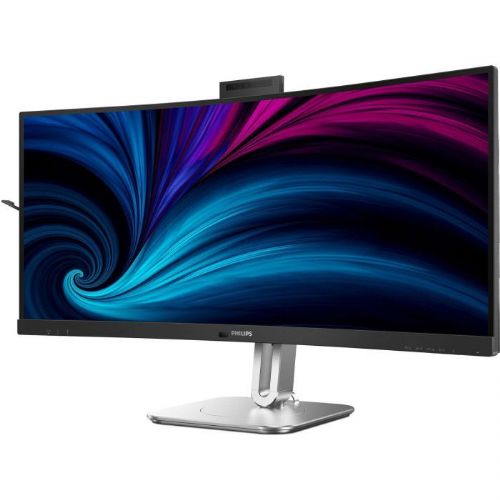
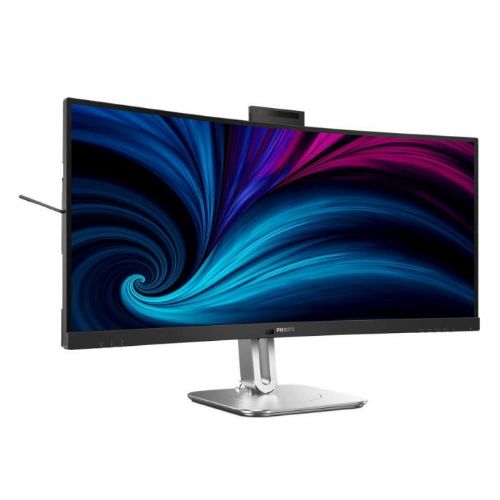
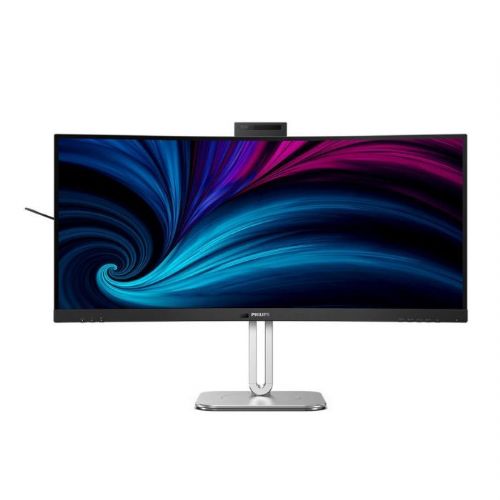
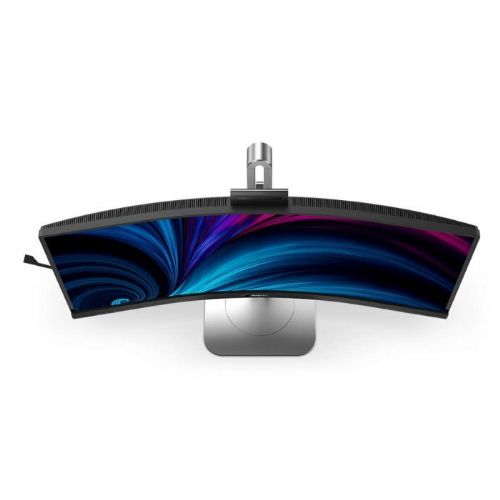
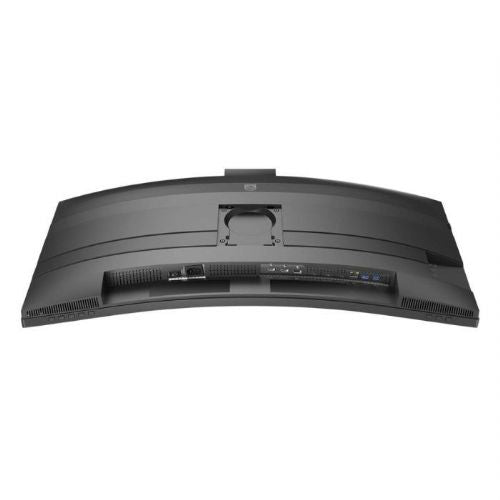
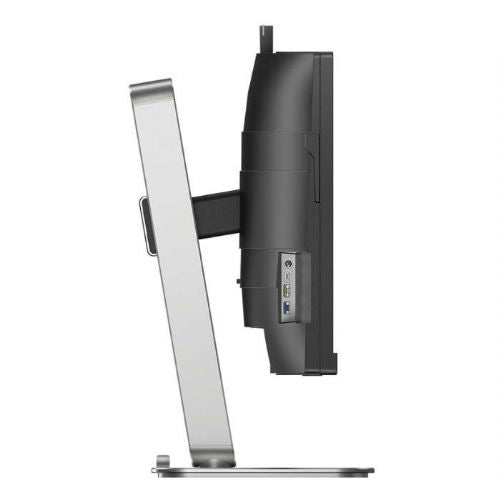
The Philips 34B2U6603CH 34" VA curved monitor is an advanced ultrawide display designed for demanding business users, gamers and versatile modern consumers who want to maximize productivity and enjoy superior visual effects. The curvature, high resolution and numerous connection options ensure above-average multitasking and a flawless user experience in everyday use.
It is a modern business monitor that, with a 21:9 aspect ratio and a resolution of 3440 x 1440, delivers an exceptionally wide working surface, ideal for document editing, programming, advanced graphics work or gaming with an extended field of view. The built-in 100W USB-C docking station simplifies cable management and quickly charges your portable devices, while the built-in webcam facilitates video conferencing and remote connectivity.
Evaluation of key product features
| Property | Value | Rating |
|---|---|---|
| Field of application | Business monitor | 🟢 9 |
| Size | 86.36 cm (34.0") | 🟢 9.5 |
| Resolution | 3440 x 1440 (UWQHD) | 🟢 9.5 |
| Panel type | VA | 🟢 8 |
| HDMI connector | Yes | 🟢 9 |
| USB-C connector | Yes | 🟢 10 |
| Built-in docking station | Yes, 100W | 🟢 10 |
| Aspect ratio | 21:9 | 🟢 9 |
| Touch screen | No | |
| Curved screen | Yes | 🟢 8.5 |
| Response time (ms) | 4 | 🟢 8 |
| Brightness (cd/ m2 ) | 550 | 🟢 9 |
⚖️ Compare features with other products of your choice
Thanks to the VA panel with increased brightness of 550 cd/m² and HDR support, the monitor offers deep contrast and vivid colors, which is especially noticeable when watching multimedia content, advanced photo editing, or dynamic gaming. The curvature of the screen improves the sense of immersion and reduces eye strain even during prolonged use.
The built-in docking station (100W) via USB-C allows for the transfer of image, audio, data and charging of devices with a single cable, optimizing the workspace and facilitating quick switching between laptops and other sources (HDMI, DisplayPort, Thunderbolt). The KVM function (not listed among the filters, but often present in this design) allows for the control of multiple devices via the same keyboard and mouse set.
With a refresh rate of 120 Hz and a response time of 4 ms, the display is also suitable for games or fast image movements, without noticeable stuttering. The built-in webcam is designed for professional remote video meetings, improving the efficiency of hybrid work and collaboration.
The combination of advanced connectivity, flexible layout and wide field of view makes daily multi-application management much easier, making this monitor a new benchmark in the professional and multi-purpose display segment.
| Screen diagonal | 86.36 cm (34 inches) | ||
| Screen resolution | 3440 x 1440 pixels | ||
| type | LED monitor | ||
| Color | dark gray/silver | ||
| EAN | 8712581804633 | ||
| Manufacturer's no. | 34B2U6603CH/00 | ||
| Suitable for | Business | ||
| Picture | Type of glare | Anti-reflective | |
| format | 21:9 | ||
| Curved | Yes | ||
| Technology | LED light | ||
| Panel technology | VA | ||
| Backlight | White LED | ||
| functions | QHD/WQHD, HDR ready | ||
| brightness | 550 cd/m² | ||
| refresh rate | 120Hz | ||
| Viewing angle (10:1) | Horizontal | 178° | |
| Vertical | 178° | ||
| Pixel pitch | Horizontal | 0.232mm | |
| Vertical | 0.232mm | ||
| Colors | 16.7 million | ||
| reaction time | GtG | 4ms | |
| contrast | Dynamic | 50,000,000 : 1 | |
| Static | 4,000 : 1 | ||
| frequency | Vertical | 48-120Hz | |
| Horizontal | 30–190 kHz | ||
| Links | 2x HDMI input (HDMI version: 2.0), 1x DisplayPort input (DisplayPort version: 1.4), 1x 3.5 mm audio output, 4x USB-A 3.2 Gen 1 (5 Gbit/s), 1x USB-A 3.2 Gen 2 (10 Gbit/s), 2x USB-C 3.2 Gen 1 (5 Gbit/s), 1x RJ45 | ||
| USB Note | The USB 3.2 Gen 1 designation corresponds to the previous designations USB 3.1 Gen 1 and USB 3.0, USB-C DP Alt Mode. | ||
| The USB 3.2 Gen 2 designation corresponds to the previous USB 3.1 Gen 2 and USB 3.1 designations. | |||
| ergonomics | type | Rotatable, tiltable, height adjustable | |
| Rotating | 180° left, 180° right | ||
| Tilting | -5° forward, 30° backward | ||
| Adjustable height | 180mm | ||
| power supply | Eco-off | 0.3 watts | |
| Speakers | Number | 2 | |
| Total capacity | 2x 5 watts | ||
| Standards | video | 101% NTSC, 120% sRGB | |
| wall mount | VESA compatible (100 x 100 mm) | ||
| Features | Kensington lock, microphone, webcam | ||
| VESA DisplayHDR standard | DisplayHDR 400 | ||
| Additional information | Input signal: 2 x HDMI 2.0, 1 x DisplayPort 1.4, 1 x Thunderbolt 4 (upstream, data, video, PD up to 100W) | USB ports: USB 3.2 Gen 2/10 Gbps, upstream: 1 x Thunderbolt 4 (data), USB-C1 (data); upstream: 1 x Thunderbolt 4, 4 x USB-A (with 1 for fast charging BC 1.2), 1 x USB-C2 (data, 45W) | Audio-out/microphone combo jack | RJ45 LAN port up to 2.5 Gigabit, supports Wake On LAN | Brightness: Up to 450 cd/m² (SDR), up to 550 cd/m² (DHR) | SoftBlue mode, Flicker-free, EyeSafe mode | Headphone jack | 5.0 megapixel webcam with noise-canceling microphone, LED indicator (supports Windows Hello), automatic image adjustment, status light, tilt function (-/+30°) and eject mechanism | Dimensions without stand: 807 x 369 x 112 mm | Weight without stand: 7850 grams | ||
| Accessories | Available | HDMI cable, DisplayPort cable, Thunderbolt 4 cable, power cable, user manual | |
The Philips 34B2U6603CH monitor, with its ultra-wide 34-inch diagonal and 3440 x 1440 resolution, opens up new possibilities, especially for users who need to multitask and better organize their digital workspace. Business users and home creators will gain a more comfortable and clear environment thanks to the curved VA panel, higher refresh rates and advanced connectivity, especially when working with multiple windows, spreadsheets or simultaneous communication tasks. The built-in webcam makes video conferencing easier, and functionalities such as KVM and Thunderbolt are an advantage for those who use multiple devices or are looking for easy peripheral management. At the same time, due to its larger size and ultra-wide display options, it is not the best fit for smaller workspaces or for users who have limited distance to the screen.
Recommendation source: Enaa guides and team experiences.
The Philips 34B2U6603CH monitor is most often chosen by demanding business users, digital creators and those who spend hours a day juggling multiple applications or managing complex project tasks. Its ultrawide format and higher resolution also make it practical for use in home offices or study environments where smooth switching between documents, spreadsheets and video calls is important. It is also often appreciated by those who are considering one transparent, curved solution instead of two separate monitors, as described in our guide to using two monitors effectively or ultrawide solutions .
In addition to the ability to use two image sources via a KVM switch and various connectors, gamers appreciate the 120 Hz refresh rate and support for faster image display in panoramic view, although the screen may not meet the expectations of the most competitive gamers. Users often choose Philips products for their reliability, good accessory support and recognizable ergonomics in the larger monitor segment.
On Enaa, you can compare the product in detail with other monitors before purchasing, and for each model, the scope of functionality, selected combinations of connectors and intended use are explained professionally and impartially. To choose the right monitor, you can also use simple filters based on business or home use needs, and if you are not sure, you can also use specially prepared guides for individual categories to help you.
Yes, thanks to its ultra-wide 34" diagonal and 21:9 aspect ratio, this model allows you to comfortably work with multiple open windows at the same time, which is why many people use it as an alternative to two separate monitors.
KVM and Thunderbolt features are particularly useful for those who use multiple computers or frequently switch between work and personal devices, as they allow for quick and simplified control of a single keyboard and mouse, and image and data transfer over a single cable.
With a 120Hz refresh rate and curved display, the monitor is suitable for casual or advanced gaming with a panoramic view, but may not meet the requirements of more demanding esports players who expect sub-1ms response times or high levels of customization.
When setting up, we recommend a desk with sufficient depth and sufficient eye distance from the screen to maintain comfortable viewing and take advantage of the wide viewing angle. For more tips on proper ergonomic setup, see our guide to choosing the right monitor size .
Yes, the combination of inputs such as HDMI, DisplayPort and Thunderbolt allows you to use multiple image sources simultaneously, which is especially convenient for working with two devices.
Description updated: June 2026


