Your shopping cart
😊 Product added to cart successfully
Product removed to cart successfully

Couldn't load pickup availability
Izdelek bomo predvidoma poslali čez: 5 dni
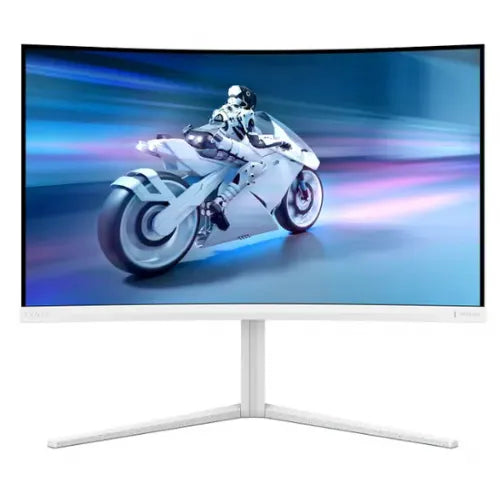
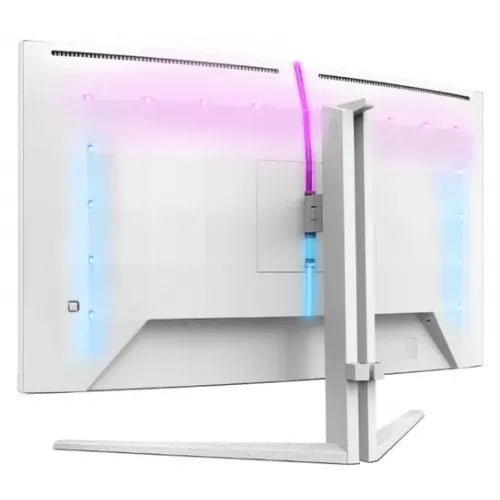
Experience complete immersion in a world of color and speed with the Philips 32M2C5501 monitor, which impresses with an incredible 180 Hz refresh rate and a stylish, curved screen in white!
The Philips 32M2C5501 is a premium 31.5-inch (80 cm) monitor with a resolution of 2560 x 1440 (QHD) that combines an exceptional visual experience with a modern design and advanced technologies. With a curved VA panel, the monitor creates exceptional spatial depth and completely immerses you in your work or play, while the elegant white color ensures that it fits perfectly into any modern space.
Key advantages:
The Philips 32M2C5501 monitor is a great choice for:
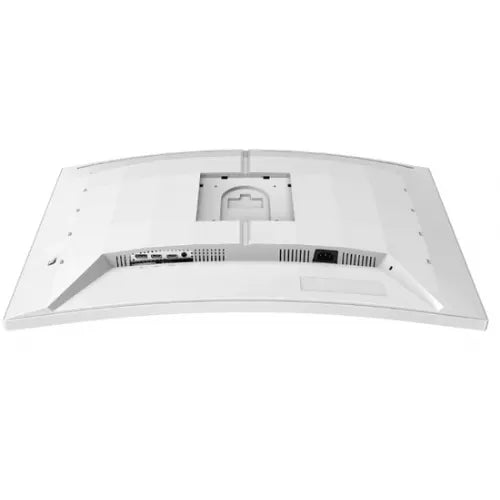
Using the monitor is simple and intuitive. Simply connect it to your computer via modern connectors (HDMI, DisplayPort), adjust the tilt and height to your liking, and enjoy exceptional image quality and ergonomic comfort.
The Philips 32M2C5501 monitor, with its premium design, exceptional specifications and advanced features, is sure to exceed the expectations of all demanding users, whether you need it for work or entertainment.
Specifications
| series | Evnia 5000 | ||
| Suitable for | Games | ||
| Picture | Type of glare | Anti-reflective | |
| format | 16:9 | ||
| Curved | Yes (radius: 1500R) | ||
| Technology | LED light | ||
| Panel technology | VA | ||
| Backlight | White LED | ||
| Functions | QHD/WQHD, HDR Ready, HDR10 | ||
| brightness | 300 cd/m² | ||
| Image enhancement | technology | SmartImage Game | |
| refresh rate | 180Hz | ||
| Viewing angle (10:1) | Horizontal | 178° | |
| Vertical | 178° | ||
| Pixel pitch | Horizontal | 0.272mm | |
| Vertical | 0.272mm | ||
| Colors | 16.7 million | ||
| Reaction time | GtG | 1ms | |
| contrast | Static | 3,500:1 | |
| frequency | Vertical | 48–180Hz | |
| Horizontal | 30–270 kHz | ||
| Links | 2x HDMI input (HDMI version: 2.0), 1x DisplayPort input (DisplayPort version: 1.4), 1x headphone output | ||
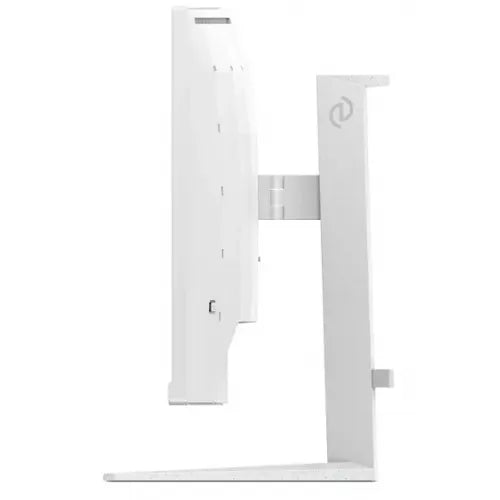
| ergonomics | type | Swivel, tilt, height adjustable | |
| Rotating | 30° left, 30° right | ||
| Tilting | 5° forward, 20° backward | ||
| Adjustable height | 130mm | ||
| Power supply | Eco-off | 0.3 watts | |
| power supply | Integrated | ||
| Standards | video | Adobe RGB 88%; DCI-P3: 92%, sRGB: 120%, NTSC 106% | |
| Wall bracket | VESA compatible (100 x 100 mm) | ||
| Features | Mega Infinity DCR, Flicker-free, LowBlue Mode, Low Input Lag, Easy Reading, Smart Crosshair, Shadow Enhancement, LowBlue Mode, 3-sided Ambiglow with AI, Smart Contrast | ||
| Adaptive sync, Kensington lock | |||
| Accessories | Available | HDMI cable, DisplayPort cable, power cable, user documentation | |
| Dimensions | Width: 70.9 cm x Height: 59.3 cm x Depth/Length: 31.1 cm | ||
The Philips 32M2C5501 monitor with a 31.5-inch curved screen diagonal and QHD resolution is suitable for users who want more work space and an immersive visual experience. Due to the high refresh rate of 180 Hz and response time of 1 ms, it is particularly suitable for computer game enthusiasts and for more demanding multimedia home use, where the image movement is smooth and without smearing. The curvature of the screen can be an advantage for intensive work or gaming, but for classic office use it may be slightly less suitable for working with long text or in dual-monitor setups. When working for several hours, we recommend paying special attention to the optimal viewing distance due to the larger diagonal.
Recommendation source: Enaa guides and team experience.
Typical users of this monitor include hardcore gamers who value high refresh rates and responsiveness, as well as individuals who spend most of their time multitasking, viewing multiple windows, or engaging in immersive multimedia content. Its combination of size and resolution also makes it suitable for home use, assuming there is enough desk space and a suitable viewing distance. In a home office or study environment, a curved screen can be an advantage, but it may not be suitable for every user, which we discuss in more detail in our guide to choosing a monitor size .
Users often choose Philips products because of their tradition, wide range of models and customized solutions in various segments, from home use to professional equipment.
When purchasing a monitor from our range, you will be provided with expert information that will make it easier to choose the right model for your needs. Detailed descriptions, useful guides and clearly explained differences between models will help you find the right solution for you. Our experienced computer consultants will be happy to answer any additional questions.
The Philips 32M2C5501 can be used in a dual-monitor setup, but due to its curvature and larger diagonal, we recommend a wide enough desk and consideration of viewing distance. You can also find more practical advice in our dual monitor selection guide .
A curved screen offers an immersive experience for gaming or multimedia, but for everyday work with documents or spreadsheets, the visual effect of the curvature may not suit all users. It is recommended to test such a screen for a longer working environment before deciding to use it permanently in the office.
For larger monitors like this model, the optimal viewing distance is approximately between 70 and 90 centimeters, which reduces eye strain and improves the clarity of content across the entire width of the screen.
The QHD resolution at this monitor size offers very good sharpness both when working with multiple windows and when gaming, as it allows for more detail and more space on the desktop, which is useful for multitasking and a better experience with gaming content.
The Philips 32M2C5501 monitor allows connection via modern interfaces such as HDMI and DisplayPort, but before purchasing, it is recommended to check whether your laptop has the appropriate outputs to connect to the selected monitor.
Description updated: April 2026


