Your shopping cart
😊 Product added to cart successfully
Product removed to cart successfully

Couldn't load pickup availability
Izdelek bomo predvidoma poslali čez: 5 dni
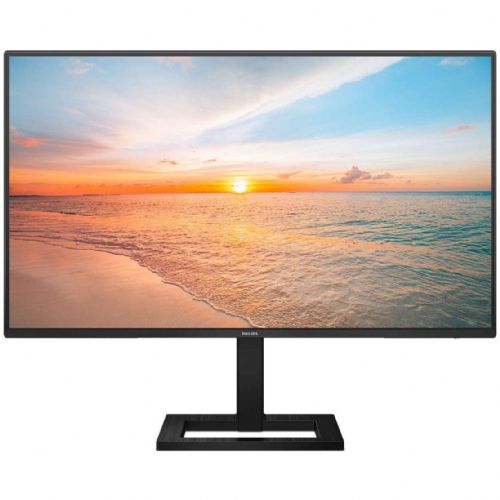
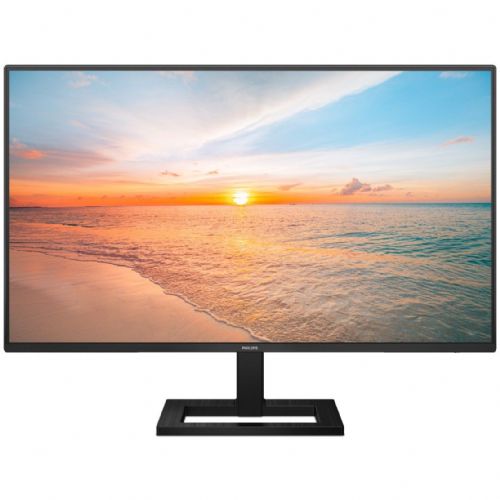
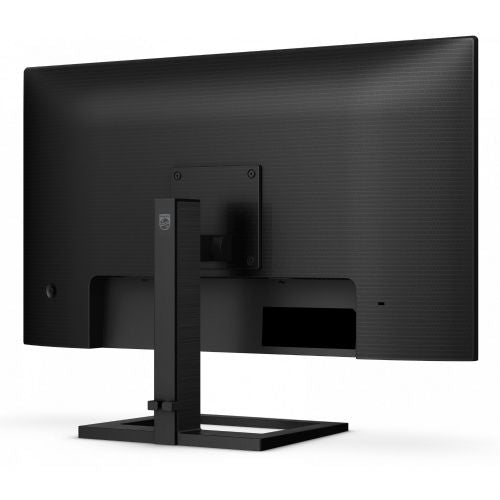
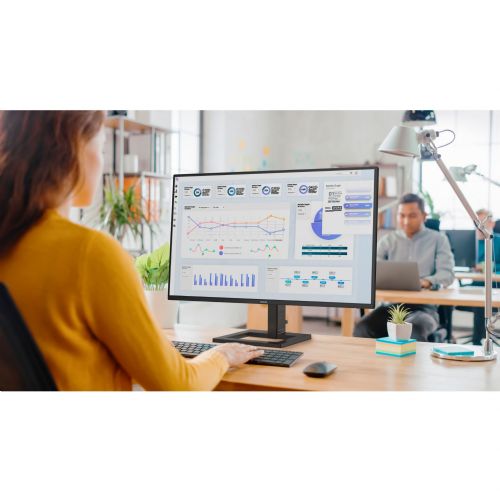
This monitor is designed for users who need more screen space for work, study or home use. It is designed for multitasking and clear images for everyday tasks.
The Philips 27E1N1600AE 27" QHD IPS 100Hz HDMI USB-C Speakers Monitor is a 27-inch display with IPS technology, designed for the work environment, home office and more demanding users who appreciate detailed images and greater responsiveness. Due to the 16:9 aspect ratio and high WQHD resolution, it is suitable for those who need more workspace on one surface, such as business users, content creators or gamers.
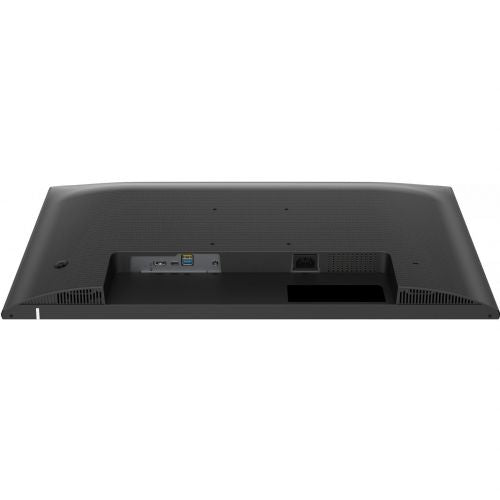
With its combination of HDMI and USB-C ports, it allows easy connection to multiple devices, eliminating cable hassles while simultaneously transferring video, audio, and power through a single cable. Built-in speakers further reduce the need for external audio equipment on the desk.
Evaluation of key product features
| Property | Value | Rating |
|---|---|---|
| Field of application | Business monitor | 🟢 9.5 |
| Size | 68.58 cm (27") | 🟢 9.0 |
| Resolution | 2560 x 1440 (WQHD) | 🟢 9.5 |
| Panel type | IPS | 🟢 9.0 |
| HDMI connector | Yes | 🟢 9.0 |
| USB-C connector | Yes | 🟢 9.5 |
| Aspect ratio | 16:9 | 🟢 10.0 |
| Touch screen | No | |
| Curved screen | No | |
| Response time (ms) | 1 | 🟢 9.0 |
| Brightness (cd/m2) | 350 | 🟢 8.5 |
⚖️ Compare features with other products of your choice
The QHD 2560 x 1440 resolution ensures images and text are clear and detailed, allowing for clear spreadsheet work, photo editing, or demanding multitasking with multiple windows open at once. The IPS panel technology maintains color accuracy and wide viewing angles, making the monitor suitable for collaborative work or presentations.
The 100Hz refresh rate delivers smoother images, which is an advantage when playing fast-moving content, whether playing games or scrolling through web pages and documents. The fast 1ms response time reduces the level of blurring in fast-changing content, which is especially important for graphically demanding tasks and gamers.
The USB-C connection allows for data and image transfers, and you can also power your laptop via the same cable, making it easier to organize your workspace and free from unnecessary cables. And the built-in speakers add the option of basic audio output without external devices - convenient for video calls or quick video viewing.
The 350 cd/m² brightness means the screen is clearly visible even in a brighter room or next to a window, without major reflections or poor readability. The monitor is thus adapted to a variety of needs – from home offices, business environments, to gaming or multimedia user experiences.
| Screen diagonal | 68.6 cm (27 inches) | ||
| Screen resolution | 2,560 x 1,440 pixels | ||
| type | LED monitor | ||
| Color | black | ||
| Manufacturer's no. | 27E1N1600AE/00 | ||
| series | 1000's | ||
| Suitable for | Business, multimedia | ||
| Picture | Type of glare | Anti-reflective | |
| format | 16:9 | ||
| Technology | LED light | ||
| Panel technology | IPS | ||
| Backlight | White LED | ||
| functions | QHD/WQHD, HDR Ready, HDR10 | ||
| brightness | 350 cd/m² | ||
| refresh rate | 100Hz | ||
| Viewing angle (10:1) | Horizontal | 178° | |
| Vertical | 178° | ||
| Pixel pitch | Horizontal | 0.233mm | |
| Vertical | 0.233mm | ||
| Colors | 16.7 million | ||
| reaction time | GtG | 4ms | |
| MPRT | 1ms | ||
| contrast | Static | 1,500 : 1 | |
| frequency | Vertical | 48–100 Hz | |
| Horizontal | 30–115 kHz | ||
| Links | 1x HDMI input (HDMI version: 1.4), 1x 3.5 mm audio output, 2x USB-A 3.2 Gen 1 (5 Gbit/s), 1x USB-C 3.2 Gen 1 (5 Gbit/s) | ||
| USB-C | USB-C DP Alternative Mode | ||
| USB Note | The USB 3.2 Gen 1 designation corresponds to the previous USB 3.1 Gen 1 and USB 3.0 designations. | ||
| ergonomics | type | Tilting, height-adjustable | |
| Tilting | 5° forward, 20° backward | ||
| Adjustable height | 100mm | ||
| Energy Star | 8.0 | ||
| power supply | Eco-off | 0.3 watts | |
| power supply | Integrated | ||
| Speakers | Number | 2 | |
| Total capacity | 4 watts | ||
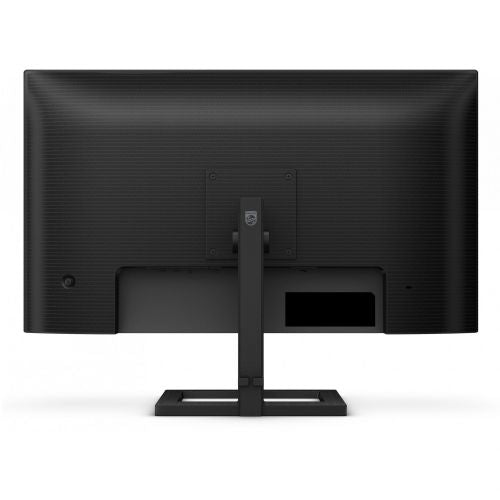
| wall bracket | VESA compatible (100 x 100 mm) | ||
| Features | LowBlue Mode, FlickerFree, EasySelect Menu Button, EasyRead Mode, Mega Infinity DCR, SmartImage Game, USB-C PD 65W | ||
| Adaptive sync, Kensington lock | |||
| Accessories | Available | HDMI cable, USB-C to USB-C cable, power cable, user documentation | |
| Dimensions | Width: 61.7 cm x Height: 48.3 cm x Depth/Length: 22 cm | ||
The main advantage of a 27-inch QHD IPS monitor, such as the Philips 27E1N1600AE, is the combination of a larger work surface and a sharp image, which meets the requirements of users who spend a lot of time in front of the screen. It is especially suitable for those who want to view multiple documents or windows at the same time, but it is important to consider the intended use and appropriate connectivity with devices before purchasing.
Source of editorial recommendations: ENAA guides and team experience.
🟢 Suitable for advanced office tasks, multitasking, and working with multiple open documents or spreadsheets at the same time.
🟢 Thanks to the large diagonal and QHD resolution, it is great for hybrid work between different tasks, video calls and online courses.
🟡 Simplifies connecting and powering newer laptops, but check the device's support page before purchasing.
🟢 Works well as a universal display for home use, web content, movies, and occasional gaming.
🟡 100 Hz delivers a smoother image than basic monitors, but for more demanding games or e-sports titles, there will be noticeable limitations in response or frequency.
Yes, due to the standard diagonal and QHD resolution, it is also easy to use in dual-monitor setups, but we recommend matching the resolution and size of both screens.
Not necessarily — before buying, check if your laptop actually supports video output (DP Alt Mode or Thunderbolt) via USB-C, otherwise the image will not be able to be displayed via this connector.
The monitor supports basic tilt adjustment, but does not allow height adjustment; using a VESA mount further expands the adjustment options.
Thanks to the QHD resolution and IPS panel, the monitor provides good readability and comfort during long-term use, although we recommend paying attention to the distance from the screen based on the size of the desk.
To make the most of QHD resolution and 100 Hz frequency, use the included or a high-quality appropriate cable (HDMI or USB-C) that supports the required features.
Description updated: August 2026
If you are still deciding, the following content may also be helpful.
Best products
Products for various purposes
Monitors for working from home


