Your shopping cart
😊 Product added to cart successfully
Product removed to cart successfully

Couldn't load pickup availability
Izdelek bomo predvidoma poslali čez: 5 dni
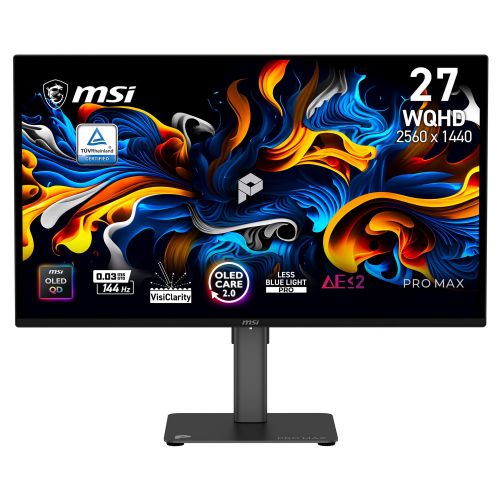

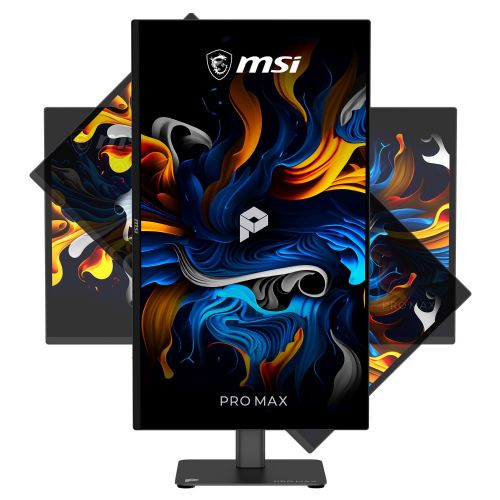

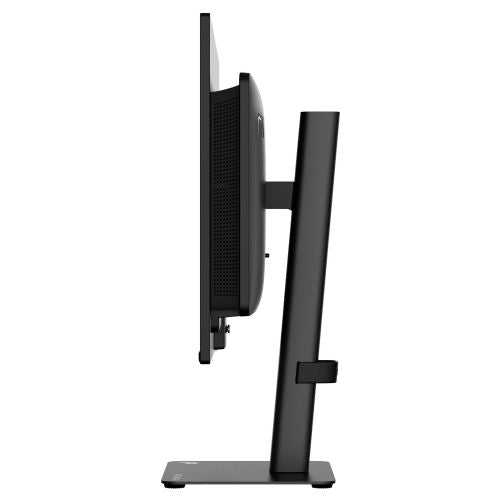
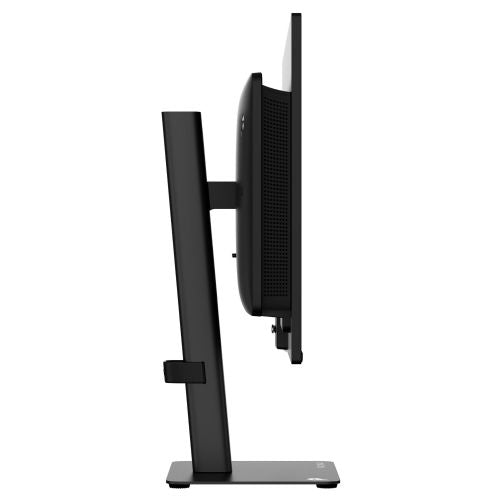
The monitor is designed for business users, gamers, and anyone who needs clear multitasking or high-quality image display. Suitable for home office, creative work, and gaming.
The MSI PRO MAX 271QPX14G 27" monitor is an advanced computer monitor from MSI's PRO MAX series, designed for users who expect high image quality and responsiveness for work, games, and demanding visual tasks. With its 27-inch size and WQHD resolution, it offers a spacious workspace with a clear and sharp image, which is important for multitasking, content editing, and detailed image display.
The focus on OLED panel technology enables exceptionally rich colors, deep blacks and a high contrast ratio. This is reflected when watching movies, editing photos or playing games, where the most accurate color reproduction and display responsiveness are important. With a fast response time of 0.03 ms, the transitions between images are smooth, without lag or blurring during dynamic scenes, which is especially noticeable in games or when working intensively with video.
The 144Hz refresh rate means the display delivers incredibly smooth motion, a notable advantage for demanding gamers and professionals who need the most natural and smooth image possible – for example, when editing video, graphic design or processing animations. Brightness of up to 200 cd/m² is adapted for indoor use, while HDR-Ready support enables the display of a wider range of light and dark tones on compatible content.
Ergonomics, supported by a 16:9 aspect ratio, allow for efficient placement on a desk, making the monitor suitable for both office work and home use or multi-monitor setups. The HDMI port supports connection to a wide range of devices, while the monitor remains focused on basic connectivity options, as it does not have a built-in docking station or USB-C port. The monitor is not curved and does not support touch, which means the emphasis is on a classic flat screen experience.
Key product features
| Property | Value | Rating |
|---|---|---|
| Size | 68.58 cm (27") | 🟢 9.5 |
| Resolution | 2560 x 1440 (WQHD) | 🟢 9.0 |
| Panel type | OLED | 🟢 10 |
| HDMI connector | Yes | |
| USB-C connector | No | |
| Built-in docking station | No | |
| Aspect ratio | 16:9 | |
| Touch screen | No | |
| Curved screen | No | |
| Response time (ms) | 0.03 | 🟢 10 |
| Brightness (cd/m2) | 200 | 🟡 6.0 |
⚖️ Compare features with other products of your choice
The high WQHD resolution allows for greater detail than standard Full HD, which is useful when displaying complex tables, multiple windows or detailed graphics. OLED technology means that each pixel lights up independently, so the screen remains completely black even when viewed in darker rooms, and the contrast remains high in all conditions.
The ultra-fast 0.03ms response time reduces the possibility of image blurring during fast movements, allowing for precise display in games and when working with animations or video content. The monitor with a 144Hz refresh rate effectively prevents eye fatigue during prolonged use, as movement on the screen is smooth and natural.
The brightness of 200 cd/m² is suitable mainly for normal indoor conditions, where too low or too high brightness is not necessary. The user interface allows for connection via HDMI, which makes it easier to connect to computers, laptops and other modern devices, while the absence of a USB-C port keeps the focus on basic tasks with classic connections.
Due to the combination of a 27-inch screen, OLED panel, and high refresh rate, the monitor proves to be suitable for various purposes - from working from home, office and business environments, to more demanding multimedia content and gaming, where fast and high-quality image display is important.
| Screen diagonal | 69 cm (27 inches) | ||
| Screen resolution | 2,560 x 1,440 pixels | ||
| type | OLED monitor | ||
| Color | black | ||
| EAN | 4711377430005 | ||
| Manufacturer's no. | PROMAX271QPX14G | ||
| Suitable for | multimedia | ||
| Picture | format | 16:9 | |
| Technology | QD-OLED | ||
| Panel technology | OLED | ||
| functions | QHD/WQHD, HDR ready | ||
| brightness | 200 cd/m² | ||
| refresh rate | 144Hz | ||
| Viewing angle (10:1) | Horizontal | 178° | |
| Vertical | 178° | ||
| Pixel pitch | Horizontal | 0.229mm | |
| Vertical | 0.229mm | ||
| Colors | 1.070 million | ||
| reaction time | GtG | 0.03ms | |
| contrast | Static | 1,500,000 : 1 | |
| frequency | Vertical | 48-144Hz | |
| Links | 2x HDMI input (HDMI version: 2.0b), 1x Mini DisplayPort input (Mini DisplayPort version: 1.4a) | ||
| ergonomics | type | Swivel, swivel, tilt, height adjustable | |
| Rotating | 30° left, 30° right | ||
| Tilting | -5° forward, 20° backward | ||
| Adjustable height | 150mm | ||
| Speakers | Number | 2 | |
| Total capacity | 5 watts | ||
| Standards | video | sRGB (138.39%), Adobe (118.62%), DCI-P3 (110.2%) | |
| wall bracket | VESA compatible (100 x 100 mm) | ||
Before purchasing, it's crucial to consider whether this 27-inch WQHD QD-OLED monitor fits your work style and workspace constraints. While the technical specifications offer advanced image display and fast refresh rates, the practical benefits and trade-offs depend on your usage pattern, connectivity, and expectations for ergonomics and compatibility with other monitors.
Source of editorial recommendations: ENAA guides and team experience.
The monitor's 27-inch diagonal and WQHD resolution allow you to work with multiple windows, spreadsheets, and documents simultaneously, which is suitable for most office needs.
The QD-OLED panel delivers a high-contrast image and vivid colors, which is especially useful when working with graphics, photography, or video.
The 144 Hz refresh rate and fast response time mean a smooth image without noticeable blurring, making the monitor suitable for games and content with a lot of movement.
If you are using two monitors at the same time, it is important to match the size and resolution; different pixel densities can cause differences in the display of text and icon sizes.
OLED panels provide excellent contrast, but users who mostly read bright content may be more accustomed to IPS monitors, where the experience is less specific with very bright backgrounds.
The monitor can be used with laptops that support the appropriate resolution and have a DisplayPort or HDMI output; check the port compatibility beforehand.
Yes, but the best result will be achieved if you choose monitors of comparable size and resolution for consistent display sharpness.
For extended typing, document editing, and reading, the combination of size and WQHD resolution is fine; however, if you have sensitive eyes to bright static backgrounds, check if the QD-OLED display mode suits you.
To take full advantage of WQHD resolution at 144 Hz, a connection via the included DisplayPort cable is recommended; HDMI may support a lower maximum frequency on certain laptops.
Description updated: October 2026
If you are still deciding, the following content may also be helpful.
Best products
Products for various purposes
Monitors for working from home


