Your shopping cart
😊 Product added to cart successfully
Product removed to cart successfully

Couldn't load pickup availability
Izdelek bomo predvidoma poslali čez: 5 dni
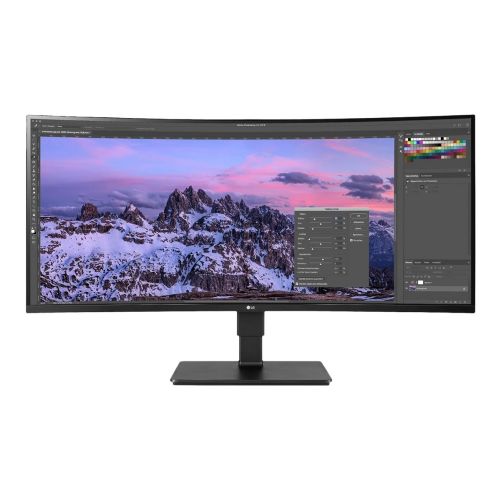
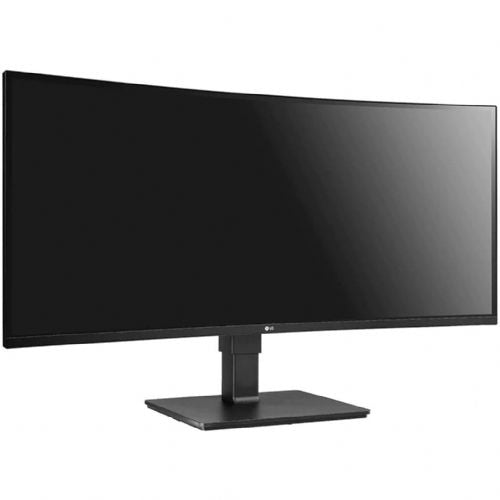


The LG 35BN77CP-B 88.90 cm (35") monitor, 3440x1440 (QHD), 5ms 21:9 IPS HDMI DP USB-C 65W, speaker UWD black offers an expanded work and gaming surface in an exceptionally high-quality resolution, created for business users, gamers and demanding consumers. With its ultra-wide design, high-quality IPS screen and numerous connections, it enables efficiency, multitasking and a complete visual experience in everyday use.
Evaluation of key product features
| Property | Value | Rating |
|---|---|---|
| Field of application | Business use, gaming, everyday use | 🟢 9.5 |
| Size | 88.90 cm (35") | 🟢 9.3 |
| Resolution | 3440 x 1440 (QHD) | 🟢 9.7 |
| Panel type | IPS | 🟢 9.2 |
| HDMI connector | Yes | 🟢 9.0 |
| USB-C connector | Yes (65W power supply) | 🟢 9.4 |
| Built-in docking station | Yes | 🟢 8.8 |
| Aspect ratio | 21:9 | 🟢 9.6 |
| Touch screen | No | |
| Curved screen | Yes | 🟢 8.7 |
| Response time (ms) | 5ms | 🟢 8.8 |
| Brightness (cd/m2) | 300 cd/m² | 🟢 8.5 |
The 21:9 ultra-wide panel provides plenty of screen space for multiple applications at once, which is especially useful when working with advanced tools, analyzing data, or multitasking. Gamers appreciate the expanded field of view, which provides greater immersion and better overview in games, while consumers enjoy quality media content and improved productivity.
The IPS panel technology highlights natural and accurate colors with excellent viewing angles, making it suitable for graphic designers and content creators. The curved display improves ergonomics and makes it easier to follow the entire width of the image, especially during prolonged use. The 3440x1440 QHD resolution contains enough pixels for a sharp, detailed and enjoyable experience, regardless of the type of work or entertainment.
The range of inputs includes HDMI, DisplayPort and USB-C with 65W power delivery, allowing you to connect multiple devices simultaneously and charge laptops with a single cable. The built-in docking station simplifies connectivity and reduces the number of cables on your desk, while the speakers provide clear audio without the need for additional equipment.
A response time of 5 ms and a brightness of 300 cd/m² ensure comfortable use in various lighting conditions, without lag or blurring of the image. It also stands out for its flexibility, as it can be easily integrated into a professional work environment or your home entertainment or gaming corner.
Specifications
| Suitable for | Games, multimedia | ||
| Picture | Type of glare | Frozen | |
| format | 21:9 | ||
| Curved | Yes | ||
| Technology | LED light | ||
| Panel technology | VA | ||
| Backlight | Yes | ||
| functions | QHD/WQHD, HDR Ready, HDR10 | ||
| brightness | 300 cd/m² | ||
| refresh rate | 100Hz | ||
| Viewing angle (10:1) | Horizontal | 178° | |
| Vertical | 178° | ||
| Pixel defect class | type | 2 | |
| Pixel pitch | Horizontal | 0.238mm | |
| Vertical | 0.24mm | ||
| Colors | 16.7 million | ||
| reaction time | GtG | 5ms | |
| contrast | Static | 2400:1 | |
| Links | 2x HDMI input, 1x DisplayPort input (DisplayPort version: 1.4b), 2x USB-A 3.2 Gen 1 (5 Gbit/s), 1x USB-C 3.2 Gen 2 (10 Gbit/s) | ||
| USB Note | The USB 3.2 Gen 1 designation corresponds to the previous USB 3.1 Gen 1 and USB 3.0 designations. | ||
| ergonomics | type | Rotating, tilting | |
| Rotating | 45° left, 45° right | ||
| Tilting | -5° forward, 35° backward | ||
| power supply | Mobile (external 12V power supply) | Yes | |
| Speakers | Number | 2 | |
| Standards | video | 99% sRGB | |
| wall bracket | VESA compatible (100 x 100 mm) | ||
| Additional information | Dimensions without stand: 831.6 x 327.7 x 94.1 mm (W x H x D) | Weight without stand: 6600 grams | Flicker-free, Reading Mode, Super Resolution+, Black Stabilizer, Dynamic Sync, Maxx Audio | USB-C port supports DisplayPort Alt Mode with DisplayPort 1.4 and up to 90 watts of charging power | ||
| Accessories | Available | Power adapter, power cable, DisplayPort cable, USB-C cable | |
| Dimensions | Width: 83.16 cm x Height: 62.28 cm x Depth/Length: 25.29 cm | ||
The LG 35BN77CP-B monitor, with its ultra-wide 88.9 cm (35") diagonal and 3440 x 1440 (UWQHD) resolution, is suitable for users who need a spacious work surface for multitasking and clarity - especially business users, analysts and those who often work with multiple windows at the same time. The IPS panel provides good image quality and wide viewing angles, making the monitor also suitable for multi-user environments or office collaboration. Integrated USB-C with power supply simplifies connection to modern laptops, which is practical for those who would like to manage both data transfer and power with a single cable. Due to the 60 Hz refresh rate and 5 ms response time, it is not primarily intended for competitive gamers or professional designers, but it is more than satisfactory for office work and casual gaming.
Recommendation source: Enaa guides and team experiences.
Business users often choose such a wide monitor for greater efficiency at work - it allows you to use multiple applications simultaneously without the need for a second screen, which is practical in limited space or when working from home. Even for amateur video editing, photo editing or extensive use of web applications, an ultrawide screen is significantly more transparent than classic proportions. You can read more about the use and advantages of such screens in our guide to choosing two monitors or an ultrawide model .
Users also appreciate LG for its wide selection of monitors and confidence in quality, which is confirmed by the diversified offering of the LG brand in the professional and consumer display market.
On Enaa, you can easily compare a wide range of monitors by size, resolution and connectivity, making it easy to choose the one that best suits your work or entertainment needs. You can also find expert support and guides in one place to guide you through the crucial decision of ultrawide displays and effective setup in your work or home environment.
Yes, the 21:9 ultra-wide aspect ratio and high resolution allow you to display multiple apps or documents at once, which is convenient for multitasking without tearing between screens. You can read more about this choice in our guide .
The monitor supports USB-C with up to 65W of power, which is sufficient for most business and modern laptops, but for the most accurate information, check your laptop's official charging power requirements.
The IPS panel provides good viewing angles and solid color reproduction, it is suitable for basic or amateur graphics work, but we do not recommend it for professional purposes if you need truly accurate color calibration.
The monitor offers basic ergonomic adjustments, such as tilt, and is suitable for most standard work setups. If you need more flexibility, check out the VESA mounting option or use an external mount.
The monitor supports HDMI, DisplayPort, and USB-C connections, allowing connectivity with most modern laptops and computers without additional adapters.
Description updated: April 2026


