Your shopping cart
😊 Product added to cart successfully
Product removed to cart successfully

Couldn't load pickup availability
Izdelek bomo predvidoma poslali čez: 5 dni
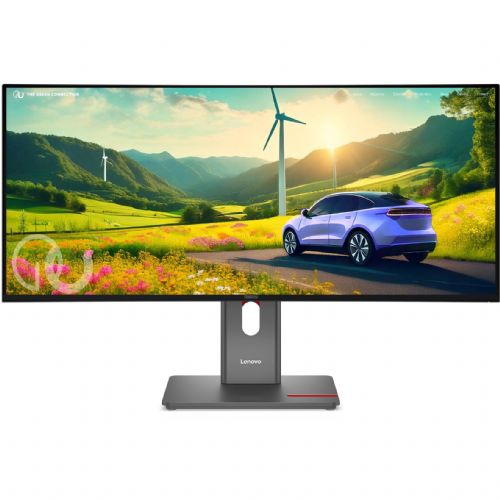


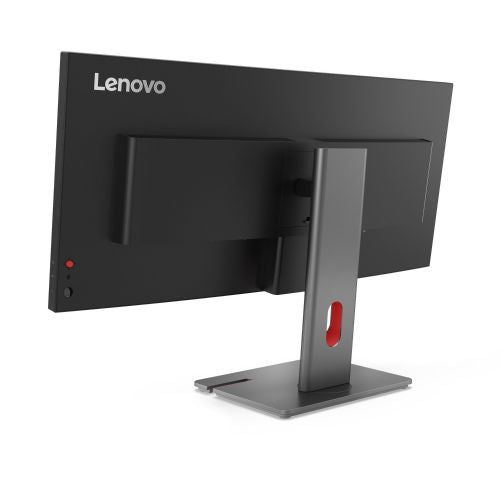
The Lenovo ThinkVision P34WD-40 monitor, with its impressive 34-inch curved diagonal and outstanding 3440 x 1440 (WQHD) resolution, provides a completely new viewing and working experience. This monitor is not only impressive for its size, but also for its cutting-edge IPS technology and 120 Hz refresh rate , which delivers smooth and sharp images. Thanks to advanced USB-C connectivity (up to 140W of power delivery!), you will have fewer cables and more space on your desk.
This monitor is ideal for anyone who needs more space and flexibility for everyday work or professional use:
Installation and use are extremely simple, as you can easily connect your laptop or other device with a single USB-C cable, which allows simultaneous image, audio, data transfer and even charging up to 140W. The stable stand allows for height, tilt and rotation adjustment, ensuring perfect ergonomic adaptation to your workstation.
Key features include:
The Lenovo ThinkVision P34WD-40 monitor is a great choice for professionals and power users who want more than just a regular monitor. Enjoy multitasking, precision, and comfort in your daily work or play. Get a tool that will increase your productivity and transform your work environment.
Specifications
| Suitable for | Business | ||
| Picture | Type of glare | Anti-reflective | |
| format | 21:9 | ||
| Curved | Yes (radius: 3,800R) | ||
| Technology | LED light | ||
| Panel technology | IPS | ||
| Backlight | White LED | ||
| Functions | QHD/WQHD, HDR Ready, HDR10 | ||
| brightness | 350 cd/m² | ||
| refresh rate | 120Hz | ||
| Viewing angle (10:1) | Horizontal | 178° | |
| Vertical | 178° | ||
| Pixel pitch | Horizontal | 0.233mm | |
| Vertical | 0.233mm | ||
| Colors | 1,070 million | ||
| contrast | Dynamic | 3,000,000 :1 | |
| Static | 2,000:1 | ||
| frequency | Vertical | 24-120Hz | |
| Links | 1x HDMI input (HDMI version: 2.1), 1x DisplayPort input (DisplayPort version: 1.4), 1x Mini DisplayPort output, 5x USB-A, 1x USB-B 3.2 (5 Gbps), 3x USB-C 3.2 Gen 1 (5 Gbps), 1x RJ 45 | ||
| ergonomics | type | Swivel, tilt, height adjustable | |
| Rotating | 45° left, 45° right | ||
| Tilting | 5° forward, 35° backward | ||
| Adjustable height | 155mm | ||
| Energy Star | Yes | ||
| Power supply | Eco-off | 0.3 watts | |
| Energy consumption | Maximum 250 watts | ||
| power supply | Integrated | ||
| Speaker | Number | 2 | |
| Total capacity | 6 watts | ||
| Standards | video | 98% DCI-P3, 99% sRGB | |
| Wall bracket | VESA compatible (100 x 100 mm) | ||
| Features | Tiny support, Eyesafe Display 2.0, Low Blue Light, Flicker-Free, Eye Comfort (5 stars), PbP, PiP, Lenovo ThinkColour, Lenovo Accessories and Display Manager, AI Power Saving, KVM Switch, LDFM, Smart Power, True Split, Cable Management | ||
| Additional information | Total stand height in low position: 393.8 mm | ||
| Accessories | Available | DP cable, USB-B/A cable, USB-C/C cable, quick start guide | |
| Optional | Speaker module for MS30 monitor | ||
| sustainability | Environmentally friendly production (TCO) Efficient energy consumption (TCO) |
||
The Lenovo ThinkVision P34WD-40 monitor is most often chosen by demanding business users who need exceptional clarity and comfortable work with multiple open programs at the same time, as well as creatives and developers who want accurate color reproduction and a wide work surface. The curved ultrawide (34") screen provides a natural viewing experience, which is essential for both long-term analysis and in-depth graphics or CAD processing. Due to the fast refresh rate, the monitor is also increasingly popular among gamers who want more space to display the action and a smooth image. Lenovo has long been a recognized choice in the field of monitors for its reliability and excellent support in business environments.
Before you decide which monitor diagonal or resolution is best for your needs, we recommend that you read our guide on choosing the right monitor size or our article on how to choose a monitor , as it will help you understand the differences between individual models.
We offer tested and expertly selected monitors, such as Lenovo ThinkVision, that meet the highest technical criteria, while also providing easy comparison of specifications and expert advice for making the right decision.
Yes, the monitor supports KVM switching and has multiple inputs, allowing for easy use with different laptops, computers, and tablets without time-consuming connection resets.
The monitor has built-in USB-C with up to 140 W of power, which allows you to transfer images, data, and charge your laptop at the same time - you can connect it with just one cable for a tidy work environment.
With a 120 Hz refresh rate and wide screen, the monitor is also very suitable for gamers looking for a smooth image and more space to display the action.
For the best user experience, set the native resolution (3440 x 1440) and adjust your operating system settings for element sizes. For more practical customization tips, see our monitor selection guide .
Yes, the thin bezel and advanced multi-source management make the monitor a great choice for a multi-display workspace, especially if you follow the tips in our guides on using multiple monitors.
Description updated: November 2025


