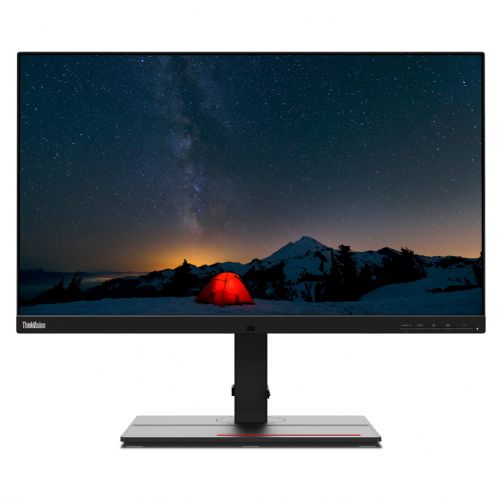
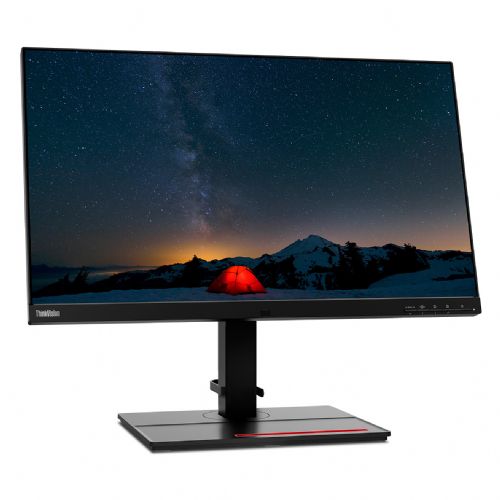
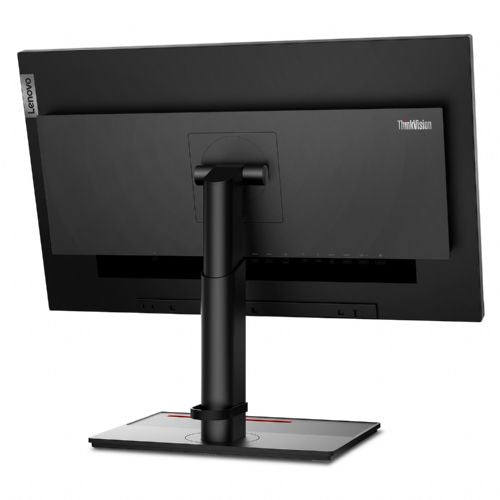
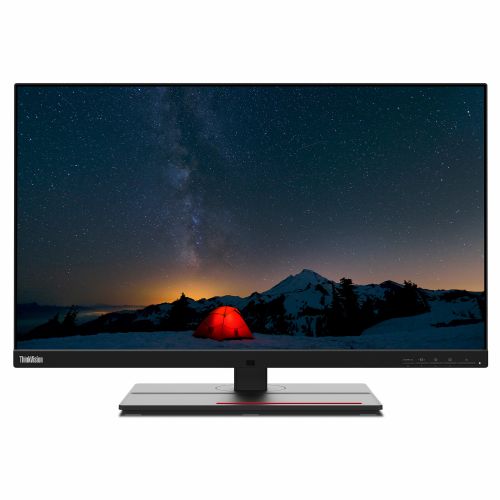
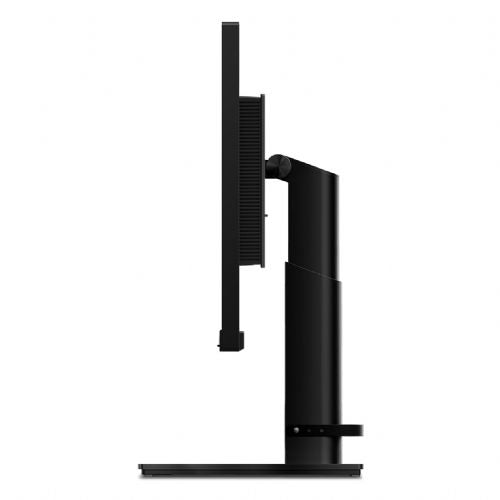
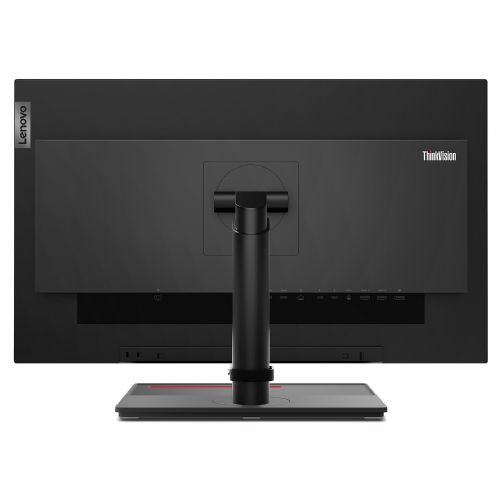
Lenovo ThinkVision P27u-20 (27")
Suitable for business use Adequate sharpness for multitasking USB-C for easy connection
The 27-inch 4K monitor is designed for business users, creatives, and anyone who needs more workspace for more demanding tasks. It allows for comfortable work and visibility of multiple open content.
- High resolution allows for better text readability and precise work with graphics.
- The USB-C port simplifies laptop connection and additional power.
- The large screen makes multitasking with multiple windows and apps easy.
- The IPS matrix delivers wide viewing angles and consistent colors.
The Lenovo ThinkVision P27u-20 (27") monitor is an advanced professional monitor designed for demanding business users, creatives, and advanced consumers who need superior resolution, reliability, and rich connectivity options. It offers exceptional image quality, expanded connectivity, and an ergonomic design, enabling increased productivity and accuracy in everyday work or more demanding projects.
This monitor is especially suitable for those who spend a lot of time in front of a screen - from designers and photographers to programmers and users who want to improve their gaming experience or work with multiple windows at the same time. It stands out for its color accuracy, the ability to charge devices via USB-C and high brightness, ensuring a clear image even in strong ambient light.
Evaluation of key product features
| Property |
Value |
Emoji rating |
| Field of application |
Business monitor |
🟢 9.5 |
| Size |
68.58 cm (27") |
🟢 9.0 |
| Resolution |
3840 x 2160 (4K UHD) |
🟢 10 |
| Panel type |
IPS |
🟢 9.5 |
| HDMI connector |
Yes |
🟢 9.0 |
| USB-C connector |
Yes |
🟢 9.5 |
| Built-in docking station |
Yes, 100W |
🟢 9.5 |
| Aspect ratio |
16:9 |
🟢 8.5 |
| Touch screen |
No |
|
| Curved screen |
No |
|
| Response time (ms) |
6 |
🟡 6.5 |
| Brightness (cd/m2) |
450 |
🟢 9.0 |
⚖️ Compare features with other products of your choice
As a 27-inch 4K UHD monitor with a professional IPS panel, it provides exceptional image sharpness and a wide color gamut, which is essential for working with graphics, photography and video. The high brightness of 450 cd/m2 ensures a clear display in all environments, while the wide viewing angles (IPS technology) ensure the image is accurate regardless of the viewing position. This ensures comfortable use even during long work days or when collaborating in a group.
Connectivity is one of the main advantages, as in addition to the classic HDMI ports, it also offers a USB-C port, which allows easy connection to modern laptops and power supply up to 100W, which improves desk organization and reduces the need for additional cables. The built-in docking station allows you to connect peripherals without additional adapters, which is especially useful for business users and those who want easy switching between multiple devices.
The 6ms response time provides fast enough refresh rates for most office applications and occasional gaming, although the most demanding gamers may want to upgrade to specialized models. The 16:9 aspect ratio allows for optimal multitasking, as larger windows can be open on the screen at the same time, significantly improving productivity compared to standard monitors.
With exceptional resolution and connectivity, the monitor delivers an advanced user experience for anyone looking for professional image display, flexible connection options, and technical sophistication in an elegant and robust design.
Screen
Screen diagonal: 68.6 cm (27")
Screen resolution: 3840 x 2160 pixels
HD type: 4K Ultra HD
Native aspect ratio: 16:9
Display technology: LED
Panel type: IPS
Backlight type: LED
Brightness (typical): 450 cd/m²
Response time: 6 ms
Feature: Anti-glare screen
Screen shape: Flat
Aspect ratio: 16:9
Contrast ratio: 1000:1
Contrast ratio (dynamic): 1000:1
Maximum refresh rate: 60 Hz
Viewing angle, horizontal: 178°
Viewing angle, vertical: 178°
Number of colors on the screen: 1.07 billion colors
Response time (fast): 4 ms
Pixel pitch: 0.1554 x 0.1554 mm
Pixel density: 163 ppi
Feature: High Dynamic Range (HDR) video support
High Dynamic Range (HDR) technology: DisplayHDR 400
Color space standard: Adobe RGB
Color gamut: 99.1%
multimedia
Number of speakers: 2
RMS power: 6W
Feature: Built-in speakers
Feature: Built-in microphone
Feature: Built-in camera
design
Market positioning: House
Product color: Black
Front bezel: Black
Connections and interfaces
Feature: Built-in USB hub
USB hub version: 2.0 / 3.2 Gen 1 (3.1 Gen 1)
USB input connector type: USB Type-C
Number of USB-A downstream slots: 3
Number of USB-C input ports: 1
Feature: HDMI
Number of HDMI inputs: 2
HDMI version: 2.0
Number of DisplayPort connectors: 1
DisplayPort version: 1.2
Number of Thunderbolt 3 ports: 2
Feature: Headphone output
Headphone outputs: 1
Headphone jack: 3.5 mm
Feature: Built-in KVM switch
ergonomics
Feature: VESA mount
Panel mounting interface: 100 x 100 mm
Feature: Cable lock slot
Cable lock slot type: Kensington
Feature: Height adjustment
Feature: Pivot
Feature: Rotatable
Feature: Tilt adjustment
energy
Energy efficiency class (EER): F
Energy efficiency class (HDR): G
Energy consumption (SDR) per 1000 hours: 26 kWh
Energy consumption (HDR) per 1000 hours: 47 kWh
Power consumption (standard operation): 35 W
Power consumption (max.): 240 W
Power consumption (off): 0.5 W
Power consumption (PowerSave): 26 W
Energy efficiency scale: from A to G
European Product Energy Labelling Register (EPREL) code: 701048
Weight and dimensions
Device width (including stand): 613.8 mm
Device depth (including stand): 219.9 mm
Device height (including stand): 556.4 mm
Weight (including stand): 7 kg
Frame width (side): 2 mm
Frame width (top): 2 mm
Frame width (bottom): 2.36 cm
sustainability
Sustainability certifications: TCO
Logistical data
Tariff code (HS): 85285210
The text is machine translated.
It is important to know
Before choosing a Lenovo ThinkVision P27u-20 monitor, it is crucial to consider how its resolution, connectors, and size will affect your working comfort and compatibility with the rest of your equipment in practice. The most important factor in this diagonal is the connection of the resolution with everyday tasks and the actual support of the connectors on your computer or laptop. Also pay special attention to the question of whether a single monitor is enough for you or whether you will work in a multi-monitor setup.
- 4K resolution on a 27-inch display delivers exceptional text sharpness and detail, but may require scaling adjustments (PPI) for optimal element size in some applications.
- A monitor with a USB-C connector allows for simplified connection and powering of a laptop via a single cable, but it is advisable to check the compatibility of your laptop in terms of image transfer and power.
- For the best balanced experience when working with two displays, we recommend choosing two identical monitors to match the sharpness and display dimensions.
- If your workspace only allows for one monitor, this model allows for effective multitasking, but for larger Excel spreadsheets and analytical work, you should consider whether a 32-inch model would be even more suitable.
- The IPS panel covers office needs and prolonged text work well, but the refresh rate is limited, so this monitor is not optimal for advanced gaming requirements or extremely fast image movement.
Source of editorial recommendations: ENAA guides and team experience.
In practice
🟢 Multitasking in the office
The monitor is well suited for working with multiple windows, documents, and spreadsheets at the same time, as the combination of high resolution and 27-inch diagonal allows for a large work surface without compromising on sharpness.
🟢 Use with a laptop via USB-C
The USB-C connection option provides a simple single-cable solution for modern laptops, as long as your laptop supports image and power transfer over this cable.
🟡 Creative work (photography, graphic design)
The IPS panel and 4K resolution support accurate color and detail display, but some users may lack advanced features (e.g. HDR or wider color coverage, if these are a high priority) for superior color accuracy.
🟡 Gaming
The monitor is suitable with limitations for occasional gaming or strategy, as it has a standard response time and refresh rate; for high-speed competitive gaming, there are specially adapted models with even higher refresh rates.
🟡 Working with two monitors
As a second monitor in a pair, it makes sense to ensure that both screens are the same size and resolution; otherwise, you may experience visible differences in the display of text and graphics.
Answers to frequently asked questions
Can I power my laptop directly through the USB-C port on the monitor?
Yes, if your laptop supports USB-C (Power Delivery) and DisplayPort Alt Mode, the monitor allows you to power and transfer images over a single cable.
What does scaling mean when using 4K resolution on a 27-inch monitor?
At such a high resolution, graphics and text can appear very small; adjusting the scaling in system settings allows for better readability without losing sharpness.
How easy is it to connect multiple devices to this monitor?
The monitor supports multiple inputs (HDMI, DisplayPort, USB-C), so it is possible to connect different devices simultaneously and select the display via the menu on the monitor.
Is the monitor suitable for portrait mode (pivot) setup?
The model allows you to rotate the screen to portrait mode, which is useful for programming or working with long documents, if the stand or holder allows it.
Description updated: October 2026
Read also
If you are still deciding, the following content may also be helpful.
Best products
Best Monitors 2026
Products for various purposes
Monitors for office work
Monitors for working from home
Hybrid Work Monitors
Monitors for home use
Gaming monitors
Graphic design monitors
Why buy from ENAA?
- Over 100 buying guides and expert content for the best smart monitor choices.
- The fastest delivery in Slovenia – more than 95% of orders are delivered the next business day.