Your shopping cart
😊 Product added to cart successfully
Product removed to cart successfully

Couldn't load pickup availability
Izdelek bomo predvidoma poslali čez: 2 dni


The Lenovo ThinkVision P27u-20 monitor will provide a detailed, extremely clear image with a resolution of 4K Ultra HD (3840 x 2160) . The monitor also boasts a brightness of up to 450 cd/m 2 , a contrast ratio of 1000: 1 or 3000000: 1 (dynamic) and IPS technology. 100% sRGB coverage is provided. The height and position of the screen can be adjusted , including pivot . The screen diagonal measures 27" (68.58 cm) . It is an LCD screen with advanced LED backlighting . In addition to standard input connectors ( DisplayPort and 2 x HDMI ), a ThunderBolt 4 connector is also available. The monitor also features an anti-glare coating . It refreshes at a frequency of 60 Hz , and the response time is 6 ms (normal) or 4 ms (extreme) . The monitor is black and measures 61.38 cm x 21.99 cm x 42.14 cm . It is an excellent monitor for professional use. It is also suitable for graphic designers , among other things.
The Lenovo ThinkVision P27u-20 monitor is a great choice for working with advanced graphics programs and for professional video and photo editing . If you are a photographer, video editor, graphic designer or a professional who does not like compromises, it is time to meet the Lenovo ThinkVision P27u-20 monitor. This versatile 27-inch monitor gives you everything you want and need in a fantastic package.
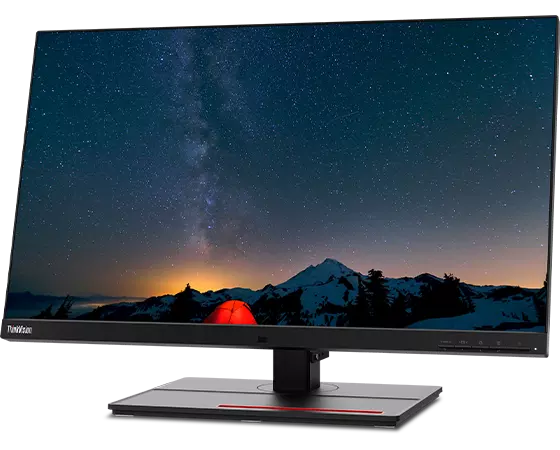
The ThinkVision Lenovo P27u-20 monitor features a 3840 x 2160 (UHD) resolution display that delivers exceptional image quality and clarity . Its wide IPS display offers enhanced viewing angles and excellent contrast ratio . In addition, this monitor features unique pre-calibrated accuracy , dual wide color gamut (99.1% DCI-P3 and 99.5% Adobe RGB) , and VESA DisplayHDR 400 support, providing a realistic visual experience for designers, graphic designers, photographers, and other professional users.
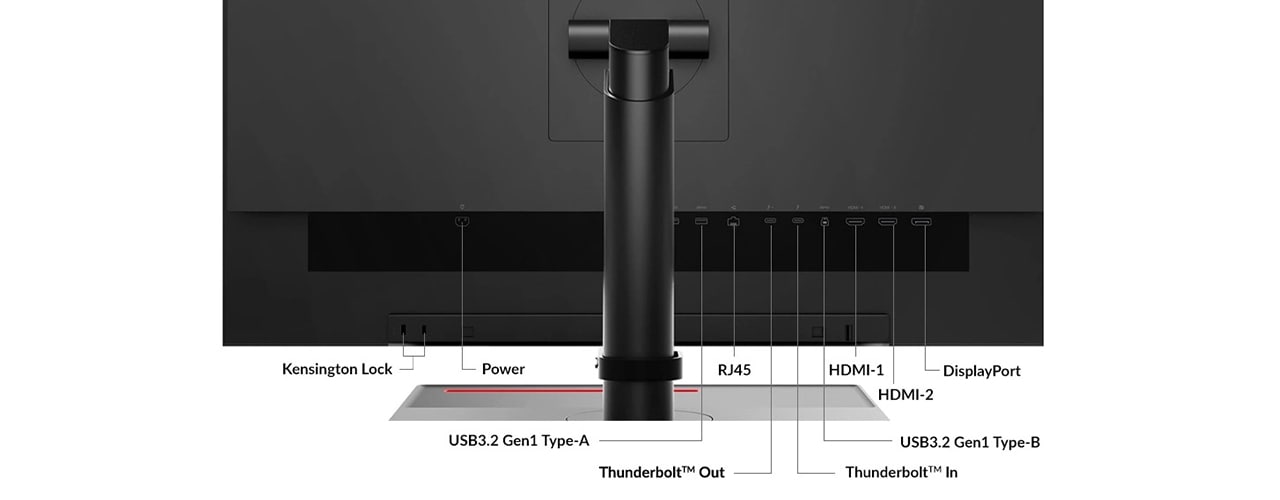
The Lenovo ThinkVision P27u-20 monitor is built for the modern age. It's designed to help you connect, collaborate, and manage with exceptional efficiency. This monitor features uncompromising Thunderbolt . Solutions that will impress professionals. The Lenovo ThinkVision P27u-20 monitor offers 4K resolution with 1Gbps Ethernet and USB3.2 Gen1 . Experience blazing speeds of up to 40Gbps and industry-leading Thunderbolt . It features 4 ports – 4 inputs and 4 outputs for ultimate multi-display connectivity . It also offers up to 100W of power delivery , KVM , a USB hub with 5Gbps USB data and USB-C 27W for charging , helping to boost productivity.
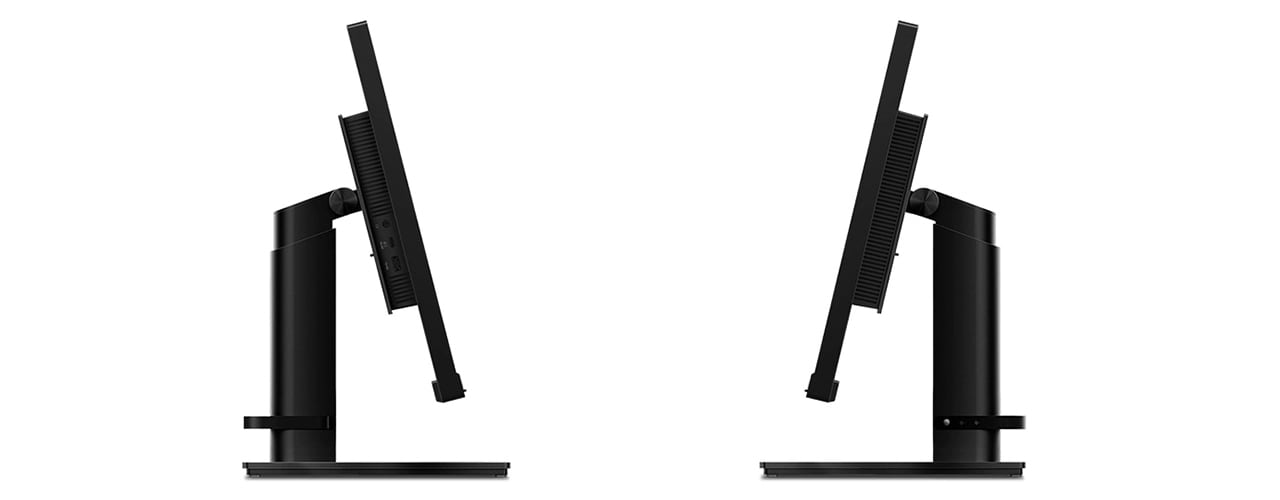
This monitor is also equipped with premium built-in speakers (2 x 3W) for a complete user experience. The Lenovo ThinkVision P27u-20 monitor is a monitor for professionals who don't compromise.
| Product features | |
| Product description | Lenovo ThinkVision P27u-20 - LED monitor - 4K - 27" |
| Device type | LCD screen with LED backlight - 27" |
| energy class | G-Class |
| Features | KVM switch, Gigabit Ethernet network adapter, USB 3.2 Gen 1 hub, USB PD 27 W |
| Panel type | IPS |
| Relationship | 16:9 |
| Native resolution | 4K 3840x2160 @ 60Hz |
| Pixel Pitch | 0.1554mm |
| Brightness | 450 cd/m² |
| Contrast ratio | 1000:1 / 3000000:1 (dynamic) |
| Response time | 6 ms (normal); 4 ms (extreme) |
| Color support | 1.07 billion colors |
| Color scale | 100% BT.709 (CIE 1976), 100% sRGB (CIE 1976), 83.7% BT.2020 (CIE 1976), 99.1% DCI-P3 (CIE 1976), 99.5% Adobe RGB (CIE 1931) |
| Input connectors | Thunderbolt 4, 2xHDMI, DisplayPort |
| Built-in Ethernet | yes |
| Screen position adjustments | Height, rotation (pivot), rotation, pitch |
| Screen coating | Anti-glare |
| Voltage | AC 100-240V (50/60Hz) |
| Color | Plain black |
| Dimensions (WxDxH) | 61.38 cm x 21.99 cm x 42.14 cm |
| Weight | 8 kg |
| Localization | English / Europe |
| Environmental standards | TCO Certified 8 displays, TCO Certified edge displays, EPEAT Gold qualified for ENERGY STAR |
| Compliant standards | CCC, DDC/CI, CEE Tier 1, RoHS 2011/65/EU, TUV Rheinland eye comfort certificate |
| Manufacturer's warranty | 3-year warranty |
The text is machine translated.
When choosing a 27-inch 4K monitor like the Lenovo ThinkVision P27u-20, it's important to consider your work environment, how you connect to your computer, and the practical implications of size, resolution, and ports for everyday use. While high resolution delivers sharp images, it can require proper system settings and thoughtful placement on your desk. Before making a purchase, pay special attention to port compatibility and layout ergonomics.
Source of editorial recommendations: ENAA guides and team experience.
The high resolution and 27-inch diagonal allow spreadsheets, documents, and applications to be open at the same time and clearly visible without frequent switching or zooming.
The 4K display achieves very good sharpness and color accuracy, which is important when processing images and more demanding text writing or design.
If your laptop supports USB-C image transfer and charging, the monitor provides a simplified connection and fewer cables on your desk.
The monitor is also suitable for gaming due to its resolution, but it should be noted that it is not specialized for the highest refresh rates or extremely low response times, as offered by dedicated gaming monitors.
Combining with an older or differently sized monitor can lead to differences in sharpness and display size, which degrades the unified user experience when working with multiple displays.
The monitor allows connection via USB-C, but before using it, check whether your computer supports video transfer and possible charging via this connector.
4K on 27 inches provides a very sharp image, but for everyday work it is recommended to adjust the scaling of fonts and icons for better readability.
A suitably deep desk affects viewing comfort; it is recommended to adjust the monitor so that your eyes are at eye level with the top edge of the screen.
The monitor offers enough ports to connect multiple devices simultaneously; availability of KVM or easy switching depends on specific equipment and settings.
To take full advantage of features (such as 4K at high refresh rates or USB-C Power Delivery), it is recommended to use high-quality and compatible cables.
Description updated: October 2026
If you are still deciding, the following content may also be helpful.
Best products
Products for various purposes
Monitors for working from home


