Your shopping cart
😊 Product added to cart successfully
Product removed to cart successfully

Couldn't load pickup availability
Izdelek bomo predvidoma poslali čez: 5 dni
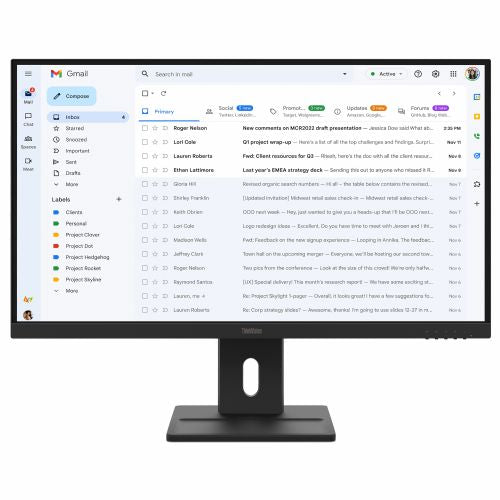
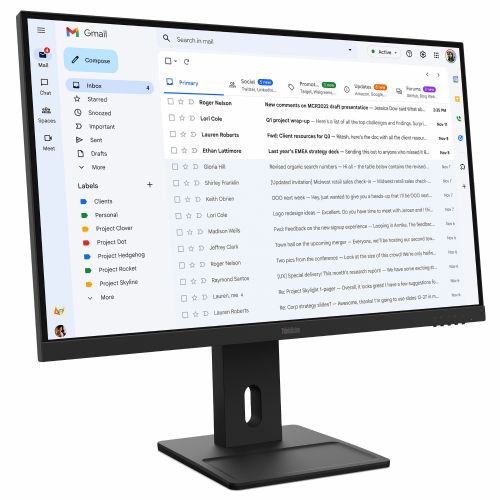


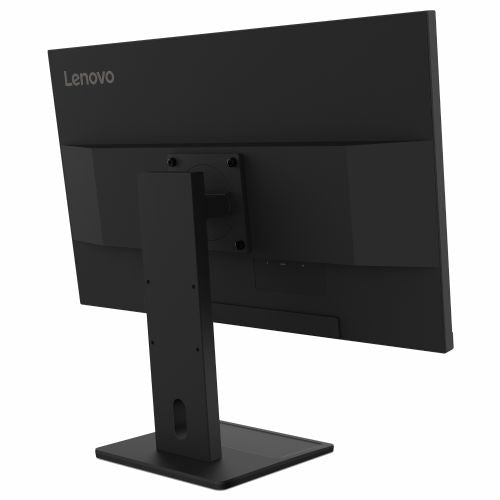
A 27-inch monitor for business users, consumers, and home offices, designed for document editing, browsing, multitasking, and basic gaming.
Screen
Screen diagonal: 68.6 cm (27")
Screen resolution: 1920 x 1080 pixels
HD type: Full HD
Native aspect ratio: 16:9
Display technology: LCD
Panel type: IPS
Feature: LED backlight
Backlight type: W-LED
Brightness (typical): 300 cd/m²
Response time: 6 ms
Feature: Anti-glare screen
Screen shape: Flat
Supported graphics resolutions: 1920 x 1080 (HD 1080)
Contrast ratio: 1500:1
Dynamic contrast ratio: 3,000,000:1
Maximum refresh rate: 100 Hz
Horizontal viewing angle: 178°
Vertical viewing angle: 178°
Number of colors on the screen: 16.7 million colors
Response time (fast): 4 ms
Pixel pitch: 0.3114 x 0.3114 mm
Pixel density: 82 ppi
Visible size (horizontal): 59.8 cm
Visible size (vertical): 33.6 cm
Color depth: 8 bits
Color gamut: 99%
sRGB coverage (classic): 99%
Services
Feature: Low Blue Light Technology
Supported Windows operating systems: Windows 10, Windows 11
multimedia
Number of speakers: 2
RMS power: 4W
Feature: Built-in speakers
design
Product color: Black
Color name: Plain black
Front bezel: Black
Foot color: black
Connections and interfaces
Number of VGA (D-Sub) connectors: 1
Feature: HDMI
Number of HDMI inputs: 1
HDMI version: 1.4
Number of DisplayPort connectors: 1
DisplayPort version: 1.2
ergonomics
Feature: VESA mount
Panel mounting interface: 100 x 100 mm
Feature: Improved cable management
Feature: Cable lock slot
Cable lock slot type: Kensington
Feature: Height adjustment
Adjustable height (max.): 15.5 cm
Function: Pivot
Rotation angle: -90 - 90°
Feature: Rotatable
Rotation range: -360 - 360°
Feature: Tilt adjustment
Tilt angle range: -5 - 22°
Function: On-Screen Display (OSD)
Feature: LED indicators
energy
Energy efficiency class (EER): D
Energy efficiency class (HDR): Not available
Energy consumption (SDR) per 1000 hours: 16 kWh
Power consumption (standard operation): 16.3 W
Power consumption (standby): 0.5 W
Power consumption (max): 34 W
Power consumption (off): 0.3 W
AC input voltage: 100-240V
AC input frequency: 50/60 Hz
Power supply type: Internal
Energy efficiency scale: from A to G
Weight and dimensions
Device width (including stand): 613.1 mm
Device depth (including stand): 220 mm
Device height (including stand): 538.5 mm
Weight (including stand): 6.2 kg
Width (without stand): 613.1 mm
Depth (without stand): 40.4 mm
Height (without stand): 366.4 mm
Weight (without stand): 4 kg
Bezel width (side): 2.3 mm
Bezel width (top): 2.6 mm
Frame width (bottom): 2.05 cm
Packaging information
Packaging width: 695 mm
Packaging depth: 155 mm
Packaging height: 447 mm
Scope of delivery
Feature: Stand included
Cables included: HDMI
Feature: Quick Start Overview
sustainability
Sustainability certifications: ENERGY STAR, EPEAT Gold
Other functions
Certifications: EU Energy Label (Class D), TCO 10.0 certified, TCO Edge 2.1, TÜV Rheinland Flicker Free
The text is machine translated.
The Lenovo ThinkVision E27-40 Monitor is a 27-inch display that meets the needs of users who want a larger work surface for home, office or study use. It is particularly useful for everyday tasks, document work and multitasking, as an additional display or standalone monitor. For those who expect exceptional image sharpness with very small fonts, Full HD resolution on this diagonal may represent a minor compromise for long hours of reading texts. Its versatility allows for easy integration into typical computer layouts both at home and at work, even in combination with multiple monitors.
Recommendation source: Enaa guides and team experiences.
This monitor is most often used by users who want clear visibility and a wider workspace for everyday computing tasks, such as editing documents, browsing the web, and collaborating on video calls. It is suitable for students and employees who work from home or in the office, as well as for households where several family members use the monitor for different tasks. If you are on a budget or are looking for a reliable display for multitasking, before making a choice, also check out our guide to choosing an affordable monitor , which details the practical limitations and advantages of this size and resolution.
Users also appreciate the tradition and reliability of the Lenovo brand, which regularly highlights balanced products for business and home use in its offering.
When shopping at Enaa, you can choose from a really wide base of monitors of different brands and sizes, which allows you to compare the product with other models based on purpose, size and resolution. In addition to informative guides, you can also get expert advice from the team, whose expertise helps you choose the right monitor for your specific needs.
For most office tasks, the combination of 27 inches and Full HD resolution is satisfactory, especially if you use larger text or work with spreadsheets. However, if you often read very small print and want an extremely sharp image, a higher resolution may be more suitable. You can find more information in our guide to choosing a monitor size .
Before purchasing, make sure the monitor has the appropriate inputs, such as HDMI or DisplayPort, that match the output of your computer or laptop. This will ensure easy connectivity without additional adapters.
For casual gaming with less demanding games, the monitor is perfectly adequate, but for more demanding or fast-response gaming, users will want a higher refresh rate and faster response time than offered by gaming-oriented models.
Yes, thanks to support for standard connectors, this monitor is very suitable as an additional screen for laptops, increasing productivity and clarity in everyday work.
The matte screen reduces glare and eye strain, which is especially important when working for long hours or if the monitor is placed in a brighter room.
Description updated: April 2026


