Your shopping cart
😊 Product added to cart successfully
Product removed to cart successfully

Couldn't load pickup availability
Izdelek bomo predvidoma poslali čez: 1 dni


The 27-inch QHD monitor is designed for demanding users who want smooth gaming and efficient work with multiple windows or applications.
LENOVO Legion R27QE 68.58cm (27") QHD IPS 200Hz DP/HDMI HDR10 gaming monitor
Wide, ultra-clear image
The 27" display with an ultra-sharp QHD 2560x1440 resolution delivers stunning clarity and precision, giving esports players a real competitive edge.
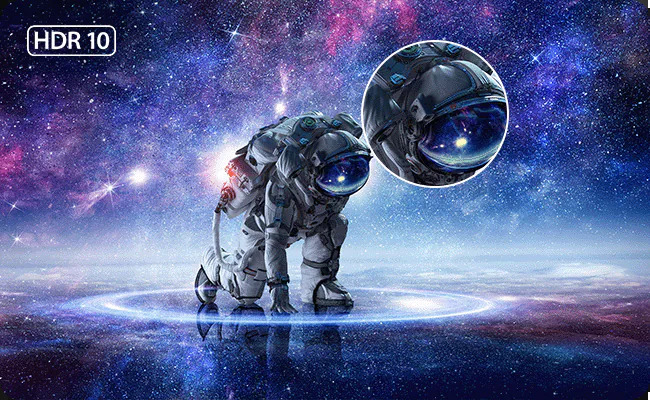
Profound contrast and exceptional realism
HDR10 brings every scene to life with dramatic contrast – enabling deeper blacks, brighter highlights, and a more immersive, cinematic gaming experience.
The LENOVO Legion R27QE monitor with a 27-inch IPS screen and QHD resolution is best balanced for users who want a spacious and flexible workspace. The higher refresh rate of 200 Hz will be especially relevant for gaming enthusiasts and those for whom smooth images are important in dynamic use. Such a combination of diagonal, resolution and panel type allows for comfortable everyday work, multitasking and relaxed multimedia. However, due to its gaming orientation and high refresh rate, professional color accuracy is not a priority for demanding graphic work; similarly, the model may not be optimal due to its size with very limited desk space or a shorter viewing distance.
Recommendation source: Enaa guides and team experiences.
Typical users of this model are computer game enthusiasts who appreciate the fast refresh rate and sharp QHD images for a more immersive gaming experience, but the monitor is also often chosen by business users or creatives who need more space for editing documents or working with multiple windows open at the same time. Thanks to its size and high resolution, the monitor allows for comfortable multitasking, which is especially evident when working with multiple applications, spreadsheets or when used as part of a dual-display system. If you are wondering about the suitability of the monitor size for your workspace, you can find additional information in our monitor size selection guide .
Many customers also appreciate the broad ecosystem of Lenovo -branded devices, where good compatibility and reliability are guaranteed.
When you buy from Enaa, you have constant access to professional support and real-time technical advice, which helps you find the most suitable solution for your work or entertainment. Easy comparison with other monitors allows you to quickly find the model that best suits your needs. In addition, we offer users the opportunity to view useful guides and experiences that make the decision easier.
A monitor with a high refresh rate, such as 200 Hz, is perfectly suitable for everyday use. Users will notice smoother image movement when browsing and working with multiple content, but the key advantages of high Hz are especially evident when playing computer games.
For a 27-inch monitor with QHD resolution, the recommended viewing distance is approximately 70 to 100 cm, depending on the complexity of the tasks and individual preferences. This ensures optimal comfort and text readability.
Yes, with its even diagonal and QHD resolution, this monitor also works well as a second display for multitasking, programming, or upgrading an existing workstation. Before purchasing, it is recommended to check whether your computer has the appropriate ports and support for such a setup. You can read more about the benefits of dual monitors in our dual monitors guide .
The IPS panel allows for good viewing angles and natural colors, but this particular model is not intended for professional graphics work, where the highest color accuracy and certified color gamuts are the main priority. However, it is perfectly usable for occasional photo editing or amateur use.
This monitor supports modern DisplayPort and HDMI connectors, ensuring good compatibility with most desktops and laptops. Before purchasing, check which connectors your graphics card supports and choose the most appropriate connection for optimal image quality.
Description updated: April 2026


