Your shopping cart
😊 Product added to cart successfully
Product removed to cart successfully

Couldn't load pickup availability
Izdelek bomo predvidoma poslali čez: 5 dni
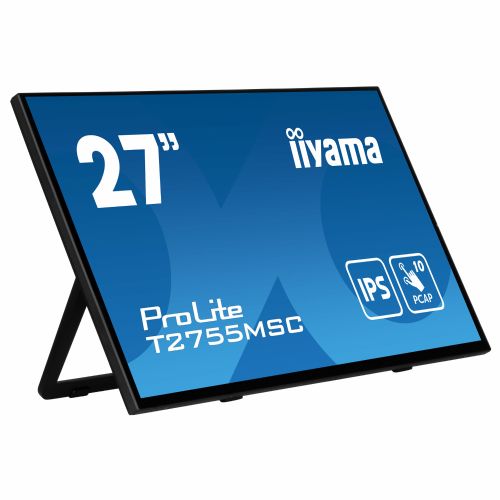
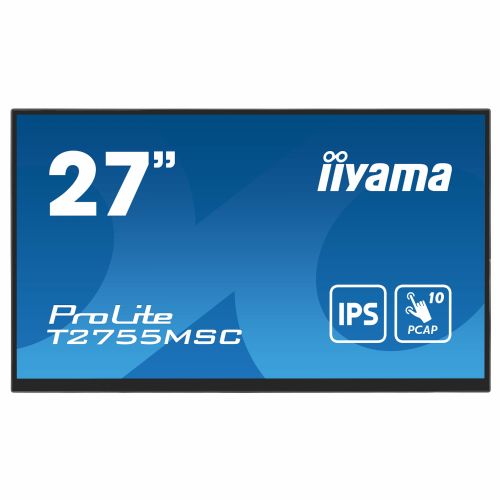

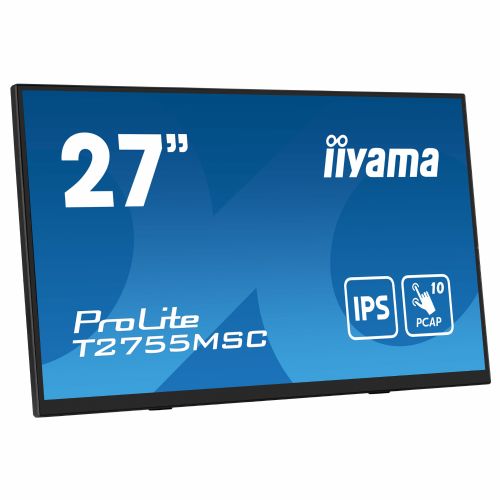
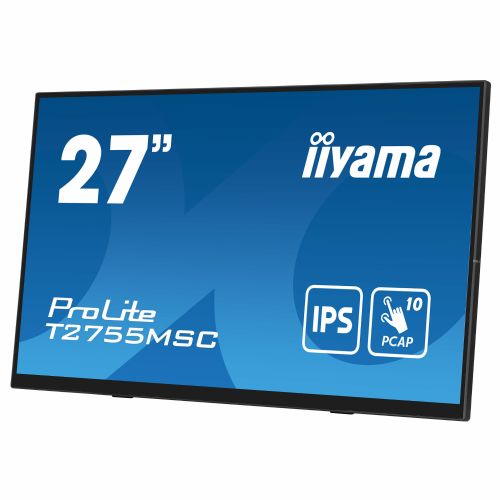
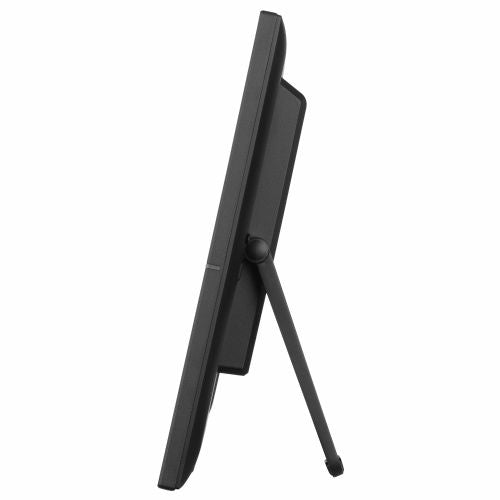
The Iiyama ProLite T2755MSC-B1 68.58 cm (27") monitor with advanced FHD IPS technology and a responsive touchscreen is the ideal solution for users looking for a reliable interactive experience in both business and home environments. This model provides easy digital content management, visual clarity and excellent responsiveness, which significantly improves productivity and user experience in everyday work or entertainment.
Evaluation of key product features
| Property | Value | Emoji rating |
|---|---|---|
| Field of application | Interactive screen | 🟢 9 |
| Size | 68.58 cm (27") | 🟢 8.5 |
| Resolution | 1920 x 1080 (FHD) | 🟡 7 |
| Panel type | IPS | 🟢 9 |
| HDMI connector | Yes | 🟢 9 |
| USB-C connector | No | |
| Built-in docking station | No | |
| Aspect ratio | 16:9 | 🟢 8 |
| Touch screen | Yes | 🟢 9.5 |
| Curved screen | No | |
| Response time (ms) | 5 | 🟡 6.5 |
| Brightness (cd/m2) | 400 | 🟢 8.5 |
⚖️ Compare features with other products of your choice
This monitor is designed for business users, gamers, and a wide range of consumers who need a responsive and reliable interactive display. The interactive touch screen allows direct interaction with content, which is especially useful for presentations, collaborative work, digital whiteboards, or modern educational environments.
The main technological advantage is the IPS panel, which provides vibrant colors and a wide viewing angle, which is important when viewing content in a group or working in a dynamic environment. With a brightness of 400 cd/m2, the image is clear even in brighter rooms, while the Full HD resolution with 1920x1080 pixels provides enough detail for most common tasks.
Connectivity is provided with HDMI and DisplayPort connectors, allowing easy use with a variety of devices. Integrated speakers further facilitate work during video conferences or presentations, without the need for additional equipment. The 5ms response time is suitable for smooth motion display, which will also be appreciated by casual gamers or users who want fast interaction with the screen.
This monitor stands out for its combination of size, high brightness, IPS quality and advanced 10-point touch screen, which together enable intuitive use and multi-functionality. It is suitable for anyone who values ease of use, flexibility and display quality in their digital everyday life.
Screen
Screen diagonal: 68.6 cm (27")
Screen resolution: 1920 x 1080 pixels
HD Type: Full HD
Native aspect ratio: 16:9
Display technology: LED
Panel type: IPS
Backlight type: LED
Features: Touch screen
Touch screen type: Desktop
Touchscreen technology: Projected capacitive system
Touch technology: Multi-touch
Number of simultaneous touches: 10
Brightness (maximum): 400 cd/m²
Brightness (typical): 400 cd/m²
Brightness: 360 cd/m²
Response time: 5 ms
Response time measurement method: GTG (gray to gray)
Screen surface: Matte
Screen shape: Flat
Contrast ratio: 1000:1
Maximum refresh rate: 60 Hz
Horizontal viewing angle: 178°
Horizontal viewing angle: 178°
Number of display colors: 16.2 million colors
Pixel pitch: 0.311 x 0.311 mm
Horizontal scan range: 30 - 83 kHz
Field of view size (horizontal): 59.7 cm
Field of view size (vertical): 33.6 cm
Screen diagonal (cm): 68.6 cm
Feature: DDC/CI
Surface hardness: 7H
Color depth: 8 bits
Capacity
Feature: Flicker-free technology
Feature: Blue light reduction technology
Feature: Palm touch rejection
Multimedia
Number of speakers: 2
RMS power: 2W
Feature: Built-in speakers
Shape
Market positioning: Business
Product color: Black
Front bezel: Black
Stand color: Black
Ports and interfaces
Feature: Built-in USB hub
USB hub version: 3.2 Gen 1 (3.1 Gen 1)
Number of entrance doors: 2
Number of USB-A input ports: 2
Feature: USB touch port
Feature: HDMI
Number of HDMI ports: 1
Number of DisplayPort ports: 1
Feature: Audio output
Feature: Headphone output
Headphone outputs: 1
Feature: HDCP
Feature: DC power connector
Ergonomics
Feature: VESA mount
Panel mounting interface: 100 x 100 mm
Feature: Improved cable management
Feature: Cable lock slot
Cable lock slot type: Kensington
Feature: Tilt adjustment
Tilt angle range: 5 - 90°
Feature: On-Screen Display (OSD)
Menu languages: German, English, Spanish, French, Italian, Japanese, Dutch, Polish, Portuguese, Russian
Number of OSD languages: 7
Energy
Energy efficiency class (EER): E
Energy efficiency class (HDR): Not available
Energy consumption (SDR) per 1000 hours: 21 kWh
Power consumption (standard operation): 30 W
Power consumption (standby): 0.7 W
Power consumption (off): 0.3 W
AC input voltage: 100-240V
AC input frequency: 50/60 Hz
Power supply type: Internal
Energy efficiency scale: from A to G
Weight and dimensions
Device width (including stand): 614 mm
Device depth (including stand): 49 mm
Device height (including stand): 364.5 mm
Weight (including stand): 5.8 kg
Packaging information
Packaging width: 710 mm
Packaging depth: 130 mm
Packaging height: 460 mm
Packaging weight: 7.3 kg
Scope of delivery
Features: Stand included
Included cables: AC, USB, HDMI
Features: Power supply included
Features: Quick Start Guide
Features: User manual
Sustainability
Features: Sustainability compliance
Sustainability certificates: ErP
Other features
Position accuracy: 2 mm
Brightness: 360 cd/m²
Packaging Contents: Spiral tube
Active screen area (W x H): 597 x 336 mm
Touch method: Pen, Finger, Glove (latex)
Number of USB ports: 2
Weight: 5.8 kg
Height: 364.5mm
Width: 614 mm
Depth: 49 mm
Control panel: Press/Enter, Right/Volume, Left/Eco/Exit, Up/Signal Select, Down, Power On/Off
Conformity certificates: CE, cTUVus, REACH, RoHS, TÜV Mark, UKCA, WEEE
Mean time between failures (MTBF): 50,000 h
The ProLite T2755MSC, with its Full HD (1920x1080) resolution and IPS panel technology, offers exceptional colors and wide viewing angles. The 10-point touch technology with optically bonded projected capacitive (PCAP) ensures smooth and precise touch response and reduced light reflection. The screen is also protected against moisture and potential moisture accumulation. A special nano-coating ensures a smoother touch and lower sliding resistance. This makes the screen less prone to static electricity and resistant to dirt, dust and fingerprints. The adjustable stand can be installed at different angles, ensuring a comfortable and ergonomic user experience. The perfect choice for a wide range of applications.
The Iiyama ProLite T2755MSC-B1 monitor with a 27-inch diagonal and IPS screen allows for comfortable everyday work, learning or home multitasking, where a large display and the ability to touch are important. The presence of Full HD resolution on a larger screen is adequate for basic tasks, but more demanding users (e.g. those who read a lot of text all day or expect a very sharp image) may notice a lower display density compared to higher resolution monitors. Integrated speakers, multiple ports and IPS technology contribute to versatility, especially where easy touch use and basic multimedia sound are desired at the same time. The model is less recommended for advanced graphics work or competitive gaming, where high refresh rates, perfect color accuracy or a dense image are key.
Taken from: Enaa guides and team experiences.
The Iiyama T2755MSC-B1 monitor is often chosen by those who need a larger work surface for spreadsheets, presentations or video conferencing, while also benefiting from touch functionality for interactive applications, online meetings or educational content. Home users appreciate it for online courses and basic entertainment, while business users appreciate it for multitasking in offices or meetings where fast and intuitive interaction is desired. Casual gamers can use it for games where a high refresh rate or the highest resolution is not essential.
If you're deciding between different sizes or purposes, our guide to choosing the right monitor size can help. Users also often highlight the reliable reputation of the Iiyama brand, as it offers a wide range of specialized monitors for different needs.
Enaa provides quick and easy access to a wide range of monitors, making it easy to compare equipment based on size, resolution and use. The expert team regularly prepares independent guides and advice, enabling a better informed decision even for less common choices, such as touchscreen models.
For basic office or home use, Full HD on this diagonal is a satisfactory solution, but for all-day work with a lot of text or requirements for a very sharp image, it is worth considering a higher resolution. You can find more information in our guide to choosing a monitor size .
Due to its resolution and basic color coverage, the model is more intended for general, office, and interactive use, rather than professional graphics tasks or color-critical work.
A touchscreen is convenient for interactive presentations, quick content management, or using specialized applications where touch is an added value. It can also be used in educational and group environments.
Yes, a monitor is also suitable as a second screen for your laptop, especially if you are looking for more space for multiple open programs or better viewing of documents.
The IPS screen provides better viewing angles and more natural colors than basic TN panels, which is welcome when working in groups or looking at different parts of the screen for long periods of time.
Description updated: March 2026


