Your shopping cart
😊 Product added to cart successfully
Product removed to cart successfully

Couldn't load pickup availability
Izdelek bomo predvidoma poslali čez: 1 dni


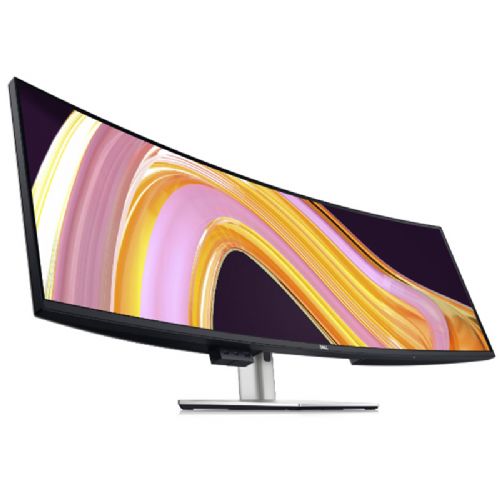
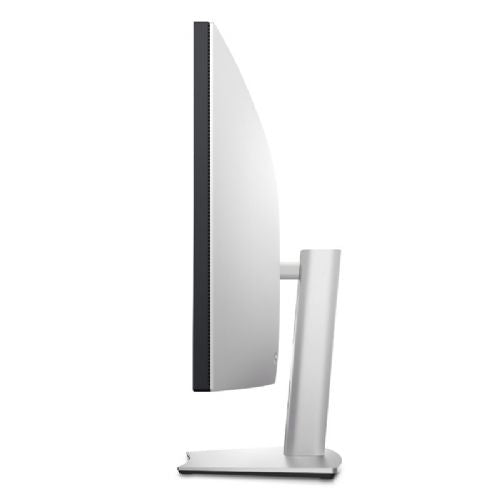
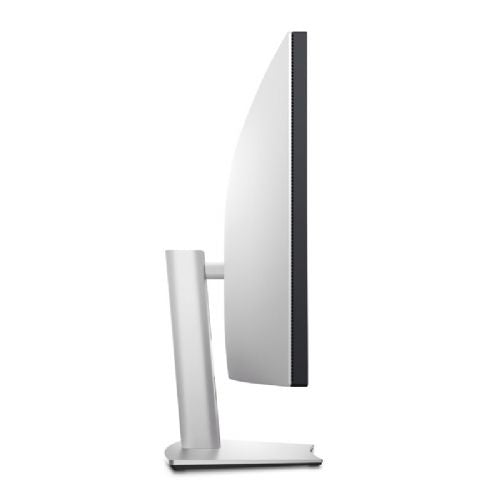

The 49-inch curved monitor with an ultra-wide screen provides comfortable working, clarity, and simultaneous display of multiple content for business users, analysts, and anyone who needs a large work surface.
DELL UltraSharp U4924DW 124.46cm (49") DQHD IPS 60Hz HDMI/DP/LAN speakers curved monitor
The Dell U4924DW is a 49-inch curved DQHD monitor (5120 x 1440) designed for users who need an extremely wide workspace and complete clarity when multitasking. The IPS Black matrix delivers a high contrast ratio of 2000:1 , deeper blacks, and stable colors at wide viewing angles. The 60 Hz refresh rate ensures smooth image movement for everyday work, while the 3800R curvature improves ergonomics and a natural field of view.
COLOR ACCURACY AND PROFESSIONAL DISPLAY
With 100% sRGB, 100% Rec.709, 98% DCI-P3 and 98% Display P3 color coverage, the monitor is suitable for working with graphics, photography, video and all tasks where color consistency is important. Factory calibration with Delta E < 2 ensures accurate display from the first use.
CONNECTIVITY AND SINGLE-CABLE SOLUTION
The monitor features a rich set of ports, including USB-C with DisplayPort Alt Mode and 90W power delivery , allowing you to connect your laptop with a single cable. There are also HDMI, DisplayPort, multiple USB-A and USB-C ports, and RJ45 (2.5 GbE) for stable network connectivity. The iMST feature allows you to split the screen into two separate 27-inch QHD surfaces without additional software.
COMFORT AND ADAPTABILITY
The stand features height, tilt, and swivel adjustments, making it easy to adapt to your workspace. ComfortView Plus technology reduces blue light without affecting color accuracy, improving comfort during extended use. Built-in dual 9W speakers deliver clear audio without the need for additional devices.
The U4924DW is a great choice for analysts, developers, content creators, financial professionals, and anyone who needs an ultra-wide, clear, and color-accurate workspace. It is suitable for professional environments, home offices, and anyone looking to replace multiple monitors with a single, ultra-wide display surface.

An ultra-wide curved monitor like the Dell UltraSharp U4924DW can transform the way power users work, offering nearly dual-monitor width without any gaps between screens. It offers great multitasking capabilities, but it requires careful planning of your usage and workspace. Before making a purchase, you should consider whether your work style and physical environment really take advantage of its features, and check the connectivity and support of your existing equipment.
Source of editorial recommendations: ENAA guides and team experience.
🟢 Optimal for multitasking, analytics, working with multiple spreadsheets, programming, designing and editing documents on one continuous screen.
🟢 Allows for online meetings, greater transparency, and simultaneous use of multiple applications; due to its size, it is especially recommended for a sufficiently large table.
🟢 A wide and unified screen allows for a spatially rich timeline and many simultaneous tools or references, useful even for more demanding visual projects.
🟡 Gaming is possible on an ultrawide format, but is only supported in parts of games that allow such resolution; the refresh rate is not at the level of e-sports monitors, but is quite adequate for simulations and strategies.
🟡 Great for editing multimedia and multiple applications at once, perhaps less useful for classic web browsing or watching videos due to the size and curvature of the screen.
Yes, the diagonal and resolution allow for a two-monitor experience without image interruption, but it is recommended to check software and hardware support for such a large work surface.
The monitor requires a greater depth and width of the work surface to ensure a comfortable viewing distance and ergonomics; if the desk is too small, it can become uncomfortable to use.
Your laptop must support video output via USB-C (DP Alt Mode or Thunderbolt); check your model's compatibility before purchasing.
Most modern applications and parts of business, graphics, or analytics software support wide formats, but some games and older applications may have limited support or display black borders.
Due to its size and shape, the monitor is not suitable for frequent turning or moving and requires a more permanent placement in a suitable location.
Description updated: July 2026
If you are still deciding, the following content may also be helpful.
Best products
Products for various purposes
Monitors for working from home


