Your shopping cart
😊 Product added to cart successfully
Product removed to cart successfully

Couldn't load pickup availability
Izdelek bomo predvidoma poslali čez: 2 dni
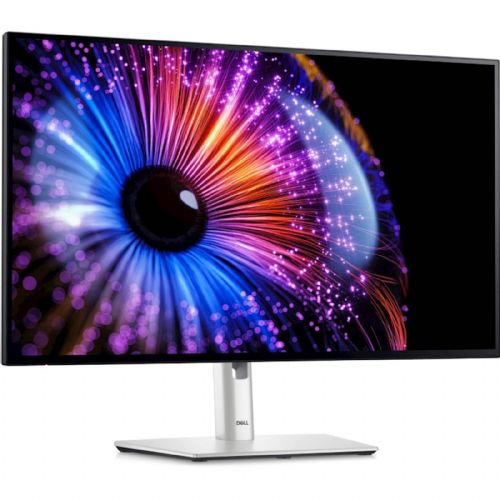
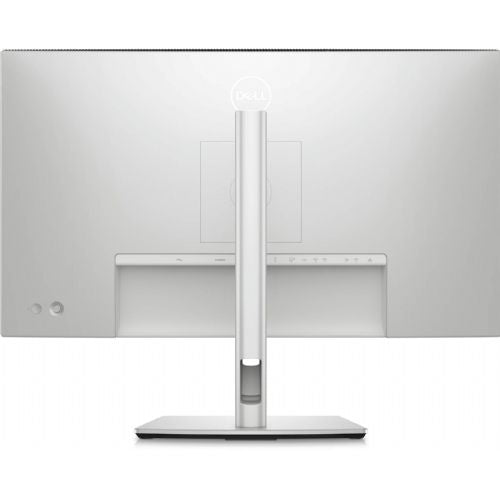
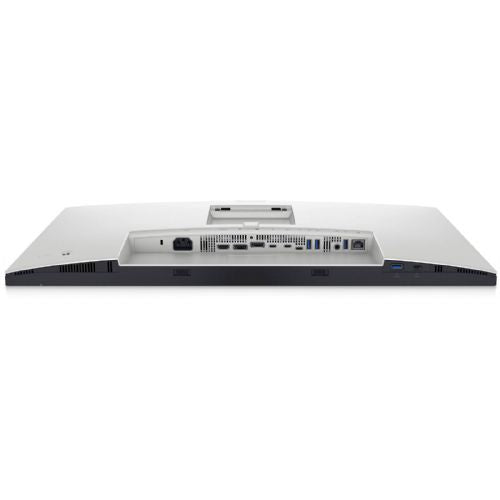
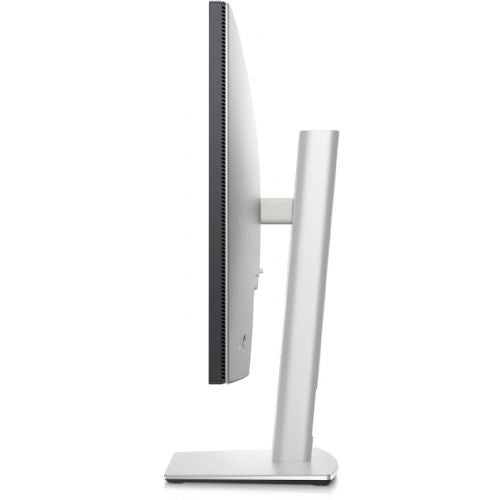
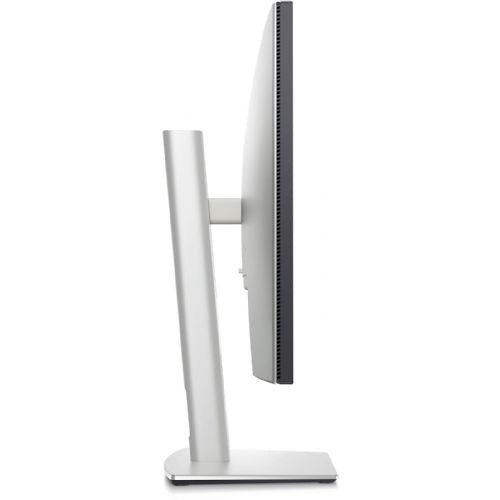
The Dell UltraSharp U2724DE, 68.58 cm (27.0"), 2560 x 1440 (WQHD), IPS Monitor delivers exceptional visual accuracy and advanced connectivity, making it easy for demanding business users and advanced consumers to integrate it into their daily work or entertainment. With a quality display and versatile connections, this monitor enables productive and comfortable use, regardless of the chosen purpose.
Evaluation of key product features| Property | Value | Emoji rating |
|---|---|---|
| Field of application | Business monitor | 🟢 9.5 |
| Size | 68.58 cm (27") | 🟢 9.0 |
| Resolution | 2560 x 1440 (WQHD) | 🟢 9.0 |
| Panel type | IPS | 🟢 9.2 |
| HDMI connector | Yes | 🟢 8.5 |
| USB-C connector | Yes | 🟢 9.2 |
| Built-in docking station | Yes, 90W | 🟢 9.0 |
| Aspect ratio | 16:9 | 🟢 8.8 |
| Touch screen | No | |
| Curved screen | No | |
| Response time (ms) | 5 | 🟢 8.0 |
| Brightness (cd/m2) | 350 | 🟢 8.3 |
Designed primarily for business users who value clear images, multitasking and flexibility, as well as advanced gamers and home users who need a quality visual experience. The large 27-inch display with IPS technology provides an exceptionally wide viewing angle and realistic color reproduction, making it easy to work with graphics, analyze or enjoy multimedia content.
A combination of ports like HDMI, DisplayPort, and 90W USB-C provide modern connectivity to a wide range of devices. The integrated docking station makes it easy to connect laptops and accessories with a single cable, meaning less desk clutter and more efficiency.
With WQHD (2560 x 1440) resolution, it displays sharp images and more details at once, improving productivity when working with multiple windows or complex programs. A fast 5 ms response time ensures smooth display of moving content, while 350 cd/m² brightness ensures clear visibility even in strong outdoor lighting. Since the screen is not curved and not touch-sensitive, it is suitable for classic use where accuracy and a flawless display without reflections are important.
The product also stands out for its ergonomic design, modern visual standards and intuitive operation, which together allow you to meet the highest demands of modern work or quality entertainment. The monitor is an excellent choice where details, easy connectivity and comfort of use throughout the day are important.
The Dell UltraSharp U2724DE monitor is a great choice for business users who need clear images and precision for their daily work, as well as for demanding consumers and gamers who are looking for a balance between performance and comfort. It is often used by users who work with multiple windows at once, edit complex documents or graphics, and anyone who values the reliability of the Dell brand.
The high resolution and wide 27-inch screen make this monitor particularly suitable for working with large spreadsheets, programming, designing or playing games in high quality. If you are thinking about the optimal diagonal or want to find out in depth which size would be best for you, we recommend our overview on choosing a monitor size . You can also read more about choosing the right model in our monitor buying guide .
When purchasing the Dell UltraSharp U2724DE at Enaa, you have access to a proven quality assortment, selected by experts with many years of experience in computing, and you can also count on reliable advice and support in choosing the right equipment for your needs.
Yes, with its flat design and USB-C connectivity, this monitor is ideal for creating a multi-monitor setup, increasing productivity and visibility. For more tips on dual setups, check out our dual monitor guide .
For 27-inch monitors like the U2724DE, the 2560 x 1440 (WQHD) resolution is highly recommended, as it provides an extremely clear image and a larger working area compared to the classic FHD resolution.
The monitor has a USB-C input with a power of 15 W, which is sufficient for powering and charging some smaller devices or for data transfer, but for larger laptops it is recommended to use a dedicated power adapter.
The Dell UltraSharp U2724DE allows advanced color temperature and contrast adjustments via the on-screen interface, which is especially appreciated by designers and users who work with graphics.
IPS technology provides excellent color reproduction and wide viewing angles, making it ideal for working with photography, video, as well as everyday use and gaming.
Description updated: December 2025


