Your shopping cart
😊 Product added to cart successfully
Product removed to cart successfully

Couldn't load pickup availability
Izdelek bomo predvidoma poslali čez: 2 dni


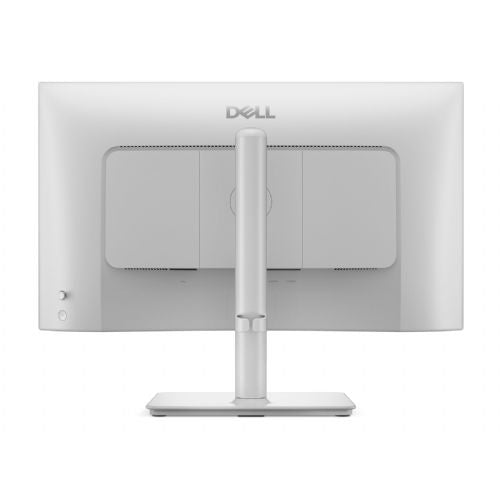
Designed for an enhanced visual experience, the Dell Plus S2425HSM offers a 24-inch desktop design and Full HD 1080p resolution. The monitor has a range of features, including an anti-glare matte coating and blue light reduction technology, to reduce eye strain during extended use. With a 1ms response time and up to 144Hz refresh rate, the S2425HSM delivers smooth images ideal for work and entertainment. Flexibility is a key feature; allowing users to adjust the height, tilt, pivot and swivel, enhancing comfort and ergonomics. The monitor supports two HDMI inputs for easy connectivity and is ENERGY STAR certified, combining performance with energy efficiency. In addition, Dell ComfortView Plus features and Flicker-Free technology make this monitor suitable for long hours of use.
The Dell S2425HSM monitor with a 24-inch diagonal and IPS display is a balanced solution for everyday office work, home use and basic multimedia. Users looking for versatility will especially appreciate the good text readability, natural color reproduction and built-in speakers. The model is suitable for studying, working from home or as an additional work screen, and is also suitable for casual gamers due to the higher refresh rate of 144 Hz. For advanced graphics work or competitive gaming, the Full HD resolution may be a limitation, but it is not an obstacle for most basic tasks and multitasking.
Recommendation source: Enaa guides and team experiences.
The Dell S2425HSM monitor is a popular choice for users who want a reliable and clear display for working with documents, spreadsheets and browsing the web. It is also suitable as a second monitor to increase productivity when multitasking, especially in environments where desk space is limited or connectivity flexibility is important. Casual gamers will appreciate the faster refresh rate, while family users will appreciate the easy connection option via HDMI and built-in speakers.
Anyone who is still deciding on the size or purpose of a monitor for everyday use should find a useful starting point in our guide to choosing a monitor size . The reputation and reliability of Dell products often impress even more demanding users who want stable support in a business or home environment.
Enaa offers expert support in monitor selection, including the ability to compare different models, making decisions easier in the business and home display segment. Our platform is based on years of experience and guides, allowing users to make safe choices based on their own needs.
This monitor is best suited for office work, home use, study, and casual gaming, where a balance between size, clarity, and eye comfort during prolonged use is important.
Yes, the 24-inch size is generally a good fit for the role of a secondary display, as it allows for an expanded work surface without taking up much space; you can also find additional tips in our dual monitor guide .
In everyday use, the IPS panel provides better readability from different angles and more natural colors, making it especially recommended for working with text, spreadsheets, and longer sessions at the computer.
Built-in speakers are suitable for basic needs, such as online meetings or watching video content, but occasionally more demanding users will want higher-quality external speakers for a better audio experience.
It is important that the monitor offers good readability, has a matte finish to reduce glare, and has the ability to adjust the tilt. It is also recommended to arrange the layout so that the top of the screen is at eye level, which reduces fatigue.
Description updated: April 2026


