Your shopping cart
😊 Product added to cart successfully
Product removed to cart successfully

Couldn't load pickup availability
Izdelek bomo predvidoma poslali čez: 1 dni
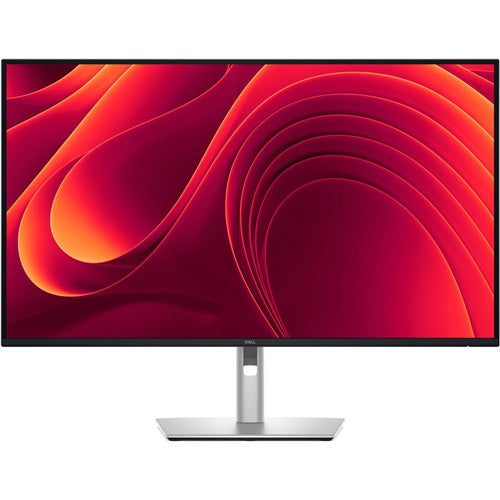


The monitor is designed for users who need a larger work surface and easy connectivity for efficient work in the office or at home. It is also suitable for more demanding multitasking with multiple windows.
DELL Pro Plus P3225DE 81.28cm (32") WQHD IPS DP/HDMI/RJ45/USB-C monitor
The Dell Pro 32 Plus QHD USB-C Hub Monitor combines modern connectivity, high resolution, and advanced features for comfortable, efficient, and color-accurate work. Designed for professional environments where reliability and ergonomics are key, it offers a rich set of ports and a single-cable USB-C solution with up to 90W of power delivery.

Connectivity that speeds up work
USB-C enables image, data, network and power transmission through a single cable, simplifying the work environment. RJ45 provides stable Ethernet, while HDMI and DP provide broad compatibility with various devices. Support for monitor daisy-chaining allows you to effectively expand your workspace.
Eye comfort and smooth motion
The monitor is TUV 4-Star certified for eye strain reduction. ComfortView Plus reduces blue light to <35% without affecting color accuracy.
The 100 Hz refresh rate ensures less flickering, smoother content scrolling, and a more pleasant work experience.
Quick access to connectors
Front-mounted, retractable USB-C (15W) and USB-A ports let you quickly connect accessories. When you're done, simply slide them back for a clean, tidy look.
Ergonomic design
The monitor allows for a wide range of adjustments to perfectly fit your work environment:
The ultra-thin bezel further enhances aesthetics and allows for seamless multi-monitor setups.
Dell Display and Peripheral Manager
Sustainable design
The monitor is made from carefully selected recycled materials:
Certificates: EPEAT Gold with Climate+, ENERGY STAR®, TCO Certified Gen 10.
The packaging is made from 100% renewable materials.
The Dell Pro Plus P3225DE monitor, with its 32-inch size and QHD resolution, is suitable for users who need a wide and clear work surface - both in business and home environments where the emphasis is on multitasking, working with multiple windows or analytics. The IPS display and 100 Hz refresh rate contribute to comfort during long-term use and smooth movement through content, so it has an advantage for those who frequently switch between applications or want a smooth work experience.
At this size, QHD resolution is important for clear and sharp text and graphics, but for demanding professional users (e.g. designers) it may represent a compromise compared to the higher 4K resolution. Users planning a dual-monitor setup or looking for a universal solution with one large screen will also find the model interesting due to its rich connectivity with USB-C and RJ45 connectors.
Recommendation source: Enaa guides and team experience.
The monitor is often the choice of people who spend most of their day at the computer and appreciate the space for multiple documents, spreadsheets and efficient management of multiple content at the same time. Business users, analysts and developers will benefit from the clarity and fast refresh rate, while the IPS panel and matte screen make it usable even in rooms with more lighting. It is practical as the main display for work or as an integral part of a dual monitor setup - you can read more about this in the tips on dual monitor setup .
Users also appreciate the reliability and flexibility of Dell products, as they offer a rich ecosystem of accessories and good support for business use.
When choosing a monitor at Enaa, you receive professional support and proven guides that make it easier to decide on the right size and purpose of use. The wide range in the category allows you to compare similar models, making it easier to find the solution that best suits your work or home needs.
The large diagonal and QHD resolution make the monitor particularly suitable for office work, analytics, programming, and efficient multitasking. It also performs well in home use for working with documents or multimedia.
The model allows you to play less demanding games thanks to the 100 Hz refresh rate and responsive IPS panel, but for professional or competitive gamers who need an even higher frequency or shorter response time, there are dedicated gaming solutions.
The monitor supports USB-C with 90W power delivery, RJ45, and other modern connectors, which is especially useful for laptop users, as it allows for image, data, and charging with a single cable.
For optimal comfort, it is recommended to use your monitor at a distance of at least 70-80 cm from your eyes, depending on your desk. For more practical advice, see our guide to choosing a monitor size .
Yes, thanks to the standard connector and consideration of the resolution-to-size ratio, the monitor can be great as part of a dual or extended setup, especially if both screens provide similar image sharpness.
Description updated: April 2026


