Your shopping cart
😊 Product added to cart successfully
Product removed to cart successfully

Couldn't load pickup availability
Izdelek bomo predvidoma poslali čez: 5 dni
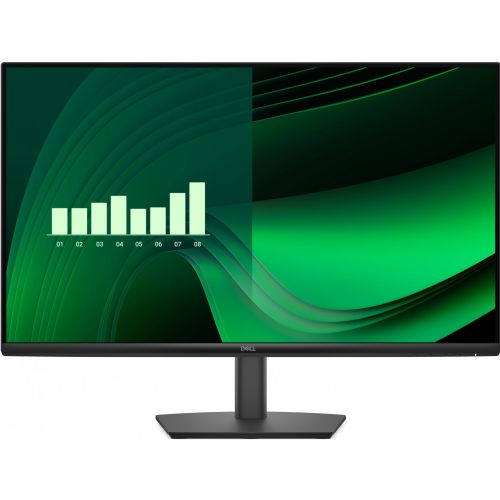


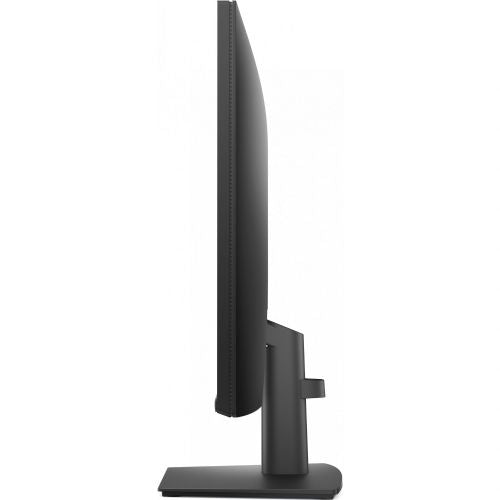
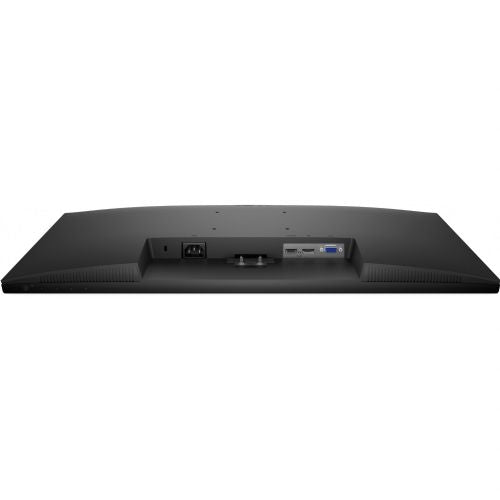
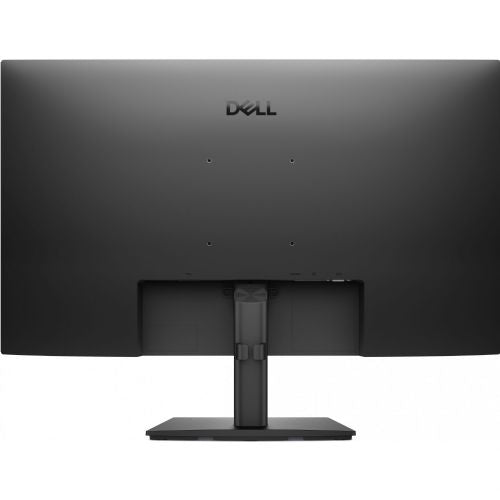
The Dell Pro 27 E2725HM Monitor 68.58 cm (27.0"), 1920 x 1080 (FHD), IPS, 300 cd/m2, 16:9, 5ms, 100Hz, HDMI, black (DELL-E2725HM) enables a modern and comfortable working experience with an exceptionally clear and color-accurate image, tailored to the demands of business users, gamers and advanced consumers. It offers the optimal combination of size, resolution and technology for productivity at work and enjoyment in leisure time.
Evaluation of key product features| Property | Value | Emoji rating |
|---|---|---|
| Field of application | Business monitor | 🟢 9.2 |
| Size | 68.58 cm (27") | 🟢 9.1 |
| Resolution | 1920 x 1080 (FHD) | 🟡 7.0 |
| Panel type | IPS | 🟢 8.8 |
| HDMI connector | Yes | 🟢 9.3 |
| USB-C connector | No | |
| Built-in docking station | No | |
| Aspect ratio | 16:9 | 🟢 9.5 |
| Touch screen | No | |
| Curved screen | No | |
| Response time (ms) | 5 | 🟡 6.5 |
| Brightness (cd/m2) | 300 | 🟡 7.2 |
The monitor is designed for those who value ergonomics, clarity and modern connections. With a 27-inch diagonal and Full HD resolution, it provides an expanded workspace, making it easier to edit documents, multitask or view data. The IPS panel provides wide viewing angles and realistic colors, which is especially useful for design, video conferencing and image processing.
It impresses with frequently required office profiles, as the monitor's readability is high even during prolonged use, while the 100Hz refresh rate reduces eye fatigue and offers smooth image movement for advanced users and occasional amateur gamers. An HDMI input provides direct connectivity to laptops, computers or other AV devices, and 300 cd/m2 brightness allows you to work even in brighter rooms.
It brings reliable support for advanced multitasking to business users — enough space for multiple windows, excellent readability, and broad compatibility with modern devices. Gamers will also appreciate the fast 5ms response time and 100Hz refresh rate, which provides a smoother experience for less demanding games. Users looking for efficient content display will benefit from a balanced ratio of image quality, usability, and price, without unnecessary extras such as USB-C or a built-in docking station.
With its classic black design and thin bezels, the monitor visually complements any work environment. It stands out for its good combination of advanced IPS technology and efficient design, which together ensure reliable and comfortable use day after day.
The Dell Pro 27 E2725HM monitor with a 27-inch diagonal and IPS screen is suitable for office and home use, where comfortable readability, wide viewing angles and everyday multitasking are important. Thanks to the 100 Hz refresh rate, it can be a good solution for users who want smoother scrolling and occasional playing of less demanding games. It is worth noting that the combination of a larger diagonal and Full HD resolution may mean slightly less sharpness of text, which should be taken into account especially when working intensively with documents. The monitor is best suited for users who need more space for organizing windows, but professional requirements for color accuracy or extremely high resolution are not at the forefront.
Taken from: Enaa guides and team experiences.
This monitor is often chosen by business users and home users who spend most of their time working with documents, spreadsheets, the web, or online communication. Due to the slightly larger screen area, it is especially suitable for multitasking, where it is useful to have several windows open at once. For casual gamers, it offers a satisfactory experience when playing less demanding games, but is not intended for the most demanding gaming environments or work where superb text sharpness is required.
Those looking for a balanced solution between price, size and everyday usability can check out our guide to choosing a cheap monitor , which also explains the advantages of IPS panels and the appropriate size depending on the application. Users particularly appreciate Dell 's long-standing presence in the business monitor market and its wide compatibility in various work environments.
At Enaa, you can choose from a variety of monitor models from leading brands, and detailed filtering allows you to quickly compare sizes, resolutions, and intended uses. Transparent descriptions and expert guides further facilitate your decision-making when choosing a monitor, as they are based on real user experiences and technical knowledge.
For basic office work, such a combination is possible, but it should be noted that the sharpness of the text will be slightly lower compared to higher resolution monitors. If you often work with smaller fonts or read texts for a long time, we recommend that you try the layout at an appropriate distance or consider a model with a better pixel density.
A higher refresh rate, such as 100 Hz, allows for smoother mouse movement and smoother scrolling through documents or web pages, which can reduce fatigue during prolonged use and is a noticeable improvement over basic 60 Hz monitors.
Due to its Full HD resolution at 27 inches diagonal, it is not ideal for users who expect extremely sharp text or need high display accuracy for graphics, photography, or professional work. It is also not designed for competitive e-sports gaming.
Yes, with its wide range of connections, including HDMI, this model is often used as an additional display for a laptop, contributing to better productivity when multitasking. For more information on sizing and compatibility, see our monitor size guide .
It is important to ensure that the screen height is set ergonomically and the viewing distance is adjusted to the screen size to avoid unnecessary eye strain.
Description updated: March 2026


