Your shopping cart
😊 Product added to cart successfully
Product removed to cart successfully

Couldn't load pickup availability
Izdelek bomo predvidoma poslali čez: 2 dni


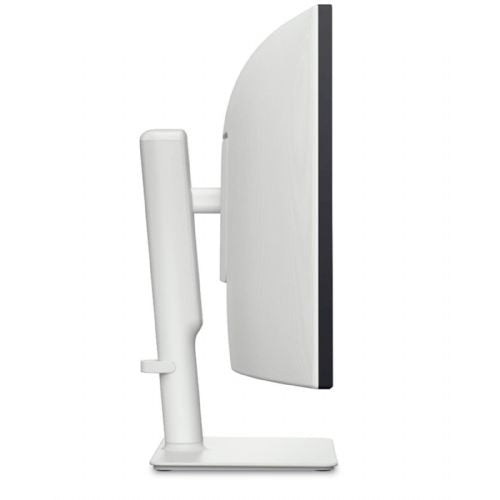
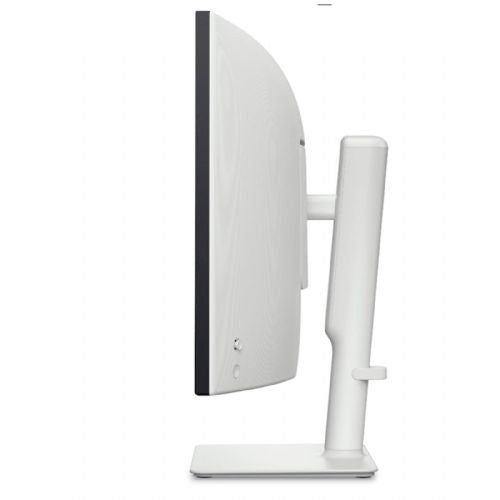
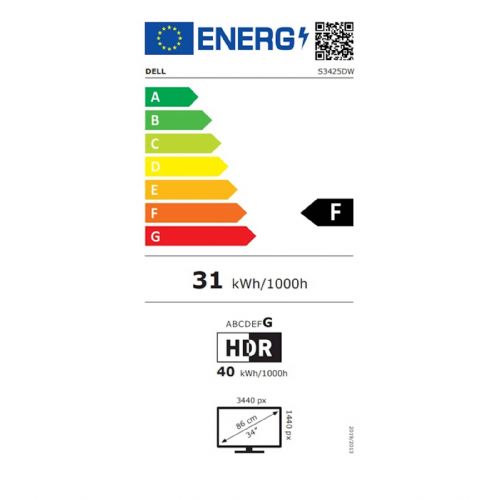
The Dell 34 Plus S3425DW 86.36 cm (34.0") monitor delivers a superior ultrawide visual experience that enables multitasking, improves productivity and everyday enjoyment. It is especially suitable for business users, demanding consumers and gamers who need the spaciousness, fast responsiveness and flexibility of a modern display.
It is an ultra-wide curved VA monitor with a resolution of 3440 x 1440 (UWQHD) that effectively replaces multiple screens and improves the ergonomics of the work environment with advanced technical features. It is suitable for anyone who wants to display expanded content—from comprehensive spreadsheets and intensive software support to immersive gaming or home entertainment.
Evaluation of key product features| Property | Value | Rating |
|---|---|---|
| Field of application | Standard use | 🟢 9.0 |
| Size | 86.36 cm (34.0") | 🟢 9.5 |
| Resolution | 3440 x 1440 (UWQHD) | 🟢 9.5 |
| Panel type | VA | 🟢 8.5 |
| HDMI connector | Yes | 🟢 9.0 |
| USB-C connector | Yes | 🟢 8.5 |
| Built-in docking station | Yes, 65W | 🟢 9.0 |
| Aspect ratio | 21:9 | 🟢 9.5 |
| Touch screen | No | |
| Curved screen | Yes | 🟢 8.5 |
| Response time (ms) | 1 | 🟢 9.5 |
| Brightness (cd/m2) | 300 | 🟡 7.0 |
The monitor's curvature deepens the sense of spaciousness, which is quickly noticed by those who spend a lot of time in front of the screen. The modern 21:9 aspect ratio allows for a wide view of multiple applications at the same time — from spreadsheets and video conferences to parallel tracking of different projects or entertainment. The VA panel delivers pronounced contrast, sharp details and excellent color depth, while the UWQHD resolution ensures a crystal-clear display of even the smallest image elements.
Built-in ports such as HDMI, USB-C and DisplayPort, along with a built-in docking station (65W), ensure easy connectivity with a wide range of devices and fast charging of laptops and accessories. The fast 1ms response time and 120Hz refresh rate stand out for gaming or intensive everyday use, where it is important to have the smoothest possible image movement without lag or blur.
This monitor impresses with its versatility: it is a great choice for business use, demanding multimedia work, computer game enthusiasts or anyone who wants to control multiple tasks from one place. The curvature of the screen reduces eye strain, and the spaciousness contributes significantly to greater efficiency. Thanks to the advanced VA panel and a wide range of connections, it stands out on the market as an extremely versatile solution for professional and personal use.
The Dell 34 Plus S3425DW monitor, with its ultra-wide 34-inch diagonal and 3440 x 1440 resolution, is particularly suitable for users who frequently combine multiple windows, process longer texts or monitor data on timelines at work or at home. Due to its high refresh rate and short response time, it is also suitable for casual gaming, although due to the VA panel it will not be the best choice for professional graphics tasks or for users who are very sensitive to color accuracy. The ultra-wide format provides an alternative to setting up two classic monitors, which can be an effective solution for many business or creative scenarios.
Despite the distinct advantage in screen space, it is worth noting that this size and aspect ratio is not recommended if there is not enough desk space or the desired viewing distance; for the ultimate experience, be sure to note that a monitor of this size requires an appropriate working environment.
Taken from: Enaa guides and team experiences.
This monitor is most often chosen by business users who need clarity over multiple programs, longer spreadsheets or timelines, and is also welcome in home use for hybrid work, watching movies and video conferencing. Gamers will appreciate the 120Hz refresh rate and fast screen response, the latter complemented by a more immersive gaming experience due to the expanded field of view. For those considering a large diagonal, you can find additional tips in our guide to choosing the right monitor size .
Many users trust the Dell brand, as it is known for its stability, long lifespan, and thoughtfully designed solutions for business and home environments.
At Enaa, the range of monitors is precisely categorized according to the area of application, making it easier to find the right model. We provide expert advice and guides to help you choose according to your needs, and we also provide a clear comparison of specifications between many models.
It is most often chosen by users who often work with multiple windows open at the same time, analyze spreadsheets, or write longer reports, as well as those who value multitasking on a single screen and better visibility compared to regular sizes.
Yes, its high 120Hz refresh rate and fast response time are suitable for casual gaming, especially games that take advantage of the wide format. However, professional gamers who demand the highest level of color accuracy may want to look for a different type of panel.
An ultrawide monitor provides a continuous workspace with no borders between displays and makes it easier to manage multiple windows, as can be seen in our guide to dual monitors and productivity .
It is important to ensure that the desk is deep enough to allow for the appropriate viewing distance, as this is the only way to achieve the optimal experience in terms of image sharpness and eye comfort. It is also recommended to consider ergonomic adjustment or compatibility with a VESA mount.
Description updated: March 2026


