Your shopping cart
😊 Product added to cart successfully
Product removed to cart successfully

Couldn't load pickup availability
Izdelek bomo predvidoma poslali čez: 2 dni

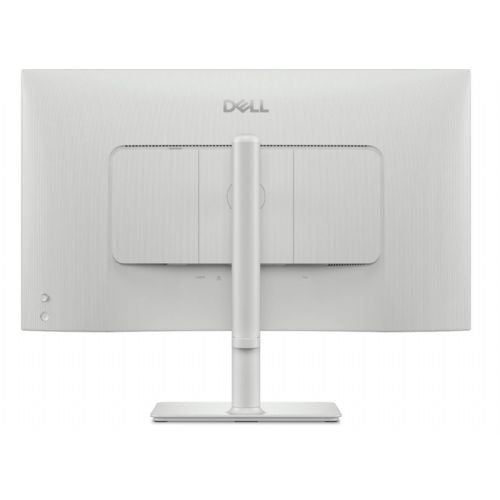


The DELL 27 Plus S2725QC monitor 68.58 cm (27.0"), 3840 x 2160 (4K), IPS, 350 cd/m2, 120Hz, 4ms, HDMI, DP, USB-C 210-BQWS 152171280 is a modern display that provides users with exceptional clarity and accurate color reproduction, suitable for demanding business use, entertainment, and high-quality gaming. With advanced connections and high specifications, it makes office work easier, improves the user experience, and sets new standards in the home environment.
Evaluation of key product features
| Property | Value | Rating |
|---|---|---|
| Field of application | Business monitor | 🟢 9.1 |
| Size | 68.58 cm (27") | 🟢 9.2 |
| Resolution | 3840 x 2160 (4K UHD) | 🟢 9.7 |
| Panel type | IPS | 🟢 8.7 |
| HDMI connector | Yes | 🟢 9.0 |
| USB-C connector | Yes | 🟢 9.1 |
| Built-in docking station | Yes, 65W | 🟢 8.9 |
| Aspect ratio | 16:9 | 🟢 9.3 |
| Touch screen | No | |
| Curved screen | No | |
| Response time (ms) | 4 | 🟢 8.5 |
| Brightness (cd/m2) | 350 | 🟢 8.8 |
The 27-inch display provides an optimal work surface for document clarity, photo and video editing, and multitasking. With 4K UHD resolution, you can expect exceptional image sharpness, enabling precise work in a professional environment, such as design, programming, or analysis. IPS technology provides wide viewing angles and realistic colors, which is a big plus for teamwork and visually demanding tasks.
The monitor is designed for a wide range of users, from business professionals who value reliability and efficiency, to gamers who need fast image refresh rates and responsiveness, as well as home users who want a quality entertainment or multimedia experience. Thanks to USB-C, HDMI and DP ports, connecting to various devices is extremely easy; USB-C enables fast 65W charging of laptops and data transfer over the same cable.
The product features a 120 Hz refresh rate, which means not only smooth movements in games and animations, but also less eye fatigue during everyday work. The 4 ms response time reduces image blurring during fast movements, and the 350 cd/m 2 brightness allows for a clear display even in brighter rooms. The built-in docking station makes it easier to connect to various devices and reduces the need for additional cables on the desk.
With a thoughtful combination of high resolution, advanced connectivity and ergonomics, this model delivers a reliable, comfortable and technologically advanced experience that stands out in its class and perfectly complements any modern work or entertainment environment.
The Dell S2725QC is a 27-inch monitor with a 4K resolution, IPS screen, and HDMI, DisplayPort, and USB-C ports, making it ideal for users looking for a larger workspace for business or home use, document editing, and occasional multitasking. Its higher resolution and 120 Hz refresh rate make it a great fit for those who value smooth images and sharp text. The model complements modern laptop work setups well, but it is not primarily intended for the most demanding gamers or professional graphics users, where perfect color accuracy or an extremely high level of ergonomic customization are key. A key advantage is the ability to connect via USB-C, which makes it easier to connect to newer devices.
Taken from: Enaa guides and team experiences.
This monitor is most often chosen by business users and individuals who spend a lot of time reading, writing or working with multiple windows at once, as the 4K resolution and large diagonal provide excellent visibility. It is also often used by those who extend their laptop to a larger screen, especially via a simple USB-C connection, or create an efficient workspace with two monitors - more on this can be found in our guide to choosing two monitors . Some consumers also choose it for recreational gaming or watching movies, where they appreciate the high resolution and smooth image movement.
Users often appreciate the long-standing reliability and technical support of Dell monitors, which are among the most established in this field.
In addition to a professional review of the offer on Enaa, users also gain clear and unbiased information on choosing a monitor, which helps in finding the right model based on needs and usage. The purchase is supported by the experience and advice of the team, which covers a wide range of current user scenarios.
It is best suited for business and general home use where clarity, image sharpness, and powerful multitasking are important. It is also suitable for connecting a laptop or setting up multiple monitors in an office environment.
The USB-C connection allows image transfer with most newer laptops, but it is recommended to check if your device supports the appropriate standard (DisplayPort Alt Mode). For more information, see our guide on choosing monitor sizes and connections .
With a 120Hz refresh rate and IPS display, it offers a good experience for recreational and less demanding gamers. For competitive e-sports or professional gaming, it may make sense to choose a monitor with an even higher frequency or specific gaming technology.
It is recommended to provide enough space for optimal viewing distance and appropriate height to ensure comfortable use even during extended work. In the case of multiple monitors, it is important that they are aligned at the same height.
IPS technology makes it suitable for basic photo editing and design, but professional users who require advanced color reproduction and certified color spaces often choose specialized models.
Description updated: March 2026


