Your shopping cart
😊 Product added to cart successfully
Product removed to cart successfully

Couldn't load pickup availability
Izdelek bomo predvidoma poslali čez: 1 dni


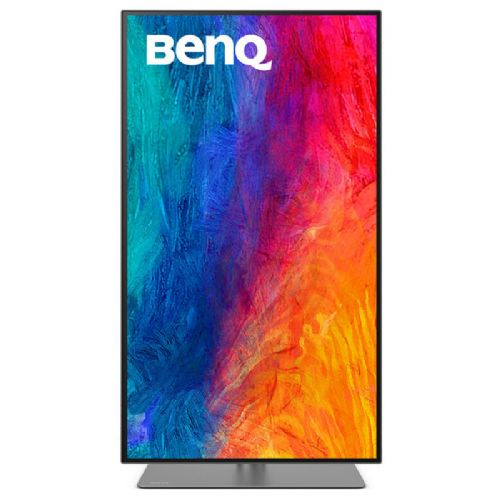


BENQ PD3225U 80cm (31.5") 4K IPS DP/HDMI/Thunderbolt speakers professional monitor
Industry-leading color performance - Impeccable IPS Black 2000:1 contrast ratio
Experience the brilliance of our IPS Black 2000:1 technology, which delivers unparalleled deep blacks and exceptional contrast, taking your visual experience to new heights.
Incredible color space coverage
The PD3225U covers 98% of the P3, 99% of the sRGB and 99% of the Rec.709 color spaces and has an incredible Delta E of ? 2, ensuring superior accuracy and absolute color reliability.
Accurate colors benefit creators
Our craftsmanship includes precise color tuning, edge-to-edge uniformity, and accuracy guarantees provided by authoritative third-party organizations.
Factory calibrated for color accuracy
BenQ DesignVue monitors are precisely calibrated at the factory, so designers can take full advantage of the display's perfect color accuracy right from the start.
Verified by Calman
PD3225U is fully Calman verified. Creative professionals demand excellence, and BenQ delivers it.
Pantone and Pantone SkinTone validation
The PD3225U also features Pantone and Pantone SkinTone validation, which is appealing to professionals who need a display that achieves the highest authenticity in displaying true colors.
Pantone Connect Premium
Go digital with BenQ, the first brand to partner with Pantone on a mobile app. As an existing owner or new buyer of BenQ professional monitors, you receive one year of complimentary Pantone Connect Premium for digital mobile color consistency and accuracy.
BenQ Uniformity Technology
Ensure true edge-to-edge colors and consistent luminescence. The screen is divided into hundreds of sub-regions and carefully tuned for precision to ensure reliable image fidelity.
Sync Mac device colors with one click
The monitor comes from the factory with default color settings that perfectly match the colors of Mac® and MacBook® Pro laptops. The exclusive M-Book mode provides active color synchronization, creating an additional layer of color accuracy.
Animation mode
Improve the clarity of dark areas without overexposing bright areas.
CAD/CAM mode
Enjoy the ultimate contrast between lines and shapes in technical illustrations.
Expand your Mac device
Thunderbolt 3 seamlessly transfers images, videos, and other data while charging your mobile devices - all with a single cable.
Connecting Mac displays
Thunderbolt 3 daisy-chaining expands your workspace to up to two 4K monitors for fast transfer speeds.
Matching colors across screens has never been easier
Simplified. Display ColorTalk provides an intuitive interface for creative professionals to easily match colors between two displays, whether it's a single-monitor MacBook or dual-monitor MacBook.
The BENQ PD3225U monitor is designed for demanding users who seek superior display accuracy, reliability and flexibility. It is often chosen by professional graphic designers, architects and business users who work in environments where every detail counts and consistent image quality is required. With a 4K IPS display, a variety of connections (including Thunderbolt and KVM), and integrated speakers, it is also an excellent choice for those equipping modern offices or looking for a monitor for productive work from home.
The monitor is also perfect for users who want to make the most of a larger screen when working with multiple programs or need a superior experience when editing photos and videos. If you're considering a new workstation and are interested in how to choose the right monitor for your needs, we recommend that you also check out our guide to choosing a monitor for working from home and our article on choosing the right monitor size .
At Enaa, we specialize in computing and strive to select proven and technologically advanced monitor models, such as the BENQ PD3225U, supporting you with reliable professional support and up-to-date information that makes it easier to make decisions when making major investments in equipment.
Yes, the BENQ PD3225U is classified as a professional monitor, as it offers high 4K UHD resolution and accurate color reproduction, which is crucial in graphic design, photo editing, and video production.
KVM support allows you to control two devices connected to the monitor with a single keyboard and mouse. This is especially practical for users who use a business and personal computer at the same time, or who manage a workstation and a laptop.
Yes, the monitor is great for use in multi-monitor setups thanks to its MST (Multi-Stream Transport) feature and wide range of connectors, supporting even greater productivity, which you can read more about in our article on using two monitors .
The monitor allows advanced settings for color profiles and display modes, so you can quickly select the optimal image parameter settings for each task (e.g. CAD, animation, photography).
For a 31.5-inch monitor with 4K UHD resolution, the recommended viewing distance is between 60 and 80 cm, which allows for comfortable work without eye strain and full use of the high resolution.
Description updated: January 2026


