Your shopping cart
😊 Product added to cart successfully
Product removed to cart successfully

Couldn't load pickup availability
Izdelek bomo predvidoma poslali čez: 1 dni
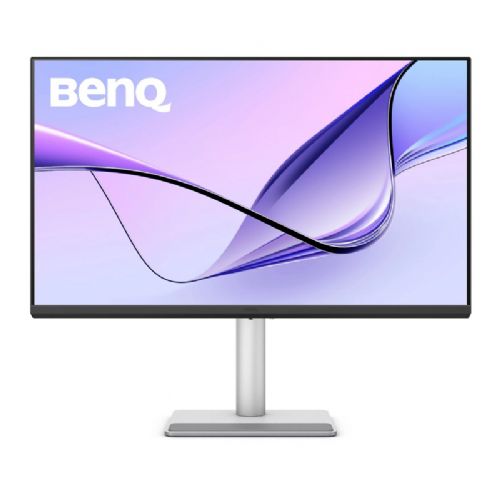


The large 32-inch 4K resolution monitor is designed for business users, content creators, and those who need clarity when working with multiple programs or documents.
If you're looking for a premium monitor to work with your MacBook, the BenQ MA320UP is a great choice for professional productivity, content creation, and everyday use. The large 31.5-inch display with stunning 4K resolution and advanced Nano Gloss IPS panel delivers exceptional sharpness, rich colors, and wide viewing angles. With advanced HDR support and accurate color modes, it's ideal for designers, photographers, and anyone who demands superior image quality. The USB-C connection with up to 90W power delivery makes it easy to connect and charge your MacBook with a single cable.
Advantages:
• Large 31.5-inch 4K display for exceptional workspace and sharpness
• Nano Gloss IPS panel for accurate colors and better visibility
• HDR10 and VESA DisplayHDR 600 support for better contrast and brightness
• Optimized for use with MacBook (M-book mode)
• USB-C connection with up to 90W power delivery for easy use with one cable
• Built-in KVM Switch for controlling multiple devices with a single keyboard and mouse
• Picture-in-picture and picture-by-picture functions for multitasking
• Flicker-free technology for less eye strain
• Built-in speakers for basic multimedia use
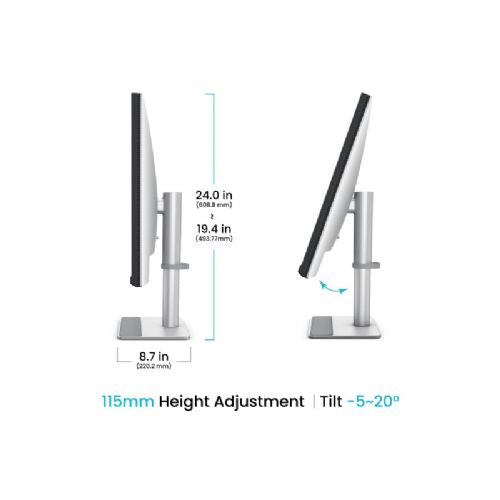
• Fully adjustable stand (height, tilt, swivel, pivot)
Technical specifications:
• Screen size: 80.0 cm (31.5")
• Resolution: 3840 x 2160 (4K UHD)
• Panel type: IPS, Nano Gloss Panel
• Brightness: 550 cd/m²
• HDR: HDR10, VESA DisplayHDR 600
• Response time: 5 ms
• Viewing angles: 178° / 178°
• Color modes: Display P3, sRGB, HDR, M-book, User, Game, ePaper, Cinema
• Connections: 2x HDMI, USB-C (up to 90 W), USB hub, headphone output
• Speakers: 2 x 3W
• Stand adjustability: height, tilt, swivel, pivot
• Technologies: Flicker-free, HDR, Picture-in-Picture (PIP), Picture-by-Picture (PBP), KVM Switch
Scope of delivery:
• BenQ MA320UP monitor
• Power cable
• USB-C cable
• HDMI cable
• Documentation
This monitor is a great choice for anyone who wants a seamless connection to their MacBook and superior image quality in one package. It combines performance, ergonomics, and advanced features for the modern workspace.
The BenQ MA320UP monitor with a 31.5-inch diagonal and 4K UHD resolution offers an exceptionally large work surface and a very sharp image, making it easy to work with multiple windows, spreadsheets and various programs at the same time. Thanks to IPS technology and support for HDR600, it is also suitable for users who appreciate better image quality, especially for everyday business use or graphics editing, as well as for watching high-definition content. Thanks to the USB-C connection (90W), the monitor is particularly suitable for MacBook users or more modern laptops who want easy connection and power via a single cable. The model is not intended for demanding e-sports gaming, but it provides a satisfactory experience for casual gamers and anyone looking for an all-round larger screen with a good ratio between performance and comfort.
Recommendation source: Enaa guides and team experiences.
This type of monitor is most often chosen by users who need more screen space when working on a computer - for example, analysts, programmers, graphic designers or those who switch between many open windows. Due to its high resolution and large diagonal, it is also suitable for anyone who wants better visibility and reduced eye strain during prolonged use in the office or home work environment. To help you understand which monitor size is optimal for your needs, we recommend viewing our guide on choosing a monitor size .
Users often choose BenQ products for their reliability, wide range of advanced monitors, and friendly integration with various ecosystems, including MacBooks and modern laptops.
At Enaa, you can expect detailed technical descriptions and expert guides for choosing a monitor, making it easier to compare different models and make an informed decision about your needs. For additional assistance, a friendly team of consultants is also available to help you with connectivity challenges or choosing the right combination with your computer.
Yes, thanks to its 4K resolution and large diagonal, it offers enough space to work with multiple applications at the same time and sharp text, which is ideal for an office or home work environment.
Yes, the monitor has a USB-C connector with up to 90W power delivery, allowing you to transfer image, audio, and power with a single cable, provided that your laptop supports video transfer via USB-C (DisplayPort Alt Mode).
Due to its IPS panel and wide color gamut, as well as HDR support, the BenQ MA320UP is a suitable choice for entry-level or intermediate graphics and photo use, but not for color-critical professional tasks.
Check that your laptop supports video output via USB-C and that it has enough charging power if you want to power it simultaneously. You can also find more practical tips on connecting monitors in our guide to using multiple monitors .
The monitor offers a great picture and a large work surface, but due to the standard refresh rate, it is not an optimal choice for very fast, competitive gaming. Casual gamers will still enjoy a good graphical experience.
Description updated: May 2026


