Your shopping cart
😊 Product added to cart successfully
Product removed to cart successfully

Couldn't load pickup availability
Izdelek bomo predvidoma poslali čez: 1 dni
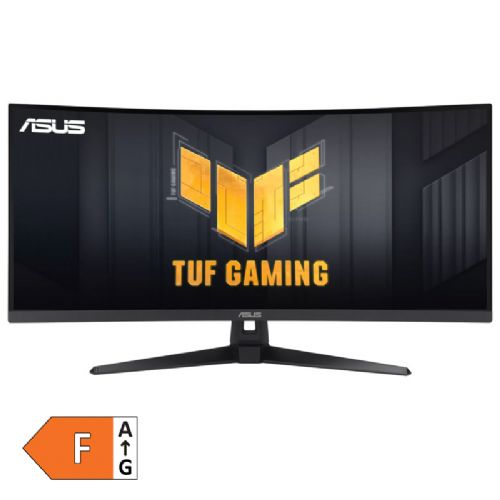
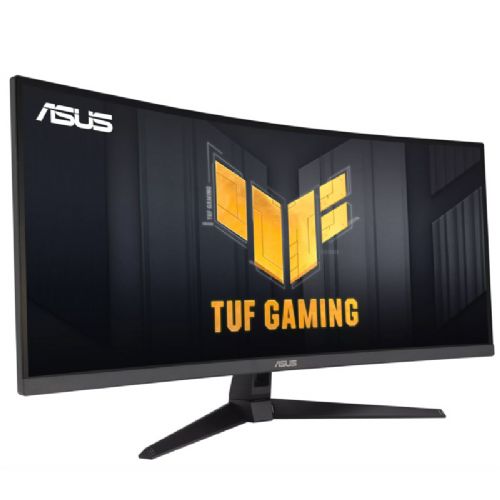


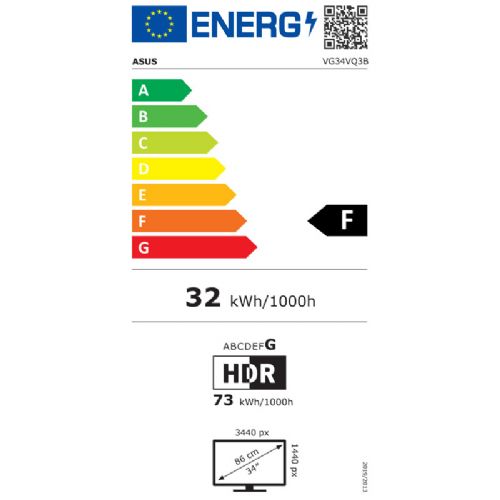
The 34-inch curved monitor is designed for gamers and users who want an expanded view and more space to work with multiple windows.
ASUS TUF VG34VQ3B 86.4cm (34") UWQHD VA 180Hz DP/HDMI HDR400 FreeSync speakers curved gaming monitor
The TUF Gaming VG34VQ3B is a 34-inch WQHD (3440 x 1440) 1500R curved gaming monitor with an ultra-fast 180Hz refresh rate and 1ms MPRT response time for incredibly immersive gameplay. It features exclusive Extreme Low Motion Blur SYNC (ELMB SYNC) and AMD FreeSync Premium technology to eliminate image tearing and ghosting. It also covers 90% of the DCI-P3 color gamut for excellent contrast and realistic colors.
180Hz REFRESH RATE AND 1ms MPRT RESPONSE TIME
TUF Gaming VG34VQ3B delivers stunning visuals from all angles with a 1500R curvature that ensures every point is the same distance from your eyes. With a 180Hz refresh rate, it reduces lag and motion blur, giving you the edge in first-person shooters, racing, real-time strategy, and sports titles. This ultra-fast refresh rate lets you play at the highest visual settings and instantly respond to on-screen action—so you can be the first to score.
ADJUSTABLE SYNCHRONIZATION
AMD FreeSync Premium technology, supported via DP and HDMI ports, delivers variable refresh rates for low-latency, stutter-free and tear-free gaming.
High dynamic range
TUF Gaming VG34VQ3B leverages HDR technology to deliver more vivid colors and higher contrast levels compared to traditional monitors.
ELMB synchronization
ELMB Sync* software enables simultaneous adaptive-sync technology to eliminate ghosting and tearing for ultra-sharp, high-frame-rate gaming.
*Ideal for fast-paced games, works better above 85 Hz.
Variable overdrive
Built-in ASUS Variable Overdrive technology allows the display to dynamically change the overdrive setting based on frame rate fluctuations, ensuring optimal results for any game. You can choose how strong the overall effect should be, then let the monitor take control.
The ASUS TUF VG34VQ3B 34-inch (86.4 cm) ultrawide monitor with UWQHD resolution is suitable for users who need more workspace or are focused on multitasking and clarity - both for professional work and for a variety of entertainment. The curved screen offers a better spatial experience, which is especially useful when playing computer games and working with timelines or multiple open windows.
The high refresh rate, FreeSync support, and built-in speakers are features that make the monitor particularly attractive to gamers and multimedia enthusiasts. On the other hand, the larger diagonal and extreme width make this model less suitable for smaller workspaces or users looking for a simple monitor for basic use around a desk.
Although the VA panel offers a good contrast ratio and a pleasant experience for nighttime use, for precise graphics work the color reproduction is not on the level of professional IPS or OLED models. It is also worth highlighting the HDR400 support, which allows for improved display of high dynamic range content, but is not a key advantage in everyday office use.
Recommendation source: Enaa guides and team experiences.
Typical users of this monitor include advanced business users who need a large work surface for benchmarking, multitasking or complex spreadsheets, and gamers who are looking for a more immersive experience and smooth gameplay thanks to the high refresh rate and curvature of the screen. With FreeSync support and fast response time, it is also suitable for more demanding gamers who notice the difference in frame rate, or individuals who spend a lot of time watching multimedia content. If you are not sure which monitor size would be optimal for your needs, you can see more information in our guide to choosing a monitor size .
A large portion of users also value the reliability and recognition of the Asus brand, which, in addition to quality, offers an extensive range of accessories and extensive support for more advanced computer solutions.
At Enaa, you receive a reliable professional description, transparency of choices, and the ability to compare with similar models, which makes the decision easier, especially for those who are new to ultrawide or gaming monitors. Customers appreciate the ease of searching through our wide selection of monitors, as well as the experience of our team in the field of computing.
A curved monitor like this model offers a better sense of space, which helps with greater clarity when multitasking and better immersion when gaming. For office use, the curvature can be more comfortable on the eyes for longer sessions, but it's not necessary for basic tasks.
Due to the use of a VA panel and emphasis on gaming features, this monitor is not best suited for tasks where color accuracy is key – such as professional design or photo editing. For such needs, monitors with IPS or OLED panels are usually more comparable.
The monitor is equipped with DisplayPort and HDMI ports, so you can connect it to a variety of computers, game consoles, or newer laptops. Before making your choice, check the compatibility of your devices to ensure seamless connectivity.
Yes, for many users, an ultrawide monitor is a great solution, allowing you to have multiple windows open at once without any borders between each display. You can read more about the pros and cons in our guide to dual monitors and ultrawide models .
It is recommended to place the monitor at a distance that allows you to easily see the entire screen without having to move your head excessively. It helps to adjust the height so that the top of the screen is at eye level, and to ensure that the desk is of adequate depth due to its width and curvature.
Description updated: April 2026


