Your shopping cart
😊 Product added to cart successfully
Product removed to cart successfully

Couldn't load pickup availability
Izdelek bomo predvidoma poslali čez: 5 dni

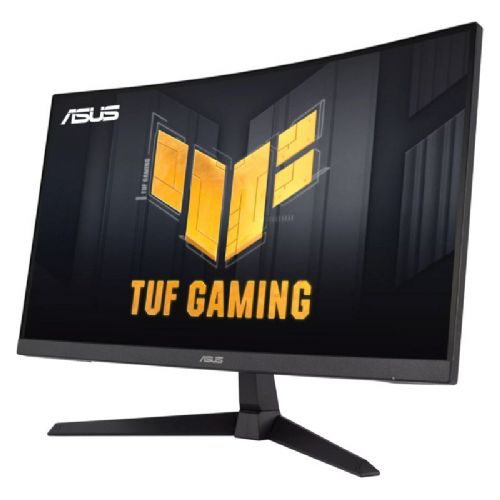
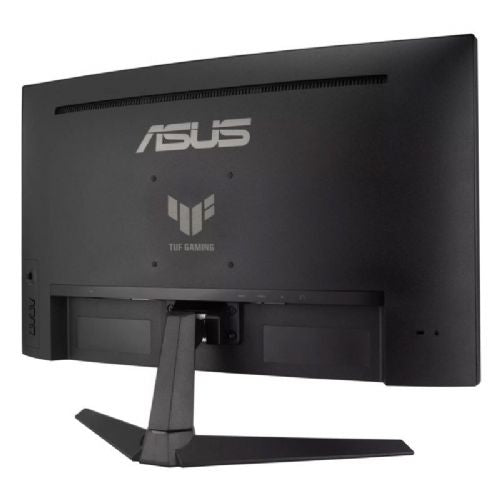
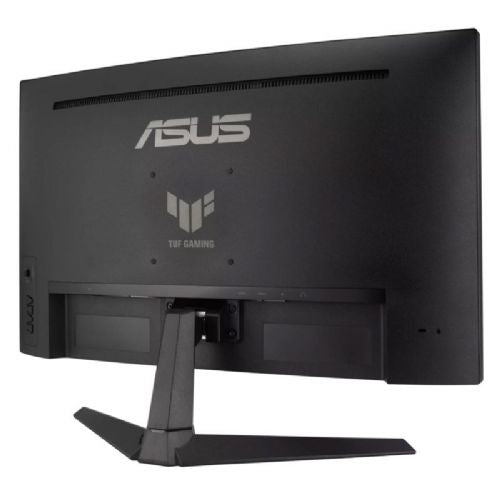
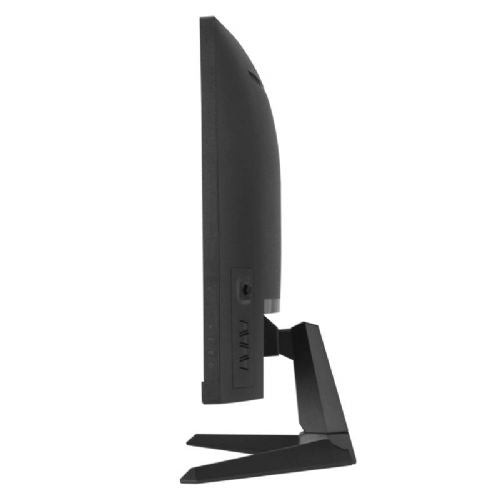

A curved 27-inch Full HD monitor for users who want more display space on their desktop.
The Asus TUF Gaming VG27VQ3B is a 27-inch curved gaming monitor designed for users looking for a fast and smooth gaming experience and a balanced image for multitasking. The curvature of the screen allows for better spatial perception and immersion in the action, which is especially noticeable when playing fast-paced titles or working with graphic-intensive content.
The monitor is designed to deliver a highly responsive image – thanks to a refresh rate of up to 180Hz and a response time of 1ms, it displays fast-paced action without noticeable blurring or tearing. This is crucial for gamers who need precise feedback and smooth graphics in real time, especially in competitive and action games. The VA panel combines deep blacks with good contrast, improving the visibility of subjects even in darker scenes.
The 16:9 aspect ratio and Full HD (1920 x 1080) resolution provide a wider view and detailed image, suitable for most modern computer games, watching movies and everyday use in a home or office environment. The brightness of 250 cd/m² ensures a clear image in most types of lighting, although in brightly lit rooms you may need additional protection against glare.
Connectivity includes an HDMI port, allowing for easy connection to a variety of devices, including computers, gaming consoles, and media players. The monitor doesn't include USB-C or a built-in docking station, meaning it must be connected to devices via traditional ports. There's no touchscreen support, which is common with monitors designed primarily for gaming and classic office or creative use.
Key product features
| Property | Value | Rating |
|---|---|---|
| Field of application | Gaming monitor | |
| Size | 68.58 cm (27") | 🟢 9 |
| Resolution | 1920 x 1080 (FHD) | 🟡 6 |
| Panel type | VA | |
| HDMI connector | Yes | |
| USB-C connector | No | |
| Built-in docking station | No | |
| Aspect ratio | 16:9 | |
| Touch screen | No | |
| Curved screen | Yes | |
| Response time (ms) | 1 | 🟢 9.5 |
| Brightness (cd/m2) | 250 | 🟡 5 |
⚖️ Compare features with other products of your choice
| Screen diagonal | 68.6 cm (27 inches) | ||
| Screen resolution | 1920 x 1080 pixels | ||
| type | Gaming monitor | ||
| Color | black | ||
| EAN | 4711387529997 | ||
| Manufacturer's no. | 90LM0A90-B01170 | ||
| Suitable for | Games | ||
| Picture | Type of glare | Anti-reflective | |
| format | 16:9 | ||
| Curved | Yes (radius: 1500R) | ||
| Technology | LED light | ||
| Panel technology | VA | ||
| functions | Full high definition | ||
| brightness | 250 cd/m² | ||
| refresh rate | 180Hz | ||
| Viewing angle (10:1) | Horizontal | 178° | |
| Vertical | 178° | ||
| Pixel pitch | Horizontal | 0.311mm | |
| Vertical | 0.311mm | ||
| Colors | 16.7 million | ||
| reaction time | GtG | 1ms | |
| contrast | Static | 3,000 : 1 | |
| frequency | Vertical | 48–180Hz | |
| Horizontal | 30–250 kHz | ||
| Links | 2x HDMI input (HDMI version: 2.0), 1x DisplayPort input (DisplayPort version: 1.2), 1x headphone output | ||
| ergonomics | type | Tilting | |
| Tilting | 5° forward, 23° backward | ||
| power supply | Eco-off | 0.3 watts | |
| Speakers | Number | 2 | |
| Total capacity | 2.4 watts | ||
| Standards | video | 90% DCI-P3 | |
| wall bracket | VESA compatible (100 x 100 mm) | ||
| Features | ASUS ELMB (Extreme Low Motion Blur), Flicker-free, Low Blue Light, SPLENDID Technology, GamePlus, Dark Enhancement, Shadow Enhancement, DisplayWidget Center | ||
| Adaptive Sync, AMD FreeSync, Kensington Lock | |||
| Accessories | Available | Power cord, quick start guide | |
The key to choosing a monitor is whether you value smooth motion or greater sharpness when working with text for long periods of time. So before buying, consider how much time you will use the screen for gaming and how much for documents, spreadsheets, or reading.
Source of editorial recommendations: ENAA guides and team experience.
🟢 Very suitable - high refresh rate and fast response are advantages for fast-paced action on the screen.
🔴 Less suitable - at this screen size, the display is less sharp than at QHD resolution, which can be noticeable when reading and working with documents for long periods of time.
🟡 Suitable with limitations - for gaming, it offers features that support a smooth display, but when working with text for a longer period of time, the display's lower sharpness should be taken into account.
This depends on your graphics card and connection. Before purchasing, make sure your computer and the connection you are using support the desired combination of resolution and refresh rate.
When using two screens, it's a good idea to match their size and sharpness for a more uniform display. Also check how many external displays your computer supports and whether you have enough space on your desk.
Description updated: November 2026
If you are still deciding, the following content may also be helpful.
Best products
Products for various purposes


