Your shopping cart
😊 Product added to cart successfully
Product removed to cart successfully

Couldn't load pickup availability
Izdelek bomo predvidoma poslali čez: 1 dni

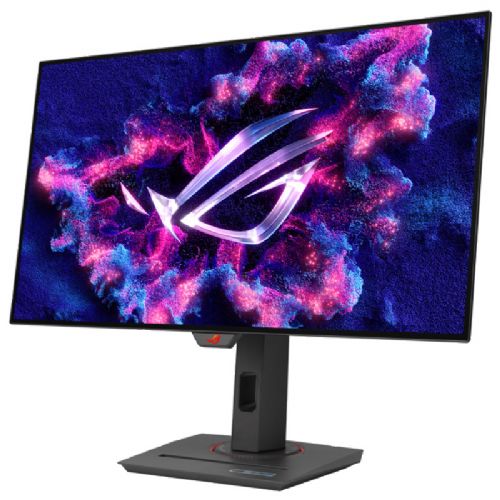
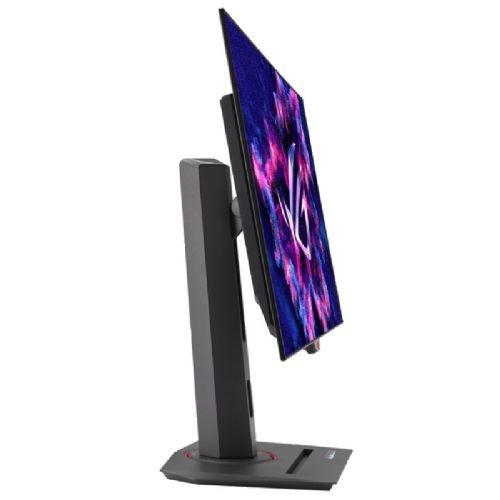
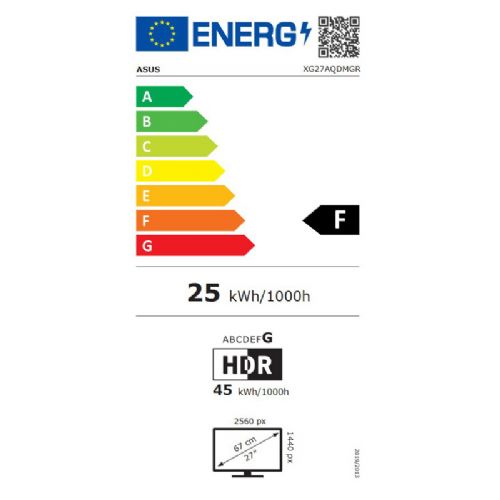
The 27-inch OLED monitor is designed for demanding gamers, creators, and professionals looking for a combination of high resolution, fast response time, and comfortable viewing while working or playing.
ASUS ROG Strix XG27AQDMGR 68.58cm (27") 2K OLED 240Hz DP/HDMI HDR10 FreeSync Premium G-SYNC Compatible gaming monitor
Exclusive TrueBlack Glossy™ OLED
ROG Strix OLED XG27AQDMGR features a new TrueBlack Glossy™ OLED panel with a fog-free optical layer that delivers deep blacks in any lighting. An advanced anti-reflective coating reduces ambient light reflections by 38% compared to the previous generation of glossy WOLED displays, ensuring distraction-free gaming even in brightly lit rooms.
Built for longevity, worry-free OLED monitor
ROG OLED monitors are designed to deliver stunning visuals for years to come. An innovative custom heatsink and unique internal airflow design improve cooling and reduce the risk of fire. Plus, every ROG monitor comes with a three-year warranty.
ROG OLED display with anti-flicker technology
ROG's exclusive OLED Anti-Flicker technology offers three refresh rate ranges - high, medium, off - to reduce flicker during frame rate fluctuations and maintain an immersive gaming experience. 
Compact and ergonomic design
The new ROG Strix OLED series monitors feature a new compact stand that's 30% smaller than the previous-generation XG monitors, freeing up valuable desk space for your keyboard and mouse. The stand offers tilt, swivel, pivot, and height adjustments for the ideal viewing position. The display is also VESA wall mount compatible.
Aspect ratio control
For competitive gamers who are more familiar with smaller 1080p monitors, the XG27AQDMGR can be set to emulate a 24.5-inch (esports mode) display, as well as other visual modes.
Play smarter with artificial intelligence as your assistant
The AI assistant in the XG27AQDMGR monitor includes an AI visual system, dynamic crosshair, and dynamic shadow enhancement. These features leverage AI technology to help gamers practice and improve their skills more effectively.
The ASUS ROG Strix XG27AQDMGR monitor with a 26.5-inch diagonal, QHD resolution and OLED panel offers a very good experience for demanding gamers and those who appreciate superb image sharpness and responsiveness. Due to the high refresh rate of 240 Hz and low response time, it is particularly suitable for fast-paced gaming and e-sports titles. However, the monitor may be less optimal for users looking for an affordable solution or who primarily want multitasking and multi-window use, where larger or ultrawide models come into their own.
It is important to be aware that OLED technology delivers exceptional contrast and colors, but in some environments it is more sensitive to static images and prolonged use with unchanged content.
Recommendation source: Enaa guides and team experiences.
This monitor is most often the choice of advanced gamers who want the most fluid image and the benefits of a fast OLED matrix for competitive gaming, recording or streaming content. Due to accurate color reproduction and high contrast, it is also suitable for video, photo and graphic content creators, although it is not intended for professional color calibration. Business users who need to switch between different applications less often will appreciate the clarity of the display, but should note that this model is the most sensible choice for those who strive for speed and image quality.
When searching for the optimal size or using multiple monitors , our guide to choosing a monitor size can help. Many users choose Asus monitors precisely because of their reputation in the field of gaming equipment and their customized feature set.
By choosing Enaa, you always have access to expert descriptions and comparison guides, making it easier to find the most suitable monitor for your needs. Our platform allows for quick comparisons between different models within a category, and provides users with reliable technical support and a clear presentation of key differences.
Yes, the monitor includes advanced features such as FreeSync Premium and G-SYNC Compatible, and the high refresh rate of 240 Hz ensures a smooth image even in fast-paced games.
When displaying static content for long periods of time, it is recommended to regularly change window layouts or enable protective functions for OLED technology, as sensitivity to "burn-in" can affect the lifespan of the screen.
For the best experience, we recommend a viewing distance of 60 to 80 cm, which ensures comfort and optimal use of the high QHD resolution. You can read more about this topic in our monitor size guide .
Yes, the model offers both types of connectors, so it fits most newer computers and game consoles, increasing flexibility in different environments.
This model will provide an extremely smooth experience when combined with a second monitor, especially if both displays support similar resolution and refresh rates, and for optimal setup, we recommend that the size and features of the monitors match.
Description updated: April 2026


