Your shopping cart
😊 Product added to cart successfully
Product removed to cart successfully

Couldn't load pickup availability
Izdelek bomo predvidoma poslali čez: 1 dni


This 24-inch monitor with IPS display and Full HD resolution is designed for business users, creatives and anyone looking for accurate color reproduction and flexible use on smaller work surfaces.
ASUS ProArt PA247CV 60.96cm (24") FHD IPS DP/HDMI/USB-C speakers professional monitor
ASUS ProArt Display PA247CV Professional Monitor - 24-inch, IPS, WQHD (1920 x 1080), 100% sRGB, 100% Rec. 709, Color Accuracy E < 2, Calman Verified, USB-C, DisplayPort daisy chaining, ProArt preset, ProArt palette, ergonomic stand
ProArt 5 year Premium warranty!
By registering your eligible ProArt monitor or motherboard, you can extend the basic three-year warranty to 5 years!*
Registration must be completed within the first three months from the date of purchase and during the duration of the activity. Creation of an ASUS user account is required.
Please register via the following link:
https://www.asus.com/ch-en/events/infom/activity_proart_5_years/
*Terms and conditions apply! Activity duration: 16.9.2021 ~ 30.12.2030
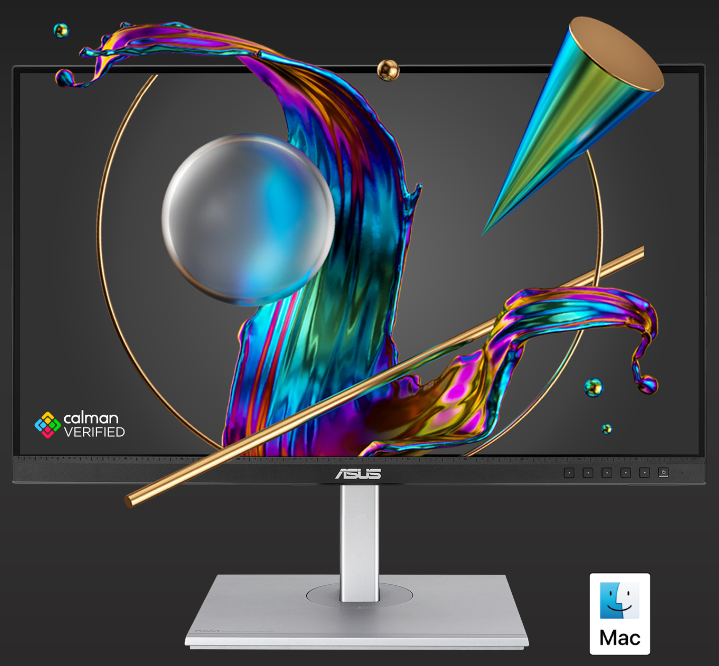
Unparalleled color. Unlimited creativity.
ProArt Display PA247CV is a 24-inch monitor designed to meet the needs of creative professionals, from photo and video editing to graphic design. The ProArt PA247CV is factory calibrated and Calman-verified to deliver superior color accuracy (Delta E < 2). It also delivers industry-standard 100% sRGB / 100% Rec. 709 color space coverage. The built-in USB-C port supports data transfer, DisplayPort, and also supports 65W power delivery via a single cable, providing a convenient solution and keeping your desk tidy. The PA247CV makes it quick, easy, and precise to achieve the exact look you want.
The ASUS ProArt PA247CV monitor, with its 24-inch diagonal and IPS panel, best suits the needs of business users, students, and individuals who perform office tasks, edit documents, or want to work clearly with multiple open windows. Full HD resolution provides a sharp enough image for basic use, but for more advanced photo editing or for those who want exceptional display accuracy, it may be a limitation when it comes to the requirements for superior color reproduction and text sharpness for highly detailed tasks. Integrated speakers and USB-C connectivity make it easier to work every day without additional cables, especially for modern laptops. The balance of the design means that this is a practical monitor for most basic and advanced business needs, especially in environments where ease of connection and robustness of the display are important.
Recommendation source: Enaa guides and team experience.
The typical user of this monitor is people who spend most of their day in front of a screen – business users, content creators at the development level, students or individuals who want to multitask on a limited work surface. In practice, the monitor is especially useful as a central or side display when working from home, where multiple input slots (HDMI, DisplayPort, USB-C) allow you to connect various devices without the hassle of switching cables. If you need more specific guidance on the breadth of use or combining multiple displays, our guide to working with two monitors can help you make a choice.
Users often choose ASUS products for their stability, technological sophistication, and reliable support, which makes it easier to plan for a long-term digital work environment.
By purchasing from the Enaa online store, you can count on professional support in choosing suitable computer accessories and a clear presentation of all monitor configuration options, which makes it easier to make a decision based on your daily needs and method of use.
The monitor is best suited for office work, document editing, online communication, spreadsheet use, basic photo editing, and multitasking with different devices.
For basic graphics work and color correction, an IPS panel is a good choice, but if perfect color accuracy and high resolution are your main priority, we recommend checking out models with a higher color gamut standard and QHD or 4K resolution.
Yes, its standard size, HDMI, DisplayPort, and USB-C connectivity make it suitable for dual setups, especially when combined with the same size and resolution. You can read more about this in our dual monitor guide .
Connecting is easy if your laptop supports USB-C with video output; otherwise, HDMI and DisplayPort are also available. We recommend checking port compatibility beforehand.
Yes, the matte coating reduces glare, allowing for more comfortable viewing even in brightly lit rooms. Users who work long hours a day will appreciate this functionality.
Description updated: April 2026


