Your shopping cart
😊 Product added to cart successfully
Product removed to cart successfully

Couldn't load pickup availability
Izdelek bomo predvidoma poslali čez: 5 dni


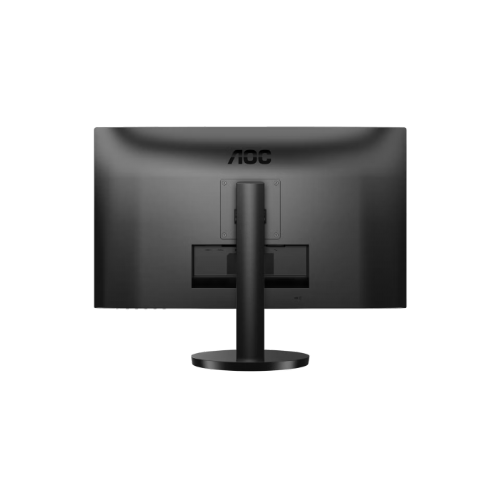
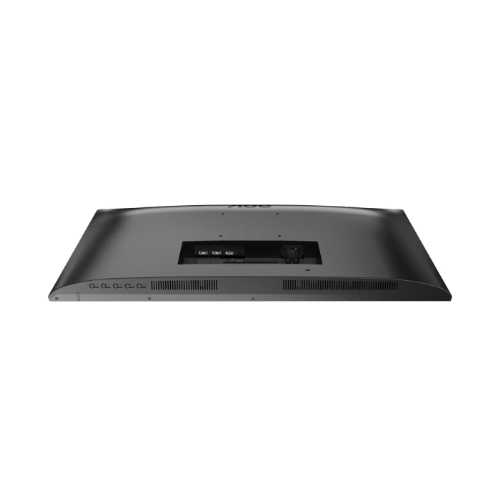
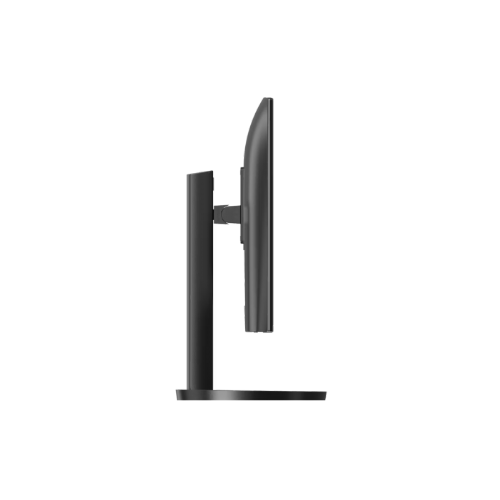
The monitor is suitable for business users, home use, and multitasking, where a spacious screen, good visibility of content, and customization of usage are important.
The AOC U27B3AF 27" IPS UltraHD/4K monitor is an advanced display designed for demanding business users, content creators, and consumers who want a clear and color-accurate image. With its combination of high resolution, high-quality display, and additional features, it enables efficient work, detailed data analysis, and multimedia enjoyment.
This monitor is particularly suitable for business environments where accurate display of documents, spreadsheets and graphs is important, as well as for gaming or home entertainment, where fast response and high image quality come into play. It brings users more screen space, better visibility and comfortable use even when working at the computer for a long time.
Evaluation of key product features
| Property | Value | Rating |
|---|---|---|
| Field of application | Business monitor | 🟢 9.5 |
| Size | 68.58 cm (27") | 🟢 9 |
| Resolution | 3840 x 2160 (4K UHD) | 🟢 10 |
| Panel type | IPS | 🟢 9 |
| HDMI connector | Yes | 🟢 9 |
| USB-C connector | No | 🟡 5 |
| Built-in docking station | No | |
| Aspect ratio | 16:9 | 🟢 9 |
| Touch screen | No | |
| Curved screen | No | |
| Response time (ms) | 4 | 🟡 7 |
| Brightness (cd/m²) | 350 | 🟢 9 |
⚖️ Compare features with other products of your choice
Using IPS technology, this monitor offers wide viewing angles and consistent color, which is essential for teamwork, graphic design, or video editing. The high 4K UHD resolution delivers four times more pixels than standard Full HD, which means exceptional sharpness and more workspace, especially for data analysis, professional image processing, or displaying multiple programs at once.
In addition, the brightness of 350 cd/m² allows for good visibility even in rooms with strong lighting, while the HDR function brings the display of contrast and colors closer to the real experience. The fast response time of 4 ms effectively reduces blurring during fast image movements, which is especially noticeable when playing games or watching dynamic content.
The monitor includes built-in speakers for basic audio needs and allows height adjustment, which helps to ergonomically adjust the workspace. The HDMI port ensures easy connectivity with most computers, laptops and other multimedia devices.
The AOC U27B3AF is therefore adapted to both professional and home environments, with a set of technical features that make work easier, improve productivity and ensure a good visual and audio impression in everyday use.
| Screen diagonal | 68.6 cm (27 inches) | ||
| Screen resolution | 3840 x 2160 pixels | ||
| type | LED monitor | ||
| Color | black | ||
| EAN | 4038986181501 | ||
| Manufacturer's no. | U27B3AF | ||
| Suitable for | Business, multimedia | ||
| Picture | Type of glare | Anti-reflective | |
| format | 16:9 | ||
| Technology | LED light | ||
| Panel technology | IPS | ||
| Backlight | White LED | ||
| functions | Ultra HD/4K, HDR Ready, HDR10 | ||
| brightness | 350 cd/m² | ||
| refresh rate | 60Hz | ||
| Viewing angle (10:1) | Horizontal | 178° | |
| Vertical | 178° | ||
| Colors | 1.073 million | ||
| reaction time | GtG | 4ms | |
| contrast | Dynamic | 20,000,000 : 1 | |
| Static | 1,000 : 1 | ||
| Links | 2x HDMI input (HDMI version: 2.0), 1x DisplayPort input (DisplayPort version: 1.4), 1x headphone output | ||
| ergonomics | type | Tilting, height-adjustable | |
| Tilting | 5° forward, 20° backward | ||
| Adjustable height | 110mm | ||
| power supply | Eco-off | 0.3 watts | |
| power supply | Integrated | ||
| Speakers | Number | 2 | |
| Total capacity | 4 watts | ||
| note | Backfire | ||
| wall bracket | VESA compatible (100 x 100 mm) | ||
| Features | Low blue light, flicker-free, frameless | ||
| Adaptive sync, Kensington lock | |||
| Additional information | Total stand height in low position: 407.9 mm | ||
| Accessories | Available | HDMI cable, power cable | |
| Dimensions | Width: 61.4 cm x Height: 51.79 cm x Depth/Length: 22.98 cm | ||
In practice, the AOC U27B3AF monitor is most beneficial to users who want a relatively large work surface, a clear image and versatility for business and home use. When choosing, pay attention primarily to spatial placement, reasonable connectivity with your devices and realistic expectations regarding intended use, especially if you are interested in more demanding work with color or professional gaming. Business users, families and occasional gamers alike will benefit most from appropriate ergonomic adjustments and the use of a higher resolution.
Source of editorial recommendations: ENAA guides and team experience.
🟢 Great for multitasking, viewing large spreadsheets, working with documents, and video conferencing - ergonomic adjustment allows for customized use.
🟢 A convenient choice for combining work, video calls, and monitoring multiple open applications at once; the resolution allows for larger simultaneous window work.
🟡 Mainly suitable for casual gaming - Adaptive-Sync improves the experience, but due to the standard refresh rate, it is not optimal for competitive gamers.
🟢 Meets the diverse needs of the family: watching movies, browsing, education; built-in speakers are sufficient for basic use.
🟡 Suitable for basic graphic work and hobby photo editing, but does not optimally cover color-demanding tasks without additional calibration.
Most operating systems automatically set scaling, but for comfortable use of interfaces, adjusting settings (e.g. larger font) can improve visibility.
For basic video calls, the built-in speakers are adequate, but the sound quality doesn't reach the level of separate external speakers or headphones.
Before purchasing, please check if your laptop supports 4K output at 60Hz via HDMI or DisplayPort; otherwise, the display may be limited.
It is suitable as part of a dual setup, and it is recommended to choose a monitor with a matching resolution and screen size for an optimal experience.
Adaptive-Sync reduces screen tearing and improves graphics fluidity in games, but due to the standard refresh rate, it is not intended for competitive games with fast movements.
Description updated: August 2026
If you are still deciding, the following content may also be helpful.
Best products
Products for various purposes
Monitors for working from home


