Your shopping cart
😊 Product added to cart successfully
Product removed to cart successfully

Couldn't load pickup availability
Izdelek bomo predvidoma poslali čez: 0 dni
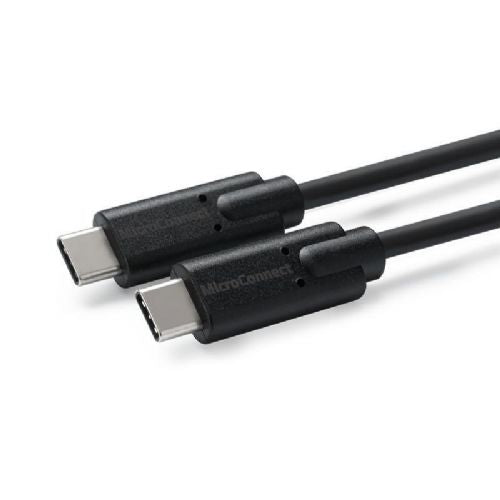

The MicroConnect USB CC 3.2 Gen2x2 Cable, 0.5m, is designed for users who need a reliable connection between devices with a USB-C connector, such as phones, laptops or tablets. Its shorter length makes it especially convenient for use on the go or with portable batteries, where compactness means less cable clutter. The cable supports high data transfer speeds and charging up to 100W, but you should check beforehand whether all connected devices support these standards for an optimal experience. For home or office use where you need a longer range, it may make sense to choose a longer version.
Recommendation source: Enaa guides and team experiences.
This cable is typically used by those looking for fast and safe power for modern USB-C devices, such as a mobile phone, tablet or laptop with a USB-C port. Due to its high transfer speeds and ability to support 4K60Hz video signals, it can also be suitable for connecting devices to a display or transferring large amounts of data between devices.
Users appreciate the tradition and reliability of the MicroConnect Cables brand, as its cables are considered proven and adapted to modern connectivity needs.
At ENAA, you can easily choose from a variety of data cables tailored to the needs of modern devices, with clearly presented features and the ability to compare multiple products in one place. In addition, we make sure that you can quickly find the selected connection and cable length that best suits your usage.
The cable is compatible with all devices with a USB-C port, but for the fastest data transfer or charging, you should check that the device supports the same standard as the cable (USB 3.2 Gen2x2, 100W Power Delivery).
The shorter length ensures less energy loss and is convenient for connecting to more powerful chargers or using with power banks, where greater portability makes it easier to use on the go.
The cable allows for video signal transmission up to 4K60Hz, but the connected device (e.g. phone, laptop, or monitor) must also support DisplayPort Alt Mode over USB-C for the feature to work.
Due to its length of less than 1 m, it is less suitable if you need to connect the device to a remote outlet or want to use it from bed or at a greater distance from the power supply.
If you want to cover multiple locations or devices, consider purchasing additional cables of the appropriate length or a combination of different cable types based on your needs.
Description updated: April 2026


