Your shopping cart
😊 Product added to cart successfully
Product removed to cart successfully

Couldn't load pickup availability
Izdelek bomo predvidoma poslali čez: 0 dni
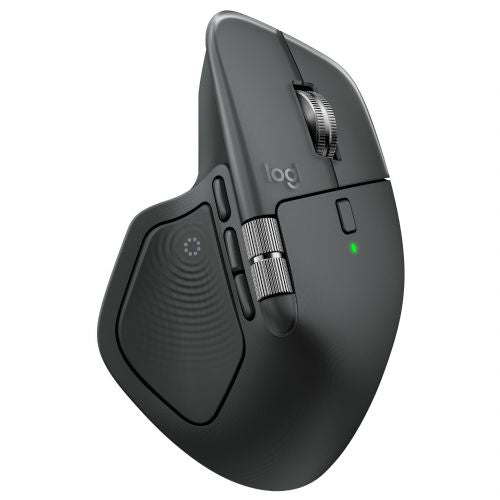
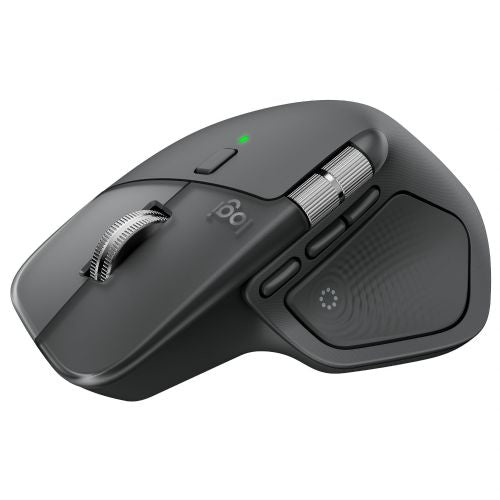
LOGITECH MX Master 4 Wireless Bluetooth USB Bolt Darkfield Laser Graphite Mouse
Meet MX Master 4, delivering immersive control and precision you can feel with customizable haptic feedback on specific actions. Save up to 33% time with the Actions Ring and MX Master 4 shortcuts, allowing you to access tools and filters where your cursor is. Additional features: 2x better connectivity, ultra-fast scrolling with the MagSpeed scroll wheel, 8k DPI tracking on any surface, including glass, and Logi Options+ for customization.
Our most advanced wireless mouse, extremely advanced
MX Master 4 is a high-performance mouse with haptic feedback, designed for an immersive, precise workflow you can feel. Save up to 33% of your time with Actions Ring shortcuts that give you access to tools and actions right where your cursor is.
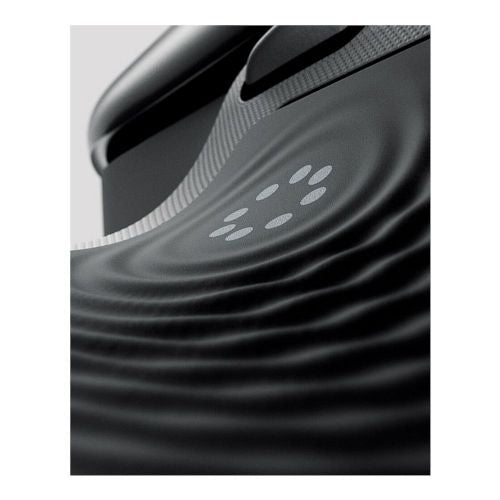
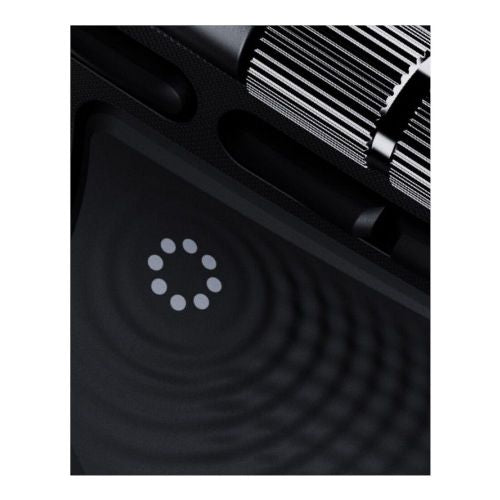
Immerse yourself in the Haptic Sense panel
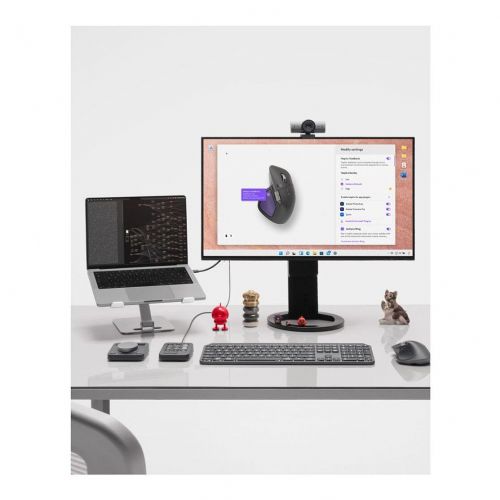
with customizable haptic feedback on specific actions, shortcuts, and notifications, improving productivity. Feel the flickering of images snapping to grids, notifications, switching between desktops, adjusting sliders, and more. Customize the feedback, intensity, and add third-party app plugins with Logi Options+ for a more personalized workflow.
Save up to 33% time with Actions Ring shortcuts
Keep your workflow flowing with Actions Ring, which brings your favorite tools, shortcuts, and actions right to your cursor. Skip searching through menus and reduce mouse movements by up to 63%. Customize shortcuts and download third-party app plugins with Logi Options+ to make Actions Ring work for you.
Scrolling at a speed of 1000 lines per second
Move through your tasks with the MagSpeed scroll wheel, Logitech's fastest and most precise scrolling experience. Effortlessly switch between ratchet mode - 87% more precise - and hyper-fast mode, 90% faster, that moves at a rapid 1000 lines per second. The machined steel wheel is smooth, quiet, and weighted for perfect scrolling control.
Track on any surface, even glass with an 8K DPI sensor
Track with precision with an 8000 DPI sensor that works on virtually any surface—even glass. Logitech's most precise sensor yet is 5x more accurate than a basic mouse, delivering responsive, pixel-perfect control for large screens and focused workflows.
More comfort. Deeper focus.
MX Master 4 is designed to keep you comfortable and focused for hours. The optimized tilt angle keeps your hands in a more natural position, and the perfectly placed buttons allow for quick and intuitive navigation. The scroll wheel also follows the natural movement of your thumb for smooth and intuitive horizontal navigation.
Workflow with 90% fewer clicks
The quiet clicks on MX Master 4 keep you focused on your workflow with less noise and fewer distractions. Designed for those who create, code, or collaborate, the quiet-click buttons deliver a satisfying feel—but with 90% fewer clicks. You get the same performance, precision, and reliability, but with fewer clicks.
Manufacturer's information:
Logitech Europe SA EPFL - Quartier de l'Innovation CH - 1015 Lausanne Switzerland Importer for the EU: Logitech Europe SA Catharijnesingel 47 3511GC Utrecht The Netherlands https://support.logi.com +41 21 863 51 11
The Logitech MX Master 4 is a thoughtful choice for users looking for comfort, precision, and reliable wireless connectivity. With an advanced 8K DPI sensor and haptic feedback, it's perfect for more demanding tasks like professional office work, design, or multi-screen work. But it's not for those looking for an ultra-lightweight model for classic eSports gaming, where latency can still be a factor despite advanced technology. Features like the MagSpeed scroll wheel and multi-button customization help increase productivity, especially in environments where daily work is varied.
Recommendation source: Enaa guides and team experiences.
The Logitech MX Master 4 is widely used by business users and creatives who need a reliable, ergonomic and highly customizable mouse for all-day work. Features such as high DPI and advanced wireless connectivity enable precise work even on multiple screens, while haptic feedback is especially useful in specialized applications and for multitasking. Whether used daily at home or working on the go, the mouse proves to be a versatile choice, allowing you to easily switch between devices and adapt to your needs.
Users often trust the Logitech brand for its long tradition of innovative solutions and quality support for its ecosystem of accessories and software.
At Enaa, you can choose from a full range of products and quickly compare the specifications of different mouse models, making it easier to choose the right model for your needs. Based on our own experience and a review of product data, information about functions and compatibility with different devices is clearly explained, helping you to be better informed before making a purchase.
The mouse is best suited for business users, creatives, and anyone looking for advanced precision, comfort, and flexibility for extensive work or working with multiple devices. It is also suitable for more advanced home use, but is not primarily intended for fast-paced eSports games.
Yes, the mouse supports advanced multi-device connectivity, allowing you to quickly switch between three devices, such as a laptop, desktop, and tablet, via Bluetooth or a wireless receiver.
The MagSpeed wheel enables almost silent, very smooth gliding and fast scrolling through long documents or spreadsheets, which is particularly useful in practice for more demanding office work.
This model has an ergonomic design that is primarily designed for right-handed users. Left-handed users may experience less comfort when using it.
Clean the sensor area and gliding surface regularly, avoid moisture, and use a clean pad. It is also recommended to update the software periodically via the official Logitech app for optimal performance.
Description updated: April 2026


