Your shopping cart
😊 Product added to cart successfully
Product removed to cart successfully

Couldn't load pickup availability
Izdelek bomo predvidoma poslali čez: 0 dni
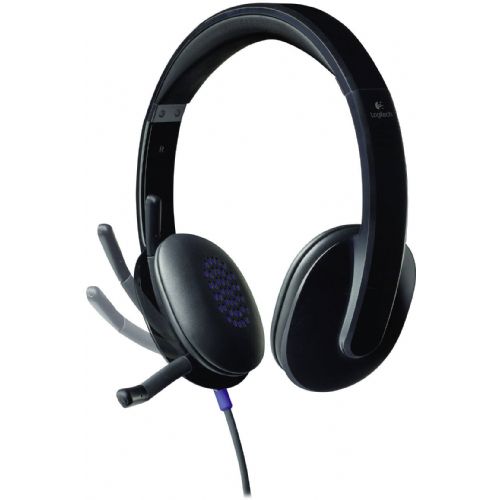
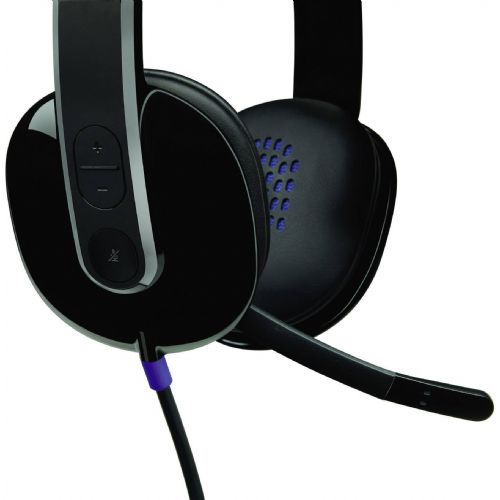
Thanks to the USB connection and laser-tuned driver coils, you can enjoy pure digital stereo sound with the Logitech USB Headset H540. The Logitech USB Headset H540 is ideal for internet calls and multimedia. The wide frequency range ensures that your voice is transmitted flawlessly, making for lively video calls with Logitech Vid and Skype. The controls on the earcup make it easy to adjust the volume and mute the microphone on the go. Plus, with the bright, highly visible LED mute light, you'll never have to talk while you can't be heard.
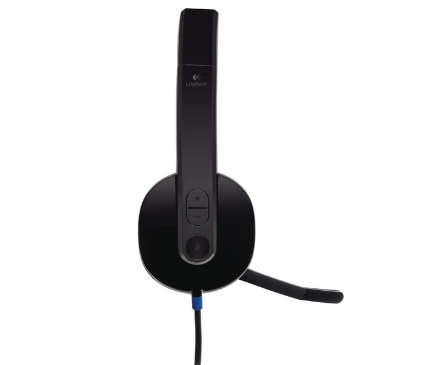
Specifications:
| design | headphones | ||
| use | for voice input/multimedia | ||
| loudspeaker | Frequency range | 20Hz - 20kHz | |
| volume | Stereo | ||
| functions | Volume control on headphones/cable | ||
| microphone | Frequency range | 100Hz - 10kHz | |
| connections | 1 x USB1.1 | ||
| Cable | guide | one-sided | |
| cable length | 1.8m | ||
| Suitable for | Mac, PC | ||
| Weight | 250 grams | ||
Logitech H540 USB are on-ear headphones that are designed primarily for office or home use, where the convenience and simplicity of connecting via USB are important. The microphone ensures clear communication during online meetings or calls, and stereo sound ensures pleasant listening to music or media while working. Due to the wired connection, they offer practically zero latency, but they are slightly less suitable for users who are looking for complete isolation from external sounds or will use them in a very noisy environment.
Recommendation source: Enaa guides and team experiences.
The Logitech H540 USB headset is often chosen by users who need reliable equipment for video conferencing, online education, or everyday computer work. Users appreciate the integrated microphone, easy volume control, and the fact that it does not require any special settings to operate - just plug and play. If you are deciding which type of headset is right for you, you can read our review of the headset selection guide .
Due to the recognition and long-standing presence of the Logitech brand, many users trust the robustness and simplicity of their headset offering.
When buying headphones on Enaa, the selection is always up-to-date and transparent, so you can quickly find the model that suits your needs, while each category features proven and recognized brands. The information on the site is professionally prepared with an emphasis on real user needs, to make it easier for you to decide on the right product for yourself.
The headphones work via a USB connection and are generally compatible with Windows, macOS, and most computers with modern operating systems, without the need for additional software.
Due to the padded ear cushions and lightweight construction, they are suitable for wearing for hours, but the feeling of comfort may vary depending on the shape of an individual's ears.
The microphone on the headset is designed for basic ambient noise reduction, which improves intelligibility under normal conditions, but is not specialized for complete noise cancellation.
Yes, stereo sound allows you to listen to music, podcasts, or online content, although the headphones are primarily intended for business and communication use.
You can find additional information and practical advice on choosing the right model in our headphone selection guide .
Description updated: April 2026


