Your shopping cart
😊 Product added to cart successfully
Product removed to cart successfully

Couldn't load pickup availability
Izdelek bomo predvidoma poslali čez: 1 dni
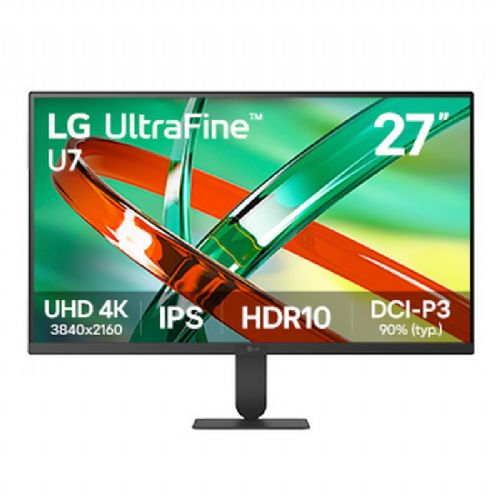

The 27-inch monitor with 4K UHD resolution and IPS display is intended for general use and users who want more detail when working with documents and spreadsheets.
27-inch monitor with IPS display, 4K UHD 3840 × 2160 resolution, 90% DCI-P3 color space coverage and HDR10 support. With a 60 Hz refresh rate, 5 ms GtG response time, LG Switch app and ergonomically adjustable stand, it is suitable for productive work, content creation and everyday use.
The LG UltraWide™ U7 27U710B-B is a 27-inch monitor with a flat IPS display and a 4K UHD resolution of 3840 × 2160. The high resolution allows for detailed display of text, photos, videos and other digital content, and provides a large usable area for working with multiple windows.
IPS technology provides wide 178° viewing angles and consistent color reproduction. The monitor covers 90% of the DCI-P3 color space and supports up to 1.07 billion colors, enabling rich color gradations and detailed display of multimedia content.
HDR10 support and HDR Effect enable customized display of content with extended dynamic range. Typical brightness is 300 cd/m², contrast ratio is 1000:1, and response time of 5 ms GtG provides responsive display in everyday use.
Refresh rates up to 60 Hz are suitable for office work, document processing, web browsing and multimedia playback. Dynamic Action Sync and Black Stabilizer functions allow for additional display adjustments when playing games.
The LG Switch app allows users to adjust image and brightness settings, and split the screen into different layouts. It helps users organize their workspace and manage multiple open applications more efficiently. Dual Controller software is also supported.
HDMI 2.0 and DisplayPort 1.4 are available for connecting to a computer and other compatible devices. The monitor also has a headphone output, allowing you to connect external headphones or other compatible audio equipment.
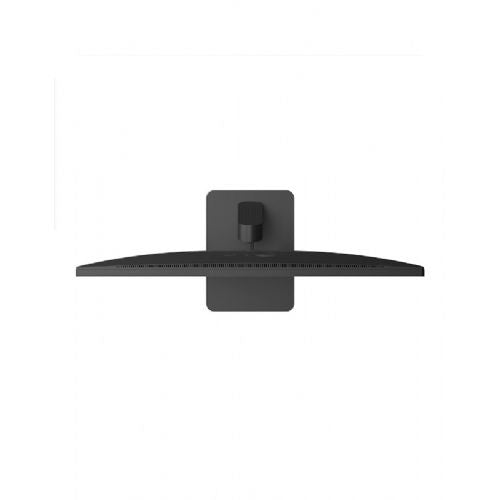
The nearly borderless design on three sides provides a modern look and reduces visual distractions while you work. The slim stand helps keep your workspace tidy, while height adjustment up to 80mm and tilt from -5° to 15° lets you customize the display position.
For more comfortable use, Flicker Safe and Reader Mode are available to help adjust the display for extended work. The monitor also supports Super Resolution+, Color Weakness and Smart Energy Saving functions, and VESA 100 × 100 mm wall mounting.
The 27-inch IPS display with a resolution of 3840 × 2160 provides an extremely detailed display and a large work surface for everyday tasks.
90% coverage of the DCI-P3 color space and display of 1.07 billion colors enable rich color shades.
HDR10 support and the HDR Effect function enable the display of content with extended dynamic range.
The LG Switch app lets you adjust picture settings and split the screen for more efficient multi-app work.
HDMI 2.0 and DisplayPort 1.4 ports allow you to connect computers and other compatible devices.
Height adjustment up to 80 mm, tilt adjustment and VESA 100 × 100 mm mounting options allow you to customize your workspace.
| Model | LG 27U710B-B |
| Series | LG UltraWide™ U7 |
| Screen size | 27" / 68.4 cm |
| Screen type | Level |
| Panel type | IPS |
| Aspect ratio | 16:9 |
| Resolution | 3840 × 2160 (4K UHD) |
| Pixel size | 0.0518 × 0.1554 mm (according to LG specification) |
| Refresh rate | Up to 60Hz |
| Response time | 5ms (GtG, Faster mode) |
| Typical brightness | 300 cd/m² |
| Minimum brightness | 240 cd/m² |
| Typical contrast | 1000:1 |
| Minimum contrast | 700:1 |
| Viewing angle | 178° / 178° |
| Color space | DCI-P3 90% typical / 86% minimum (CIE1976) |
| Number of colors | 1.07 billion |
| HDR | HDR10 |
| HDR Effect | Yes |
| LG Switch | Yes |
| Dual Controller | Yes |
| Super Resolution+ | Yes |
| Dynamic Action Sync | Yes |
| Black Stabilizer | Yes |
| Flicker Safe | Yes |
| Reader Mode | Yes |
| Color Weakness | Yes |
| Smart Energy Saving | Yes |
| HDMI | 1 × HDMI 2.0 |
| DisplayPort | 1 × DisplayPort 1.4 |
| Headphone output | 3-pole, audio only |
| Built-in speakers | No |
| Position setting | Height and inclination |
| Height adjustment | 80mm |
| Tilt | –5° to 15° |
| VESA | 100 × 100 mm |
| Dimensions with stand (W × H × D) | 613.5 × 476.9 × 220mm |
| Dimensions without stand (W × H × D) | 613.5 × 363.5 × 45.4mm |
| Packaging dimensions (W × H × D) | 700 × 133 × 430 mm |
| Net weight with stand | 6.1 kg |
| Net weight without stand | 5.0 kg |
| Gross weight | 8.1 kg |
| Power supply | External power supply, AC 100–240 V, 50/60 Hz |
| Energy consumption in operation (ErP) | 32W |
| Idle power consumption | Less than 0.5W |
| Power consumption when switched off | Less than 0.3W |
| Energy class | F |
| Color | Black |
| Included equipment | HDMI cable, power adapter, stand and documentation |
When choosing, pay attention to how high resolution fits with the screen size and your display settings. Another important trade-off is refresh rate: it can be perfectly adequate for normal work, but expectations may be different for fast scrolling or gaming.
Source of editorial recommendations: ENAA guides and team experience.
The high resolution on a 27-inch screen is adequate for working with text and spreadsheets, but may require scaling adjustments to comfortably size elements.
It may be suitable for normal work, but with frequent fast scrolling, the 60 Hz refresh rate is a limitation.
It's useful for gaming where resolution is more important than particularly smooth motion; 60 Hz doesn't meet expectations for a higher refresh rate.
The stated color gamut can be helpful in making a choice, but it alone does not tell you how accurate the colors are. For demanding color work, check the calibration and requirements of your workflow.
It's possible. Higher resolutions provide a sharper display, but text and interface elements may be too small for some users without scaling.
It may be suitable for gaming if you're comfortable with a 60Hz display. Response time and other gaming features aren't listed, so check them out before purchasing if they're important to you.
No. Color gamut does not confirm color accuracy or calibration, so for demanding work, check these features as well.
Description updated: October 2026
If you are still deciding, the following content may also be helpful.
Best products
Products for various purposes
Monitors for working from home


