Your shopping cart
😊 Product added to cart successfully
Product removed to cart successfully

Couldn't load pickup availability
Izdelek bomo predvidoma poslali čez: 5 dni
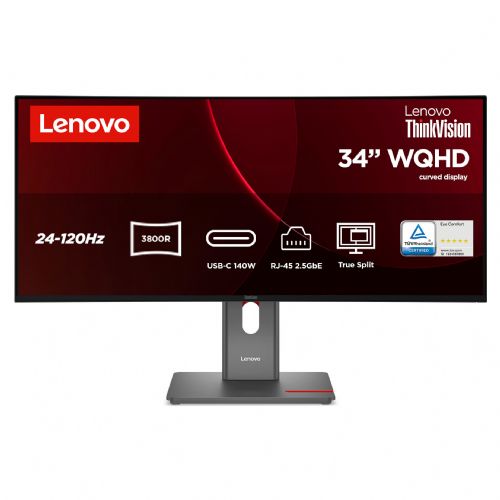
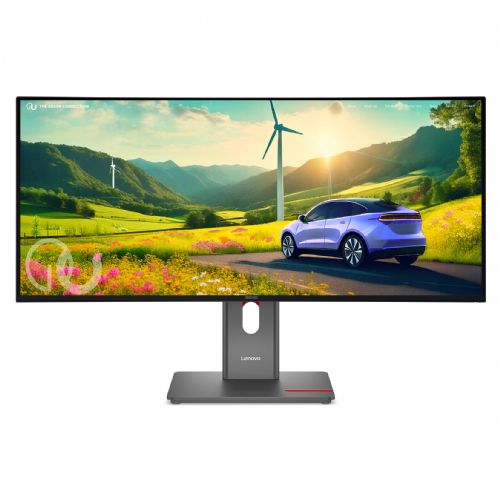

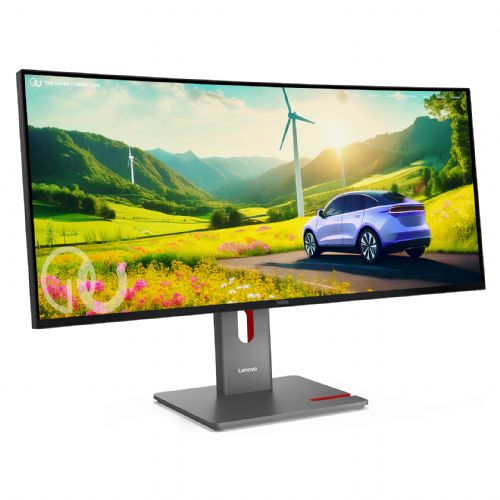
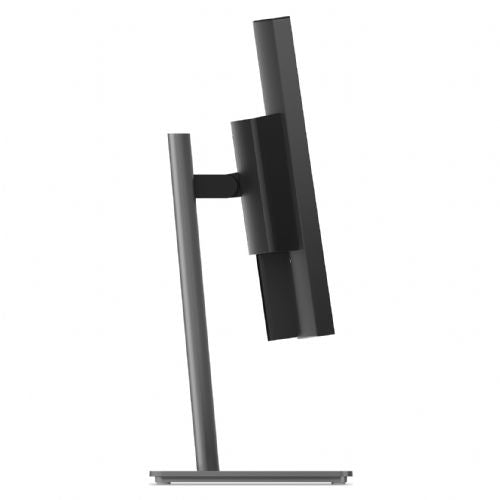
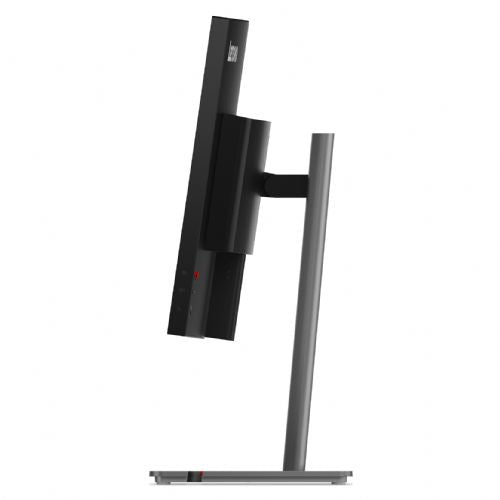
The 34-inch curved monitor is designed for business users, developers, and anyone who needs a clear and flexible work environment with a single screen.
The Lenovo ThinkVision P34WD-40 86.4 cm (34") wide-angle curved monitor is designed for demanding users who seek a superior visual experience and optimal productivity in one place. High WQHD resolution and advanced connectivity allow users to multitask effectively and enjoy exceptional comfort while working or playing.
Evaluation of key product features
| Property | Value | Emoji rating |
|---|---|---|
| Field of application | Business monitor | 🟢 9.5 |
| Size | 86.36 cm (34.0") | 🟢 9.2 |
| Resolution | 3440 x 1440 (UWQHD) | 🟢 9.6 |
| Panel type | IPS | 🟢 9.0 |
| HDMI connector | Yes | 🟢 8.8 |
| USB-C connector | Yes | 🟢 9.7 |
| Built-in docking station | Yes, 140W | 🟢 9.8 |
| Aspect ratio | 21:9 | 🟢 9.3 |
| Touch screen | No | |
| Curved screen | Yes | 🟢 8.6 |
| Response time (ms) | 6 | 🟡 6.8 |
| Brightness (cd/m2) | 350 | 🟢 8.5 |
⚖️ Compare features with other products of your choice
This monitor is ideal for business users, demanding consumers and gamers who want an expanded workspace, accurate color reproduction and advanced connectivity. With a wide curved screen, it allows multiple programs to be open at once, ideal for multitasking, project management and immersive work or entertainment. The curved design reduces eye fatigue by enveloping the user in the image and improving visibility across the entire work surface.
Technically, the combination of a 34-inch IPS panel with an exceptional UWQHD resolution of 3440 x 1440 pixels stands out, providing clear and sharp images with a wide viewing angle and rich, authentic colors. The USB-C docking station with a power of up to 140 W enables power, video and data transfer, and connection of external devices via a single cable, significantly reducing the number of cables on the desk. The functionalities are complemented by built-in stereo speakers (2 x 3 W) for a multimedia experience and support for KVM/eKVM, which allows switching between multiple computers with a single keyboard and mouse.
The monitor stands out from the competition with a fast 120 Hz refresh rate, which is especially useful for both gamers and business users, as it means smoother displays and less lag when moving the image. With a brightness of up to 350 cd/m2, it is also suitable for brighter offices and rooms. Connections such as HDMI, USB-C and the daisy chain function greatly increase flexibility, allowing you to connect different devices without additional adjustments.
This elegantly designed monitor with advanced technology stands out for its ease of connection and the ability to create a modular, transparent and productive workspace, which will satisfy even the most demanding users in the segments of business management, graphic design or advanced gaming.
Screen
Screen diagonal: 86.4 cm (34")
Screen resolution: 3440 x 1440 pixels
HD Type: Widescreen Quad HD
Native aspect ratio: 21:9
Display technology: LCD
Panel type: IPS
Feature: LED backlight
Backlight type: W-LED
Brightness (typical): 350 cd/m²
Response time: 6 ms
Feature: Anti-glare screen
Screen shape: Curved
Screen curvature: 3800R
Contrast ratio: 2000:1
Dynamic contrast ratio: 3000000:1
Maximum refresh rate: 120 Hz
Horizontal viewing angle: 178°
Horizontal viewing angle: 178°
Number of colors on the screen: 1.07 billion colors
Response time (fast): 4 ms
Pixel pitch: 0.2325 x 0.2325 mm
Image pixel density: 110 ppi
Field of view size (horizontal): 80 cm
Field of view size (vertical): 33.5 cm
Feature: High Dynamic Range (HDR) video support
High Dynamic Range (HDR) technology: High Dynamic Range 10 (HDR10)
Color depth: 10 bits
Color space standard: DCI-P3, sRGB
Color gamut: 98%
sRGB coverage (classic): 99%
DCI-P3 color gamut: 98%
Capacity
Feature: Low Blue Light Technology
Supports Windows operating systems: Windows 10, Windows 11
Multimedia
Number of speakers: 2
RMS power: 6W
Feature: Built-in speakers
Shape
Product color: Black
Color name: Eclipse Black
Ports and interfaces
Feature: Built-in USB hub
USB upstream port type: USB Type-B USB Type-C
Number of upstream ports: 2
Number of USB Type-B upstream ports: 1
Number of USB upstream ports Type-C port: 1
Number of USB Type-A downstream ports: 5
Number of USB Type-C downstream ports: 2
Feature: USB Type-C DisplayPort Switch Mode
Feature: USB powered
USB power delivery up to: 140 W
Feature: HDMI
Number of HDMI ports: 1
HDMI version: 2.1
Number of DisplayPort ports: 2
Number of DisplayPort outputs: 1
DisplayPort output version: 1.4
DisplayPort version: 1.4
Network
Feature: Ethernet/LAN
Ergonomics
Feature: VESA mount
Panel mounting interface: 100 x 100 mm
Feature: Cable lock slot
Cable lock slot type: Kensington
Feature: Height adjustment
Adjustable height (maximum): 15.5 cm
Feature: Rotation
Rotation angle range: -45° - 45°
Feature: Tilt adjustment
Tilt angle range: -5° - 23.5°
Feature: On-Screen Display (OSD)
Energy
Energy efficiency class (EER): E
Energy efficiency class (HDR): G
Energy consumption (SDR) per 1000 hours: 26 kWh
Energy consumption (HDR) per 1000 hours: 43 kWh
Power consumption (standard operation): 28 W
Power consumption (standby): 0.5 W
Power consumption (maximum): 250 W
Power consumption (off): 0.3 W
AC input voltage: 100-240 V
Input AC frequency: 50/60 Hz
Power supply type: Internal
Energy efficiency scale: from A to G
Weight and dimensions
Device width (with stand): 817.1 mm
Device depth (with stand): 220 mm
Device height (with stand): 548.8 mm
Weight (with stand): 10 kg
Width (without stand): 817.1 mm
Depth (without stand): 82.2 mm
Height (without stand): 358.6 mm
Weight (without stand): 7.2 kg
Frame width (side): 2 mm
Frame width (top): 2 mm
Frame width (bottom): 1.27 cm
Packaging information
Packaging width: 905 mm
Packaging depth: 174 mm
Packaging height: 470 mm
Packaging weight: 14.7 kg
Scope of delivery
Features: Stand included
Included cables: DisplayPort, power, USB Type-A to USB Type-B, USB Type-C to USB Type-C
DisplayPort cable length: 1.8 m
Power cable length: 1.8 mm
Sustainability
Sustainability certifications: ENERGY STAR, EPEAT Gold, TCO
Other features
Number of Ethernet LAN ports (RJ-45): 1
When choosing this ultrawide monitor, it's important to understand how its size, aspect ratio, and functionality will impact your daily work or mixed-use needs. Before making a purchase, focus primarily on ergonomics and connectivity features, and make sure you really need the extra-wide workspace and all the advanced connectivity that the monitor offers.
Source of editorial recommendations: ENAA guides and team experience.
Very convenient – the ultra-wide curved display and resolution allow for efficient multitasking, ideal for analytics, open spreadsheets, or programming.
Very convenient – support for USB-C with Power Delivery allows for easy single-cable setup and simultaneous charging of modern laptops, when this functionality is supported on your computer.
Very convenient – the KVM function greatly simplifies the use of one set of keyboard and mouse with multiple devices, which is ideal for hybrid work or parallel use of a work and private system.
Suitable with limitations – 120 Hz is significantly better than standard frequencies for hobby gaming and a smooth experience, but professional gamers (especially in the FPS genre) may miss an even higher refresh rate or lower response time.
Very convenient – this monitor provides a continuous work surface that can completely replace two regular screens in many scenarios without any breaks between windows.
Yes, the monitor supports power supply up to 140 W, which is sufficient for most powerful laptops, provided they support the appropriate standard.
The built-in KVM/eKVM switch allows you to quickly switch between two computers with shared peripherals, provided you have the appropriate connections and properly configured cables on both devices.
The ultrawide display with a resolution of 3440 x 1440 provides a wider work surface, which in most cases completely replaces the setup of two 24-27-inch monitors.
The built-in speakers are sufficient for basic needs (e.g. video calls or occasional listening to content), but for a better audio experience, we recommend separate speakers or headphones.
Description updated: October 2026
If you are still deciding, the following content may also be helpful.
Best products
Products for various purposes
Monitors for working from home


