Your shopping cart
😊 Product added to cart successfully
Product removed to cart successfully

Couldn't load pickup availability
Izdelek bomo predvidoma poslali čez: 0 dni
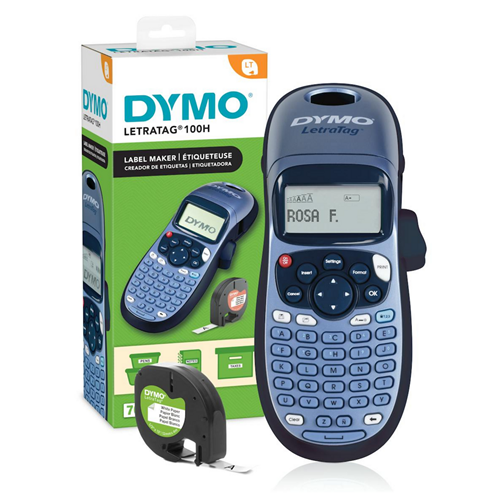
An entry-level label printer designed for home users that prints on 12mm plastic tape. Paper tape and iron-on tape can also be used in this label maker.
The cassettes are easy to swap, so you can switch colors back and forth without having to wait for the current cassette to finish. Intended for marking flat, smooth, clean surfaces - not suitable for marking cables.
Manual label maker, 13-character display, 9 label memories, 8 box styles, 5 font sizes, 2-line printing, date/time function, multilingual RACE technology, automatic shut-off.
POWER SOURCE: 4 x AA batteries (not included)
The Dymo 2174576 label printer is suitable for basic office labeling and internal document management. As a handheld model without Bluetooth or Wi-Fi support, it makes the most sense for individual users or smaller workplaces where the emphasis is on ease of use and quick production of simple labels up to 12 mm wide. Due to limited connectivity, it is not intended for multi-user environments or advanced integrations, and it is recommended to check the compatibility of the ribbons in advance according to the actual needs of the company.
Recommendation source: Enaa guides and team experience.
Most often, a label printer like this Dymo model is used by employees in administrative departments, archives or warehouses, where they want to quickly sort documents, drawers or materials without complicated installations. Because it allows two-line printing and has a simple screen, it is useful where there is no need to connect to a computer or mobile devices - for example, for simple labeling of folders, binders or temporary labels in the field.
Users often choose Dymo products because they appreciate their long-term reliability and easy availability of consumables.
When purchasing such business label printers on Enaa, customers often highlight the diverse range of models and the ability to review specific parameters, which makes it easier to compare according to the needs of the workplace.
Since no higher resolution information is provided, the printer is not recommended for printing very small barcodes or labels that require special clarity in fine print.
Due to the absence of Bluetooth and Wi-Fi connectivity, the Dymo 2174576 model is intended for individual use, not for multi-user or network scenarios.
Supports tapes up to 12 mm wide; we recommend checking availability and the type of tapes your company uses before purchasing.
The hand control is adapted for quick use in an office environment, the 13-character display allows basic text entry verification on two lines, which in practice is usually sufficient for basic labels.
The printer works best for simple internal labeling of folders, drawers, equipment, or archived documentation, where there is no need for more complex label processing or software integrations.
Description updated: May 2026


