Your shopping cart
😊 Product added to cart successfully
Product removed to cart successfully

Couldn't load pickup availability
Izdelek bomo predvidoma poslali čez: 0 dni

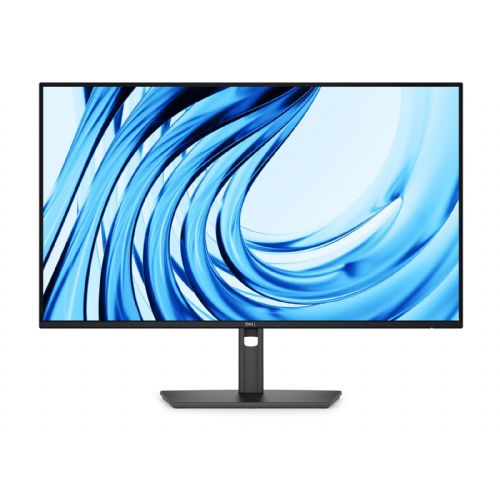


The DELL P2726H is the successor to the best-selling DELL P2725H.
The Dell Monitor Pro P, 27" P2726H, is a business-oriented 27" display designed for users who need a reliable and comfortable work environment for office tasks, data monitoring or occasional home work. It is suitable for business users, consumers and gamers who are looking for a balanced performance and functionality in everyday use. The main gain is an optimized work environment with a larger screen and additional connectivity.
Evaluation of key product features
| Property | Value | Rating |
|---|---|---|
| Field of application | Business monitor | 🟢 9.5 |
| Size | 68.58 cm (27") | 🟢 9.0 |
| Resolution | 1920 x 1080 (FHD) | 🟡 6.5 |
| Panel type | IPS | 🟢 9.5 |
| HDMI connector | Yes | 🟢 10 |
| USB-C connector | Yes | 🟢 9.0 |
| Built-in docking station | Yes, 15W | 🟢 8.5 |
| Aspect ratio | 16:9 | |
| Touch screen | No | |
| Curved screen | No | |
| Response time (ms) | 5 | 🟢 8.0 |
| Brightness (cd/m2) | 300 | 🟢 8.5 |
⚖️ Compare features with other products of your choice
The monitor with IPS panel provides accurate color reproduction and wide viewing angles, which is important for group work and working with visual content. FHD resolution allows for clear visibility of documents, spreadsheets, and web applications in an office environment, while the 27-inch size makes multitasking easier—multiple windows can be opened on one screen at the same time without losing clarity.
The 5ms response time and 120Hz refresh rate deliver a smooth and responsive image, which is especially noticeable when moving content and casually playing video games or working with animations. The 300cd/m² brightness ensures good readability even in brighter rooms, while the 1500:1 contrast ratio contributes to a clear separation between dark and light parts of the image.
Connectivity with HDMI, DisplayPort, and USB-C ports allows for broad compatibility with a variety of devices, including newer laptops or computers. The built-in USB-C docking station (up to 15W charging) makes it easy to connect and power smaller devices, increasing desk organization and reducing the need for additional cables.
These technical features are especially important for business users who need a reliable monitor for their daily work, as well as for consumers and gamers who want to efficiently manage multiple tasks or enjoy smooth multimedia content.
The Dell Pro P P2726H monitor offers a 27-inch LED-backlit LCD display with Full HD (1920 x 1080) resolution, delivering a vibrant 99% sRGB and BT.709 color gamut. Designed for comfortable viewing, it offers a wide 178° viewing angle both horizontally and vertically and uses Low Blue Light Technology and Dell ComfortView Plus. With a 5ms response time, the monitor delivers smooth transitions and reduced motion blur, making it suitable for work and entertainment. Equipped with multiple connectivity options, including HDMI, DisplayPort and USB-C, users can easily connect devices. A built-in USB hub further simplifies use and provides 15W USB Power Delivery (USB Power Delivery). The Dell Pro P P2726H is also ENERGY STAR certified, highlighting efficiency and sustainability. The monitor combines versatile features and image quality for an enhanced visual experience.
The Dell Pro P2726H monitor offers a balanced approach for office work, home use and casual gaming. With a large 27-inch diagonal and IPS technology, it is suitable for users looking for clarity, better viewing angles and comfortable working with multiple open windows or spreadsheets. Full HD resolution at this size remains good enough for everyday tasks, but with intensive text work and prolonged use, you may notice less sharpness compared to higher resolution monitors. The monitor is interesting with its usability as a second screen or for those looking for more workspace, but do not need advanced features for professional image processing or playing the most demanding games.
Recommendation source: Enaa guides and team experiences.
This monitor is often chosen by business users and anyone who wants a larger workspace for spreadsheets, documents, and web applications at first glance, without sacrificing the comfort of an IPS panel or the functionality of modern connectors. It is also useful as a supplementary display next to a laptop for working from home or hybrid work, where the larger diagonal increases visibility. If you are considering the right screen size for your space or work habits, we recommend reading our guide to choosing a monitor size .
Users appreciate the reliability and broad compatibility of Dell 's offerings, as their products often offer proven quality and the ability to integrate into existing work environments.
At Enaa, you can easily compare different monitor models and find expertly curated selections for business and home users. We also offer comprehensive selection guides in one place, enabling you to make a more informed decision based on your actual needs.
This monitor format offers more space to work, but also requires a slightly longer viewing distance. If you have a limited desk space, make sure the available space is adequate. For more guidance on screen size, see our guide to choosing a monitor size .
Due to the presence of HDMI and DisplayPort connectors, the monitor is compatible with most modern devices and allows flexible connection of multiple computers or use as an additional display.
For basic office tasks and working with regular documents, this resolution is usually sufficient, but some users may notice less sharpness when working with text for a very long time. For greater sharpness at this diagonal, we recommend considering a higher resolution.
The monitor offers basic tilt adjustments, which is suitable for most typical work setups. If you need more ergonomic adjustments, check out the stand or VESA mount options.
This model's offering is geared more towards office and everyday use, so the color accuracy and advanced calibrations may not meet the requirements of professional graphics or photo processing.
Description updated: June 2026


