Your shopping cart
😊 Product added to cart successfully
Product removed to cart successfully

Couldn't load pickup availability
Izdelek bomo predvidoma poslali čez: 2 dni

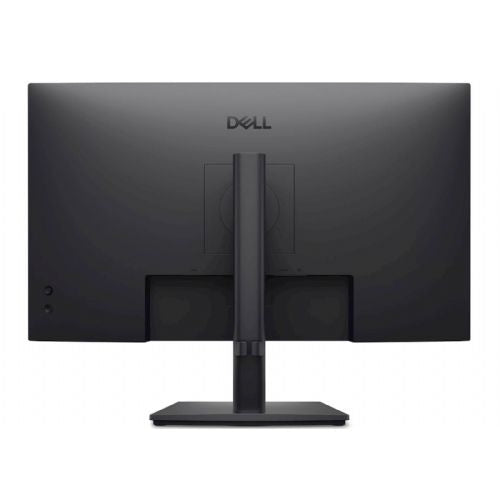


The 27-inch Dell monitor is designed for business users and anyone who needs a comfortable and clear working environment for long-term use.
The Dell E2726HS monitor with a 27-inch diagonal and Full HD resolution is suitable primarily for office work, home use and as an extension of the work surface next to a laptop. Due to its ergonomic adjustability and energy efficiency, it is more suitable for users who spend a large part of the day at the computer and value comfort and eye protection. In this price range, the Full HD resolution on a 27” screen is sufficient for typical office tasks, but it may be a compromise for those who expect an extremely sharp image for detailed reading or graphic work. The device is also functional as an additional display or for basic multimedia, but it is not the optimal choice for advanced graphic design or intensive gaming use, where higher resolutions or faster refresh rates are required.
Recommendation source: Enaa guides and team experiences.
This monitor is most commonly used by business and home users who appreciate a larger surface area for working with documents, spreadsheets or multiple open windows at once. It is also suitable for students and parents who seek eye protection during extended periods of use and appreciate the ability to adjust the monitor's position according to their needs. Dell is considered a trusted brand, recognized for the robustness and reliability of its monitors even in demanding work environments.
For anyone still deciding on the size or type of monitor, we recommend that you check out our guide on choosing the right monitor size , where you can find specific advice on space layout and purpose.
At Enaa, you can choose monitors based on professionally prepared filters according to the area of application, size and resolution, which makes it easier for you to find the right model for your work or home environment. We ensure the reliability of our offer with many years of presence on the market and the experience of our team, so you can make an informed decision more easily.
For basic office tasks and web browsing, Full HD is satisfactory, but for very fine text or more demanding reading, visual sharpness may not be optimal for some users. If you often work with small fonts, consider increasing the display or a higher resolution.
The monitor features height, tilt, and swivel adjustments, helping you adjust the screen position to your work environment and reducing neck and eye strain.
Yes, the size and design of the Dell E2726HS allows it to be combined in dual-monitor setups, but we recommend that the monitors be as close to each other in size and resolution as possible. You can also find more information on this topic in our guide to choosing dual monitors .
For occasional playing of less demanding games, the monitor may be satisfactory, but for competitive or more demanding gaming, it will probably be better to choose a model with a higher refresh rate or higher resolution.
The monitor offers standard connectors, such as HDMI, which are suitable for connecting to most modern computers and laptops. We recommend that you check which connectors are compatible with your equipment before purchasing.
Description updated: May 2026


