Your shopping cart
😊 Product added to cart successfully
Product removed to cart successfully

Couldn't load pickup availability
Izdelek bomo predvidoma poslali čez: 5 dni
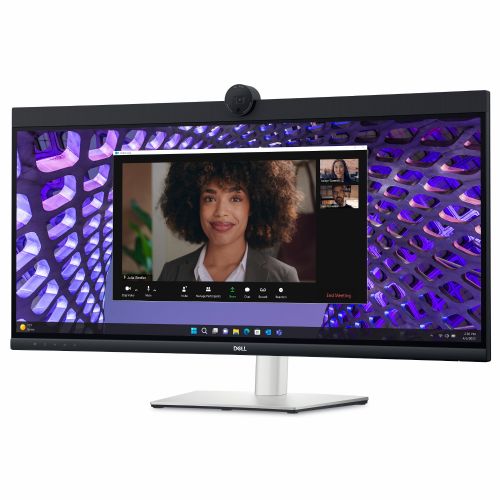
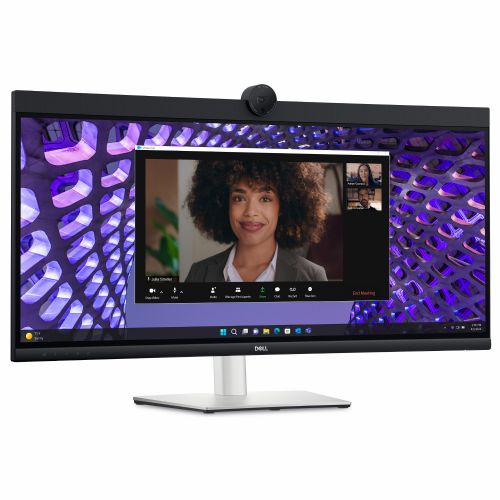
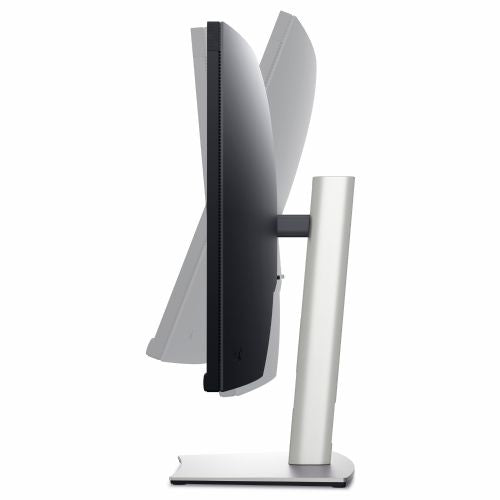
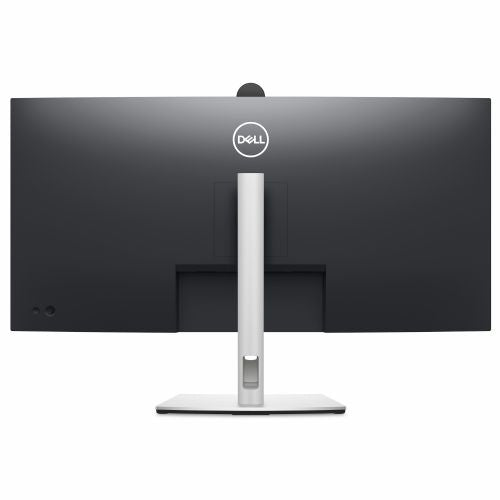
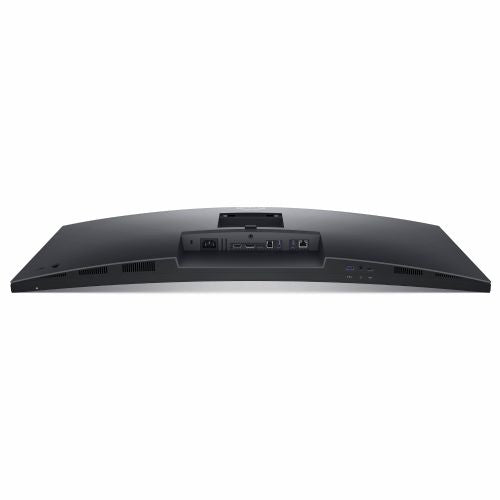
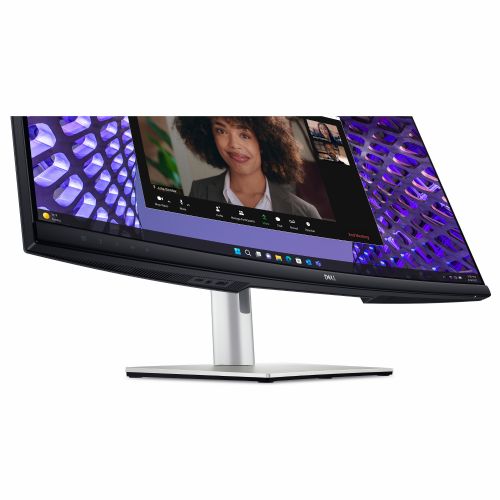
The Dell 34 Curved Monitor P3424WEB 86.36 cm (34.0") is a curved ultrawide monitor specifically designed for demanding business users and advanced consumers looking for superior productivity and an exceptional multitasking experience. The curved screen and superior technical features make work more transparent, comfortable and efficient, even during long periods of use.
Evaluation of key product features
| Property | Value | Emoji rating |
|---|---|---|
| Field of application | Business monitor | 🟢 9.5 |
| Size | 86.36 cm (34.0") | 🟢 9.0 |
| Resolution | 3440 x 1440 (UWQHD) | 🟢 9.0 |
| Panel type | IPS | 🟢 8.5 |
| HDMI connector | Yes | 🟢 8.5 |
| USB-C connector | Yes | 🟢 9.5 |
| Built-in docking station | Yes, 90W | 🟢 9.0 |
| Aspect ratio | 21:9 | 🟢 9.5 |
| Touch screen | No | |
| Curved screen | Yes | 🟢 8.5 |
| Response time (ms) | 4 | 🟢 8.0 |
| Brightness (cd/m2) | 300 | 🟡 7.0 |
⚖️ Compare features with other products of your choice
With its wide curved design and impressive 3440 x 1440 (UWQHD) resolution, this display provides optimal viewing of multiple applications at once, dramatically improving multitasking in the modern work environment. The curvature improves spatial perception and reduces eye strain, making it particularly suitable for intensive use throughout the workday, video conferencing or advanced data processing. The 21:9 aspect ratio is ideal for extended desktops and multiple virtual windows.
The advanced IPS matrix provides reliable color reproduction and good viewing angles, which is crucial for graphic tasks, architecture or data analysis. The 4 ms response time ensures smooth images and fast refresh rates in programs with animations or when playing moderate games. The brightness of 300 cd/m2 provides a clear image in various lighting conditions, and users will also appreciate the built-in webcam and speakers for instant video communication without additional equipment.
The monitor stands out with its integrated USB-C docking station with up to 90W of power — a single cable allows for both image transfer and charging and connecting additional devices. This greatly simplifies installation and reduces the number of cables on the desk, which is practical for flexible offices or working from home. HDMI input and modern connectors ensure broad compatibility with a wide range of devices.
This monitor is a great choice for business users, gamers, and advanced consumers who want a connected, powerful, and visually stunning work environment. With balanced specifications, multiple functionalities, and high-quality images, it will meet a variety of challenges in everyday professional or private use.
Screen
Screen diagonal: 86.7 cm (34.1")
Screen resolution: 3440 x 1440 pixels
HD Type: 4K Ultra HD
Native aspect ratio: 21:9
Display technology: LCD
Panel type: IPS
Backlight type: LED
Brightness (typical): 300 cd/m²
Response time: 8 ms
Features: Anti-glare screen
Screen shape: Curved
Screen curvature degree: 3800R
Supported video modes: 480p, 720p, 1080i, 1080p
Contrast ratio: 1000:1
Maximum refresh rate: 60 Hz
Horizontal viewing angle: 178°
Horizontal viewing angle: 178°
Number of display colors: 1.07 billion colors
Response time (fast): 5 ms
Pixel pitch: 0.2325 x 0.2325 mm
Pixel density: 109.68 ppi
Horizontal scan range: 30-90 kHz
Vertical scan range: 56-76 Hz
Field of view size (horizontal): 80 cm
Field of view size (vertical): 33.5 cm
Screen diagonal (cm): 86.71 cm
Surface hardness: 3H
Color gamut standard: sRGB
Color gamut: 99%
Capacity
Feature: Flicker-free technology
Feature: Blue light reduction technology
Multimedia
Number of speakers: 2
RMS power: 10W
Feature: Built-in speakers
Megapixels (approx.): 4 MP
Feature: Built-in microphone
Feature: Built-in camera
Shape
Market positioning: Office
Product color: Black
Front bezel: Black
Feature: Detachable stand
Stand color: Silver
Ports and interfaces
Feature: Built-in USB hub
USB Backflow Port Type: USB Type B, USB Type C
Number of entrance doors: 2
Number of USB-A input ports: 3
Number of USB-C input ports: 1
Feature: DisplayPort USB Type-C Switchable Mode
Feature: USB powered
USB power delivery up to: 90 W
Feature: HDMI
Number of HDMI inputs: 1
HDMI version: 2.1
Number of DisplayPort inputs: 1
DisplayPort version: 1.2
Feature: Headphone output
Headphone jack: 3.5 mm
Feature: Microphone input
Feature: HDCP
HDCP version: 2.2
Feature: Power input
Network
Feature: Ethernet/LAN
Ergonomics
Feature: VESA mount
Panel mounting interface: 100 x 100 mm
Feature: Cable lock slot
Cable lock slot type: Kensington
Feature: Height adjustment
Adjustable height (maximum): 15 cm
Feature: Rotation
Rotation angle range: -30° - 30°
Functions: Tilt adjustment
Tilt angle range: -5° - 21°
Features: On-Screen Display (OSD)
Features: Plug & Play
Energy
Energy efficiency class (EER): F
Energy consumption (SDR) per 1000 hours: 32 kWh
Power consumption (standard operation): 31.5 W
Power consumption (standby): 0.3 W
Power consumption (maximum): 210 W
Power consumption (off): 0.3 W
AC input voltage: 100 - 240 V
Input AC frequency: 50/60 Hz
Power supply type: Internal
Working conditions
Operating temperature: 0 - 40 °C
Storage temperature range: -20 - 60 °C
Relative humidity Operating humidity: 10-80%
Storage humidity: 5-90%
Operating altitude: 0-5000 m
Storage altitude: 5000-12192 m
Weight and dimensions
Device width (including stand): 815.6 mm
Device depth (including stand): 242.5 mm
Device height (including stand): 595.9 mm
Weight (including stand): 10.8 kg
Width (without stand): 815.6 mm
Depth (without stand): 84.8 mm
Height (without stand): 420 mm
Weight (without stand): 7.43 kg
Bezel width (side): 8.67 mm
Frame width (top): 3.92 cm
Frame width (bottom): 2.17 cm
Packaging information
Package weight: 15.8 kg kg
Scope of delivery
Features: Stand included
Included cables: AC, DisplayPort, USB Type-A to USB Type-B, USB Type-C to USB Type-C
Features: Power supply included
Features: Quick Start Guide
DisplayPort cable length: 1.8 m
Sustainability
Feature: Sustainability compliance
Sustainability certifications: ENERGY STAR
Does not contain: Arsenic, PVC/BFR
CO2 footprint
Total carbon footprint (kg CO2e): 788
Total carbon emissions, standard deviation (kg CO2e): 187
Carbon emissions, production (kg CO2e): 466.57
Carbon emissions, logistics (kg CO2e): 78.17
Carbon emissions, energy consumption (kg CO2e): 233.65
Carbon emissions, end of life (kg CO2e): 9.2
PAIA Version: 1.3.2, 2022
Other features
Free of heavy metals: Hg (mercury)
Compliance certificates: RoHS
Number of Ethernet LAN ports (RJ-45): 1
With a curved 86.36 cm (34") WQHD IPS display designed for immersive experiences and easy collaboration, you can connect as if you were there.
The Dell P3424WEB is a 34-inch curved monitor with an ultra-wide aspect ratio that, according to the team's experience, offers good visibility when working with multiple programs at the same time, whether in a business environment or at home. The wide working area and 3440 x 1440 resolution are especially suitable for users who often use multiple windows or need more space for analytics, programming or creative tasks. The built-in camera, speakers and USB-C enable modern hybrid work and video communication without additional devices. The monitor is not intended for demanding e-sports gaming, as with a refresh rate of 60 Hz it does not aim for the highest speeds, but it will be appreciated by casual gamers who need a large screen and versatility.
Recommendation source: Enaa guides and team experiences.
Typical users of this monitor are business users who want a single large screen for multitasking, editing spreadsheets or participating in video meetings, as the device also combines a camera, speakers and microphone. It is also often chosen by those who need optimal viewing of multiple applications at home or in a hybrid workplace, as the ultra-wide format allows for a clear arrangement of windows without the need for an additional display. Since the monitor supports USB-C connectivity, it is easy to connect to modern laptop users who want simple connection and power with a single cable.
For more practical advice on choosing the right ultrawide monitor or multitasking combo, we recommend checking out our guide to multi-monitor productivity . Users also often trust Dell 's broader offerings and support, as it is considered a reliable partner in the business world and develops products with a long lifespan and a good ecosystem of accessories.
At Enaa, you can choose from proven monitors and count on clear, expert information that complements your decision with practical advice from user and team experience. A full range of technical and user guides allows you to find a solution tailored to your way of working and make a confident decision in one place.
Such monitors are most often used by business users, analysts, programmers, and creatives who need to have multiple open windows or split applications on a single screen, as the ultra-wide ratio facilitates visibility and reduces the need to use multiple devices.
Yes, the P3424WEB allows connection via USB-C, which supports both image transfer and power delivery (up to 90 W), making it suitable for most modern laptops that support this functionality.
It is suitable for average gamers who appreciate a larger screen, but due to the 60 Hz refresh rate limit, it is not an optimal choice for demanding e-sports gaming or fast-paced FPS games where a higher display frequency is an advantage.
Yes, due to its width and resolution, it can be a more transparent and simpler solution than two separate monitors in the long run, especially for the tasks described in our guide to greater productivity .
It is recommended that you check before purchasing whether you have enough table depth for the optimal viewing distance, as a distance that is too short can affect comfort and visibility with such a large diagonal.
Description updated: April 2026


