Your shopping cart
😊 Product added to cart successfully
Product removed to cart successfully

Couldn't load pickup availability
Izdelek bomo predvidoma poslali čez: 5 dni


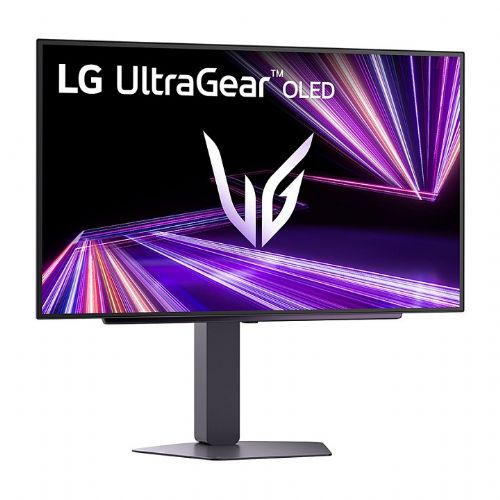
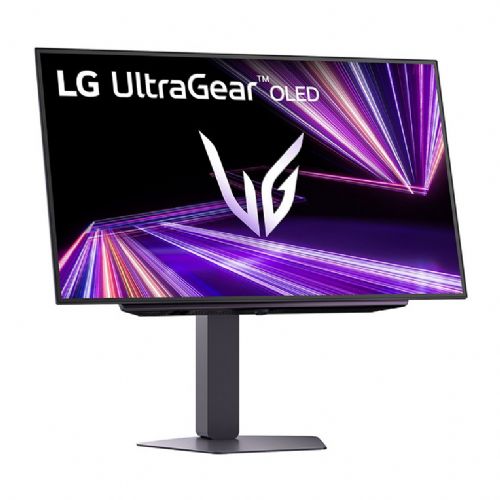
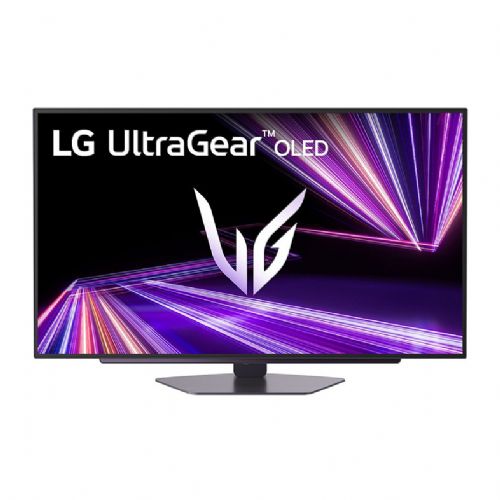
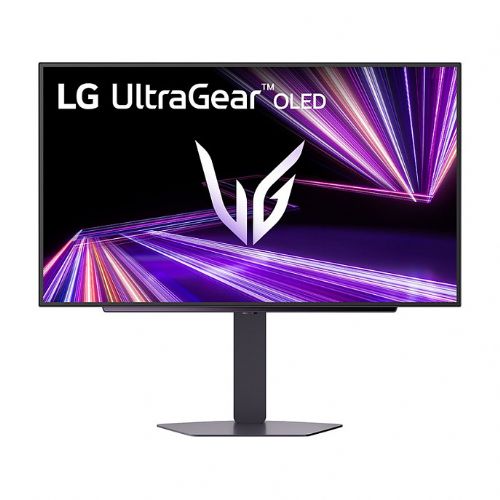
The 67.3 cm/26.5 inch (2560 x 1440) LG UltraGear 27GX704A-B monitor offers users an exceptional visual experience through advanced OLED technology and an extremely fast response time, which is crucial for gamers and demanding professionals seeking superior image quality. This monitor is designed for those who want fast and accurate content display, while enjoying seamless connectivity and wide flexibility of use.
Evaluation of key product features
| Property | Value | Rating |
|---|---|---|
| Field of application | Gaming monitor | 🟢 9.5 |
| Size | 67.3cm (26.5") | 🟢 9.0 |
| Resolution | 2560 x 1440 (WQHD) | 🟢 8.5 |
| Panel type | OLED | 🟢 10.0 |
| HDMI connector | Yes | 🟢 9.0 |
| USB-C connector | No | |
| Built-in docking station | No | |
| Aspect ratio | 16:9 | 🟢 9.0 |
| Touch screen | No | |
| Curved screen | No | |
| Response time (ms) | 0.03 | 🟢 10.0 |
| Brightness (cd/m2) | 275 | 🟡 6.5 |
⚖️ Compare features with other products of your choice
This monitor is designed primarily for gamers and business users who need fast response times, high resolution and perfect color transitions. In everyday use, it provides an above-average experience when playing games, editing images or watching content with realistic color reproduction and deep blacks, thanks to OLED technology. With a refresh rate of 240 Hz and a response time of 0.03 ms, it is ideal for competitive gaming, as it minimizes image lag and smoothes every movement on the screen.
Technical features include WQHD (2560 x 1440) resolution on a 67.3 cm (26.5") screen, which represents an excellent ratio between space and pixel density for clear and sharp displays. Connectivity is provided by two HDMI 2.1 ports, DisplayPort 1.4 and a USB hub, which means easy connection of multiple devices at the same time. The monitor has a standard flat panel (not curved), a typical 16:9 aspect ratio, which meets most modern needs - from office use to immersive gaming.
The brightness of 275 cd/m2 is sufficient for good visibility in various lighting conditions, especially indoors. The non-touch interface is clear and transparent, and the monitor is completely simple to use. The OLED panel stands out with perfect blacks and high contrast, allowing better perception of details in darker parts of the image.
The LG UltraGear 27GX704A-B monitor is a great choice for anyone who wants advanced gaming features and premium visuals in a sleek design, backed by advanced connectivity. In modern offices or gaming spaces, it provides an ergonomic setup and reliably repeatable image quality in all scenarios.
Screen
Screen diagonal: 68.6 cm (27")
Screen resolution: 2560 x 1440 pixels
HD Type: Quad HD
Native aspect ratio: 16:9
Display technology: OLED
Panel type: OLED
Brightness (typical): 275 cd/m²
Response time: 0.03ms
Response time measurement method: GTG (gray to gray)
Screen shape: Flat
Contrast ratio: 1,500,000:1
Maximum refresh rate: 240 Hz
Horizontal viewing angle: 178°
Horizontal viewing angle: 178°
Number of display colors: 1.07 billion colors
Pixel pitch: 0.2292 x 0.2292 mm
Screen diagonal (cm): 67 cm
Features: High Dynamic Range (HDR) video support
High Dynamic Range (HDR) technology: DisplayHDR 400 True Black, HDR effect, High Dynamic Range 10 (HDR10)
Color gamut standard: DCI-P3
Color gamut: 98.5%
Capacity
Feature: NVIDIA G-SYNC
NVIDIA G-SYNC Type: G-SYNC Compatible
Feature: AMD FreeSync
AMD FreeSync Type: FreeSync Premium Pro
Feature: VESA Adaptive Sync support
Feature: Low Blue Light Technology
Smart Modes: Energy Saving
Shape
Market Positioning: Gaming
Product color: Black
Feature: Detachable stand
Stand color: Black
Ports and interfaces
Feature: HDMI
Number of HDMI ports: 2
HDMI version: 2.1
Number of DisplayPort ports: 1
DisplayPort output version: 1.4
Feature: Headphone output
Headphone outputs: 3
Ergonomics
Feature: VESA mount
Panel mounting interface: 100 x 100 mm
Feature: Wall mount
Feature: Height adjustment
Feature: Rotation
Feature: Rotation
Features: Tilt adjustment
Energy
Energy efficiency class (EER): F
Energy efficiency class (HDR): F
Energy consumption (SDR) per 1000 hours: 24 kWh
Energy consumption (HDR) per 1000 hours: 23 kWh
Power consumption (standard operation): 36.6 W
Power consumption (standby): 0.5 W
Power consumption (off): 0.3 W
AC input voltage: 100-240 V
Input AC frequency: 50/60 Hz
Power supply type: External
Weight and dimensions
Device width (with stand): 605.2 mm
Device depth (with stand): 220 mm
Device height (with stand): 532.6 mm
Weight (with stand): 7.2 kg
Width (without stand): 605.2 mm
Depth (without stand): 45.3 mm
Height (without stand): 351 mm
Weight (without stand): 4.8 kg
Packaging information
Packaging width: 673 mm
Packaging depth: 528 mm
Packaging height: 168 mm
Packaging weight: 9.9 kg
Scope of delivery
Cables included: DisplayPort, HDMI, USB Type-A to USB Type-B
Other features
Brand-specific technologies: Black color stabilizer
Feature: FPS counter
Warranty period: 2 years
OLED with MLA+
Brilliance for a great game
The brilliant OLED display takes colors to a new level of vibrancy. With a standard brightness of 275 nits and a peak brightness of 1300 nits, this monitor delivers bright and vivid images, ensuring you're never gaming in the dark.
Micro Lens Array+
Development of OLED
Our UltraGear OLED with Micro Lens Array+ technology offers 37.5% more brightness (SDR) compared to MLA.
DisplayHDR True Black 400 / DCI-P3 98.5%
Explosion of colors
VESA DisplayHDR True Black 400 brings every scene, bright or dark, to life with its detailed projections and 1.5 million-to-1 contrast ratio. Immerse yourself in a more vibrant gaming environment created by the DCI-P3 98.5% (typical) color gamut.
Low blue light
Strong blue light protection
Experience uninterrupted gaming with reduced harmful blue light. LG WOLED uses advanced technology that reduces blue light emissions while maintaining vibrant, realistic colors. Certified by UL with Low Blue Light Platinum, it delivers intense gaming colors and a more comfortable viewing experience.
Incredible speed, OLED 240 Hz refresh rate
The high refresh rate of 240 Hz allows gamers to see the next frame quickly. They see and provide a smooth image display. Players can react quickly to opponents and aim with ease.
Extremely short response time of 0.03 ms
0.03ms (GtG) Response Time reduces image ghosting and ensures clear object rendering, allowing you to enjoy smooth gameplay with stunning visual effects.
240Hz QHD OLED via HDMI 2.1
Improved gaming performance with OLED display
The 27GX704A supports refresh rates up to 240Hz via HDMI 2.1. This means gamers can fully enjoy QHD resolution and 240Hz via DisplayPort or HDMI.
Gamer-centric design
Enjoy a better gaming experience with a virtually borderless design on all sides. The adjustable stand supports swivel, tilt, height, and pivot for even greater gaming comfort.
4-pin headphone output
Plugin for impressive sound effects
Enjoy gaming with voice chat by connecting headphones via the 4-pin headphone output. Plus, experience even more immersive virtual 3D sound with DTS Headphone:X.
The LG UltraGear 27GX704A-B monitor with a 26.5-inch diagonal, QHD resolution and fast OLED matrix, with its extremely fast response time (0.03 ms) and refresh rate (240 Hz), is particularly suitable for dynamic games and demanding multitasking. Due to its high resolution and larger diagonal, it is well suited for professional and amateur use, where image sharpness is important, especially if the user often uses multiple windows at the same time or needs more work space. It is recommended that users have a sufficiently deep desk for an optimal experience, as a larger diagonal requires a slightly longer viewing distance. Due to the emphasis on performance and image quality, this model is less suitable for basic or casual use, where advanced features and a higher image class are not a priority.
Recommendation source: Enaa guides and team experiences.
Advanced users, such as serious gamers and demanding business users, often choose this type of QHD OLED monitor due to their need for high responsiveness, a wide work surface, and vivid colors. It excels especially in scenarios where display speed and sharpness are crucial – whether in competitive eSports, creative graphics processes, or analytical work with multiple open applications and data. Consideration of ergonomics and desk space is still recommended, as a larger diagonal requires an appropriate distance for comfortable viewing. If you are deciding on the appropriate size or want to learn more about the optimal layout, our guide to choosing a monitor size can help you.
Many users also appreciate the tradition and innovation of the LG brand, as within their offer it is possible to find various solutions that are reliable and enable the upgradeability of the work or gaming environment.
When purchasing a monitor at Enaa, you can benefit from additional professional advice based on the team's experience and numerous practical guides. Clear comparisons of products from the same category are available, which makes it easier to make an informed decision when choosing the size, resolution and use of the monitor for different scenarios. In addition, our offer consists of current models from renowned manufacturers, which ensures diversity in terms of desired functionality.
Demanding gamers and users who need a high refresh rate and excellent color reproduction will benefit the most, as well as those who spend most of the day doing analytical or creative work and expect exceptional image sharpness.
Yes, due to its high resolution and larger work surface, the monitor is also suitable for demanding office tasks, but we definitely recommend considering ergonomic placement and appropriate viewing distance.
The OLED matrix means significantly better contrast, deeper blacks and faster response, which is especially noticeable when playing dynamic games or watching multimedia content, while IPS offers better natural colors and viewing angles, but a slower response.
Due to its size and connectivity, the monitor is very suitable as the main display when working with two monitors, but it is useful to coordinate the resolution and settings; you can read more about this topic in our guide to using two monitors .
You can use HDMI 2.1 or DisplayPort 1.4 connectors to connect; make sure your graphics card supports the appropriate resolution and refresh rate, and use the included or certified cables for the best experience.
Description updated: April 2026


